Laptop Etiquette Slides 6th Grade Digital Citizenship
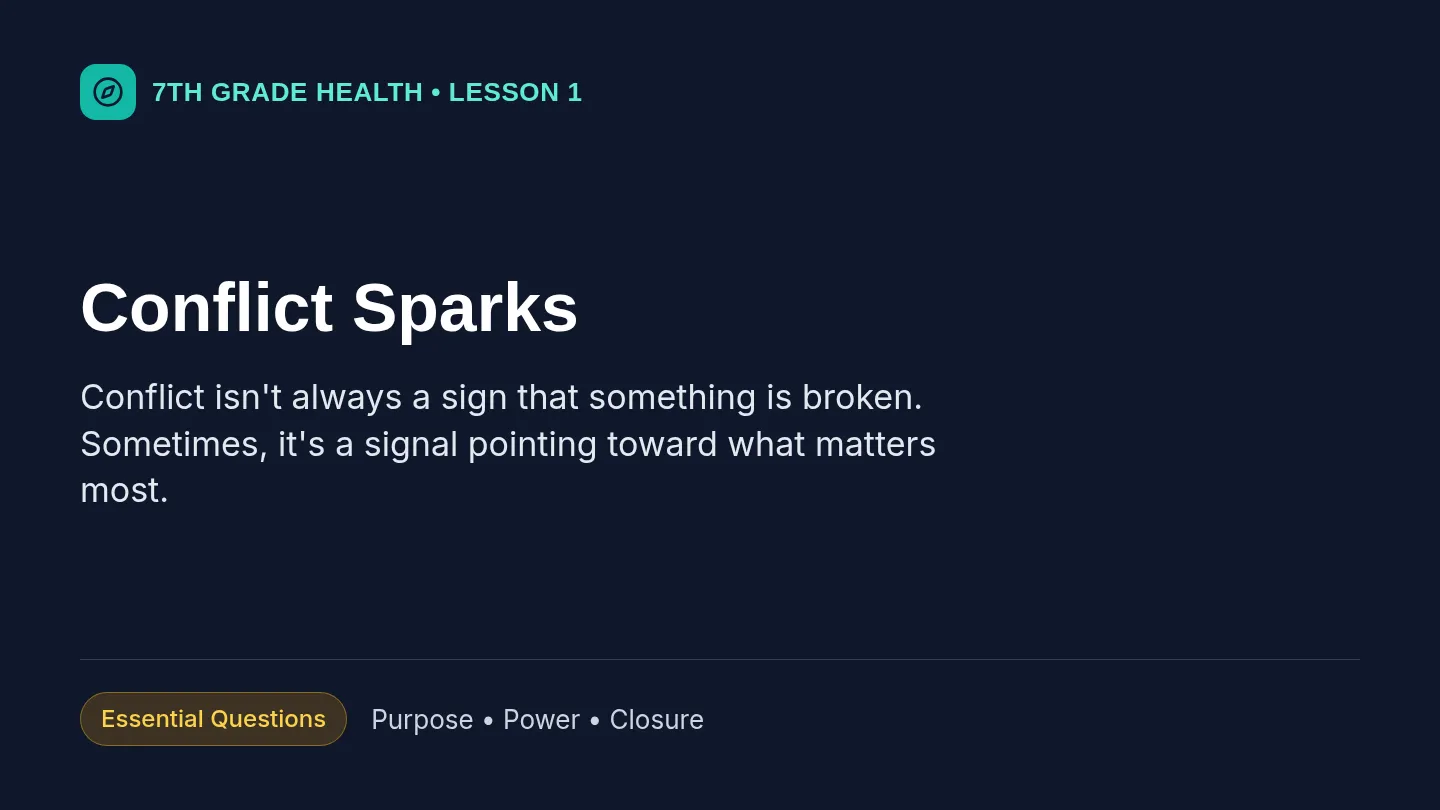
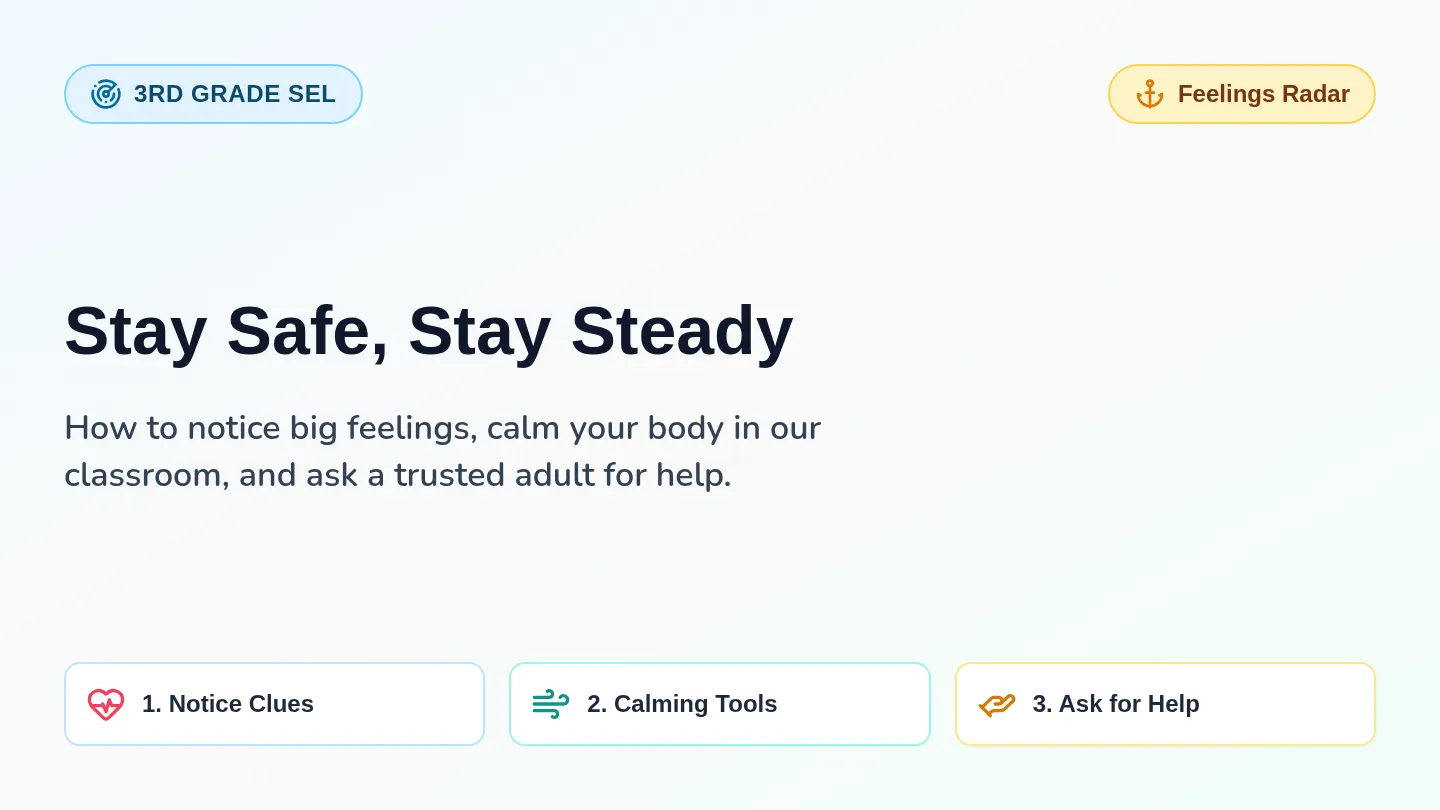
Tech Guardians
Using school laptops respectfully, responsibly, and appropriately every day.
Physical Care
Classroom Focus
Digital Citizenship
Quick Check: What Would You Do?
Warm-Up
Scenario A
You bring a water bottle with a loose cap to your desk while typing an essay. It tips over right next to your keyboard.
How could you prevent this?
Scenario B
You finish your assignment 5 minutes early and see a friend playing an unblocked game tab across the room.
What is the responsible choice?
Turn and talk with a partner for 60 seconds, then be ready to share.
Today's Mission
Learning Objective
I can care for my school laptop, stay focused during class, and make safe, respectful choices online.
1. Respectful
Kind words, eyes up when asked, shared care.
2. Responsible
Safe handling, charged battery, on-task tabs.
3. Appropriate
School-ready content and private passwords.
Pillar 1: Physical Care
Handle Like It's Yours
Two-Hand Carry
Close the lid first. Carry with two hands—never by the screen.
No Food or Drinks
Keep water bottles on the floor or away from the keyboard.
Charge & Dock
Plug in gently after class so the next student starts at 100%.
Report Issues Fast
Missing key or crack? Tell your teacher right away—don't pick at it.
Pillar 2: Classroom Focus
Tech Supports Learning
45° Rule (Half-Mast) When Listening
Lower your lid halfway when a teacher or classmate is speaking.
Only Approved Tabs Open
Keep only the tabs needed for class. Close games, chats, and extra videos.
Mute or Use Headphones
Check your volume before playing audio so you don't distract others.
Pillar 3: Digital Citizenship
Safe, Kind & Honest
Guard Your Login
Never share passwords or use another student's account. Always log out on shared devices.
Think Before Posting
Comments in shared docs and chats leave a digital footprint. Keep feedback kind and school-appropriate.
Do Your Own Work
Give credit to sources and never copy-paste someone else's writing as your own.
School-Appropriate Only
School laptops are monitored learning tools. Only visit trusted, school-approved sites.
Activity: Tech Squad Scenarios
15 Minutes
1
Read the Case
With your partner or group, read each realistic 6th-grade laptop dilemma.
2
Spot the Issue
Decide which pillar is being broken: Physical Care, Focus, or Digital Citizenship.
3
Write the Fix
Explain what a Tech Guardian would do instead, then sign your Laptop Promise.
Be ready to share one scenario and your solution with the class!
Wrap-Up: Exit Ticket
Before You Log Out
Complete your Digital Citizenship Exit Ticket independently.
Close all tabs & log out
Carry with two hands
Plug in to charge
Great job today, Tech Guardians!
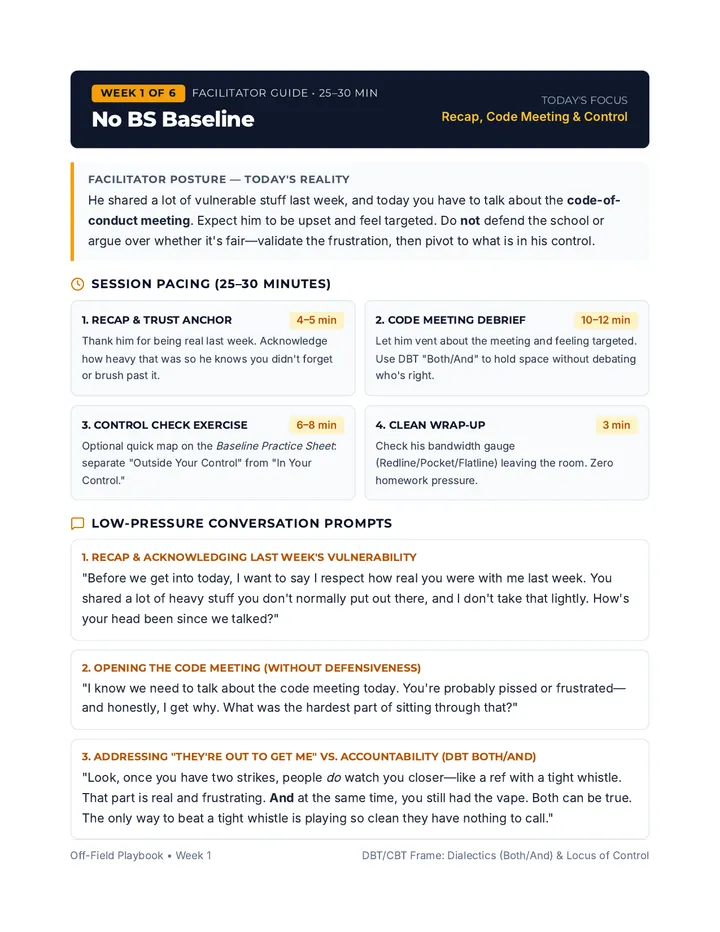
Tech Guardians Teacher Guide 6th Grade Digital Citizenship • Teacher Guide
Tech Guardians: Proper Use of School Laptops
Duration: 45 Min
Grade: 6
Learning Objective
Students will demonstrate how to care for school laptops physically, maintain classroom focus, and practice safe, respectful, and honest digital citizenship.
Materials Checklist
• Laptop Etiquette Slides (projected)
• Tech Squad Scenarios Worksheet (1 per student)
• Digital Citizenship Exit Ticket (1 per student)
• Class set of school laptops (for modeling)
45-Minute Lesson Pacing
Time
Phase
Teacher & Student Actions
0–7 min
(7 min)
Warm-Up Hook
Slides 1–2
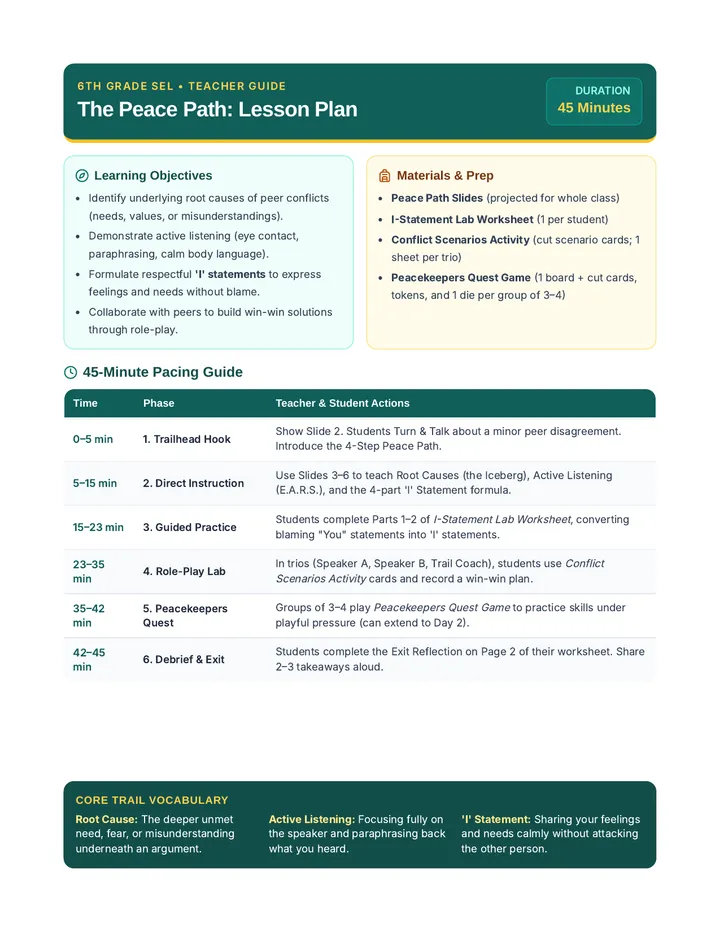
Introduce the title Tech Guardians . Display Slide 2 (Water Bottle & Unblocked Game scenarios). Have students turn and talk for 60 seconds, then cold-call 2–3 pairs to share.
7–20 min
(13 min)
Direct Instruction
Slides 3–6
Unpack the learning goal and the Three Pillars: Physical Care (two-hand carry, no liquids, charging, reporting damage), Classroom Focus (45° half-mast rule, approved tabs, headphones), and Digital Citizenship (passwords, kind comments, academic honesty, school-appropriate sites). Model the 45° lid angle live.
20–37 min
(17 min)
Tech Squad Activity
Slide 7 + Worksheet
Pair students or form triads. Distribute Tech Squad Scenarios Worksheet . Students complete Part 1 (Quick Sort) and Part 2 (4 Scenarios), then sign their Laptop Promise. Circulate to prompt deeper reasoning. Share out 1–2 scenarios whole-class at minute 34.
37–45 min
(8 min)
Wrap-Up & Exit Ticket
Slide 8 + Exit Ticket
Distribute Digital Citizenship Exit Ticket for independent completion (5 min). Practice the end-of-class shutdown routine: log out, close lid, carry with two hands, plug in gently.
Differentiation & Classroom Tips
Scaffolds for Multilingual / Developing Writers:
Provide sentence frames on the board: "The pillar broken is ___ because ___. Instead, the student should ___." Allow partner discussion before writing.
Extension for Early Finishers:
Have pairs invent a 5th "Tech Fail" scenario on the back of their worksheet and swap with another pair to solve.
Answer Keys & Facilitation Notes
Teacher Reference
Worksheet Part 1: Pillar Match Answer Key
1. Carrying laptop with two hands, lid closed → Physical Care
2. Lowering lid to 45° when teacher speaks → Classroom Focus
3. Keeping your password private → Digital Citizenship
4. Plugging in charger gently after class → Physical Care
5. Closing extra game tabs during work time → Classroom Focus
6. Leaving kind, helpful comments on a doc → Digital Citizenship
Worksheet Part 2: Tech Squad Scenarios Key
Case 1 (Maya's Sticky Keys — Eating lunch over keyboard):
Pillar: Physical Care. Sample Fix: Keep food and drinks away from the laptop; eat first, wash hands, then use the device on a clean desk.
Case 2 (Jordan's Tab Switch — Watching sports highlights during reading):
Pillar: Classroom Focus. Sample Fix: Close non-class tabs immediately and keep only the assigned reading or classwork open.
Case 3 (Devon's Prank — Changing a friend's wallpaper while unlocked):
Pillar: Digital Citizenship. Sample Fix: Never touch another student's logged-in account; remind the friend to lock or log out when stepping away.
Case 4 (Sofia's Copy-Paste — Copying a paragraph without credit):
Pillar: Digital Citizenship. Sample Fix: Paraphrase ideas in her own words and cite the source where she found the information.
Exit Ticket Answer Key
Q1 (Carrying a laptop across the room): B — Close the lid and carry it with two hands.Q2 (When the teacher says "Screens at 45"): C — Lower the screen halfway and look at the teacher.Q3 (Friend asks for your login password): A — Politely say no because passwords must stay private.Q4 (Reflection): Look for one specific, actionable habit (e.g., plugging in the charger gently, keeping water on the floor, or staying on approved tabs). Tech Squad Scenarios Worksheet Tech Guardians • Student Activity
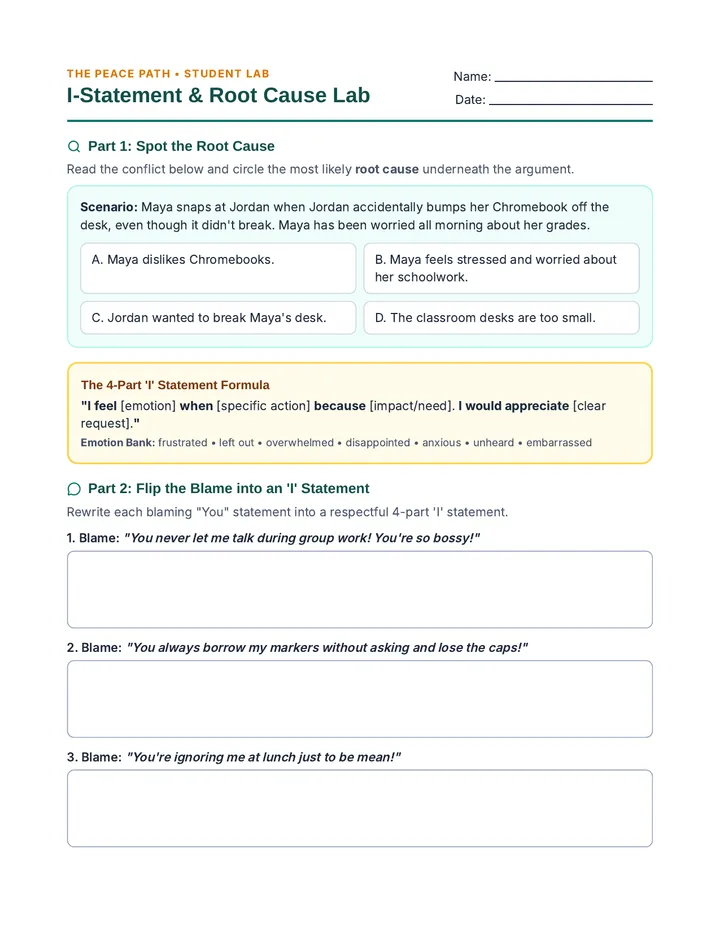
Tech Squad Scenarios
Name: ___________________________
Date: ____________________________
Part 1: Match the Habit to the Pillar
Write P (Physical Care), F (Classroom Focus), or D (Digital Citizenship) on each line.
1. Carrying your laptop with two hands, lid closed
4. Plugging in the charger gently after class
2. Lowering the lid to 45° when the teacher speaks
5. Closing extra game tabs during work time
3. Keeping your login password private
6. Leaving kind, helpful comments on a shared doc
Part 2: Fix the Tech Fails
Read each scenario. Identify which pillar is broken and write what a Tech Guardian should do instead.
Case 1: Maya's Sticky Keys
Pillar: _______________________
Maya rushes to finish her science slides during lunch. She sets an open juice box next to her trackpad and eats pretzels while typing. Crumbs fall under the spacebar.
What should Maya do instead?
Case 2: Jordan's Tab Switch
Pillar: _______________________
During silent reading on laptops, Jordan opens a second tab to watch basketball highlights. When the teacher walks by, Jordan quickly switches back to the reading tab.
What should Jordan do instead?
Tech Squad Scenarios (Continued) Name: _________________________
Case 3: Devon's Prank
Pillar: _______________________
A classmate steps away to sharpen a pencil and leaves their laptop unlocked. Devon walks over, changes their desktop wallpaper, and types a silly message in their open document.
What should Devon (and the classmate) do instead?
Case 4: Sofia's Copy-Paste
Pillar: _______________________
Sofia is running out of time on her history research paragraph. She finds a great website, copies three sentences word-for-word, and pastes them into her assignment without mentioning the website.
What should Sofia do instead?
Part 3: My Tech Guardian Promise
Write one personal goal for how you will use your school laptop respectfully, responsibly, and appropriately this semester:
Student Signature: _______________________________
Date: ______________
Digital Citizenship Exit Ticket Tech Guardians • Quick Check
Digital Citizenship Exit Ticket
Name: ___________________________
Date: ____________________________
Circle the best answer for Questions 1–3, then complete Question 4 in your own words.
1. What is the safest way to carry your school laptop across the classroom?
A. Hold it open by the top edge of the screen so it doesn't fall asleep.
B. Close the lid gently and carry it with two hands.
C. Tuck it under one arm while carrying your backpack in the other hand.
D. Balance it on top of your binder with the lid half-open.
2. When the teacher says, "Screens at 45," what should you do?
A. Turn the brightness down to 45% and keep typing.
B. Shut down the laptop completely and put it away.
C. Lower your screen halfway and look up at the speaker.
D. Mute your volume and switch to a different tab.
3. A close friend asks to borrow your login password so they can check an assignment. What should you do?
A. Politely say no, because passwords must stay private to protect your account.
B. Share it with them as long as they promise not to tell anyone else.
C. Write it on a sticky note and throw it away after class.
D. Log in for them and walk away while they finish their work.
4. Short Reflection:
What is one specific habit you will practice today to show respect and responsibility with your school laptop?