Session Tracker Visual Checklist
My Session Checklist
I can check off my steps one by one!
Universal Tracker
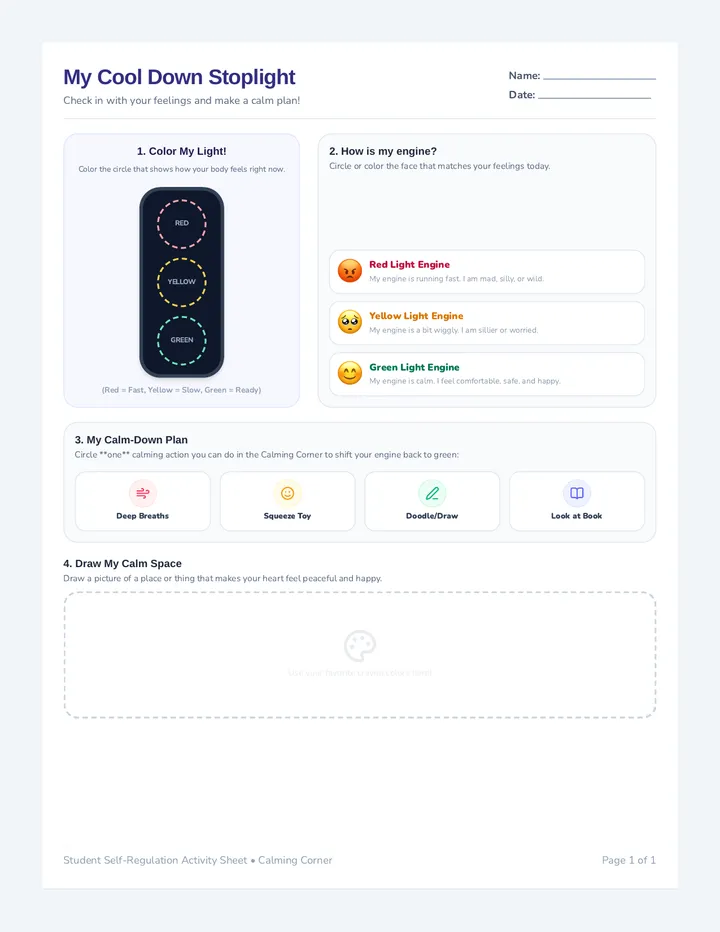
How do I feel today? (Circle or color your feeling!)
😊 Happy
😢 Sad
😡 Angry
😰 Worried
🥱 Tired
❓ Other
1
Check-In Time
Let's check our feelings, choose an emoji, and take a deep breath!
2
Miss Maria's Choice
Work hard with Miss Maria on today's goals and learning activities!
3
Your Choice
Write or draw your favorite activity of the day in the box below!
Draw or write here:
4
Check-Out
Clean up, review our session successes, and head back to class!
I did it! I checked off all my steps and worked hard today!
Session Tracker Counselor Guide
Visual Checklist Counselor Guide
Therapeutic Implementation & Set-up Guide
K-2 IEP Accommodations
Clinical Rationale
Students with IEPs (e.g., ADHD, ASD, ODD, Anxiety) thrive when routines are predictable. Presenting the session as a clear, checkable visual sequence lowers defensive cognitive load, eliminates power struggles, and scaffolds the essential life skill of delayed gratification.
Setup Options
- A. Dry-Erase Lamination: Laminate a single copy of the checklist. The student can circle their feeling and check off completed stages with a dry-erase marker, making it instantly reusable.
- B. Paper Checklist: Print a fresh paper sheet for each session. The student can color the emojis and check off steps with a crayon or pencil to keep as a physical work sample.
IEP Alignment
This tool directly supports visual-schedule accommodations, self-regulation benchmarks, emotional identification goals, and executive functioning visual cues. Record progress on transitions!
Step-by-Step Implementation Flow
Block 1: Emotion Identification & Check-In
Begin by having the student circle or color the emoji representing how they feel. Guide them to trace or mark the check-mark in the circle to complete step 1.
Block 2: Targeted Skill Practice (Therapist Task)
Point to the Miss Maria's Choice block. Work with the student on structured IEP goals (social stories, coping skills). Once completed, let the student put a big checkmark in the box.
Block 3: Student Agency & Reinforcement
Invite the student to write or draw their chosen reward activity in the open white box inside Block 3. Running the activity with a visual timer (3-5 mins) is recommended; check off the stage when completed.
Block 4: Transition & Closure Checklist
Clean up, review session progress, and transition the student back to class. Checking off this final box acts as a positive exit milestone!
Developmental Scripts (K-2)
Explaining the checklist: "This is our checklist map! As we finish each step, we get to draw a checkmark inside the big circle. Let's see how fast we can check off step one!"
Transitioning to Maria's Choice: "Look, check-in is all done! Let's check it off. Now it's my turn to choose our learning activity. When we finish, we can write or draw your favorite game in the blank box next!"
Troubleshooting Behavioral Resistance
If the student refuses Miss Maria's choice and requests their reward immediately, gently point to the checklist and state the sequence calmly: "First, we check off my task, then we get your game choice." Avoid arguments. Maintain quiet compliance and let the schedule checklist act as the authoritative voice.