Smart Scrolls Brochure
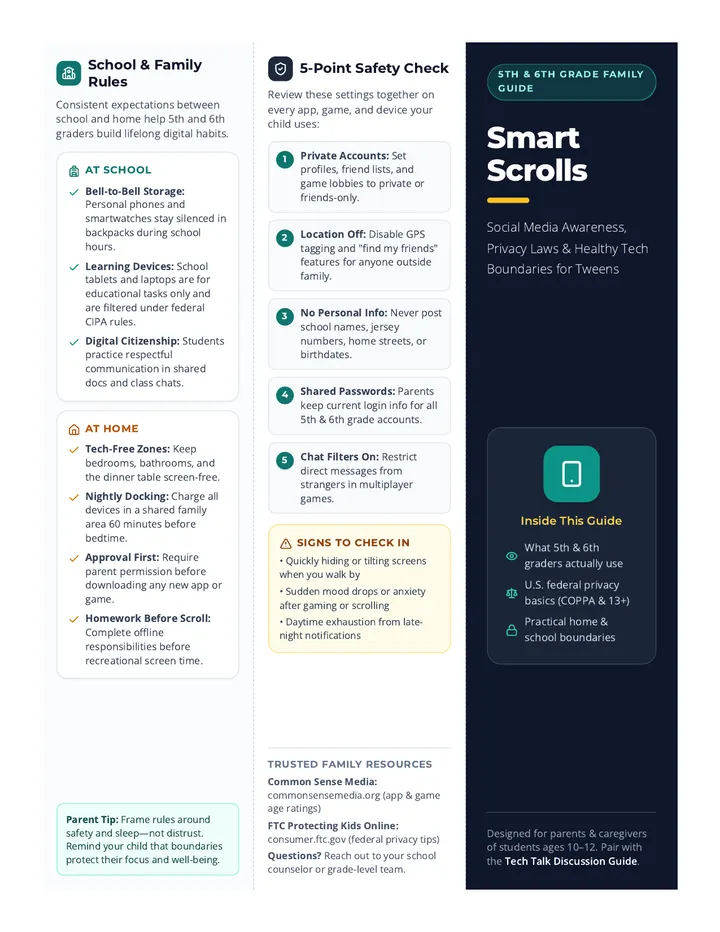
School & Family Rules
Consistent expectations between school and home help 5th and 6th graders build lifelong digital habits.
At School
- Bell-to-Bell Storage: Personal phones and smartwatches stay silenced in backpacks during school hours.
- Learning Devices: School tablets and laptops are for educational tasks only and are filtered under federal CIPA rules.
- Digital Citizenship: Students practice respectful communication in shared docs and class chats.
At Home
- Tech-Free Zones: Keep bedrooms, bathrooms, and the dinner table screen-free.
- Nightly Docking: Charge all devices in a shared family area 60 minutes before bedtime.
- Approval First: Require parent permission before downloading any new app or game.
- Homework Before Scroll: Complete offline responsibilities before recreational screen time.
Parent Tip: Frame rules around safety and sleep—not distrust. Remind your child that boundaries protect their focus and well-being.
5-Point Safety Check
Review these settings together on every app, game, and device your child uses:
1
Private Accounts: Set profiles, friend lists, and game lobbies to private or friends-only.
2
Location Off: Disable GPS tagging and "find my friends" features for anyone outside family.
3
No Personal Info: Never post school names, jersey numbers, home streets, or birthdates.
4
Shared Passwords: Parents keep current login info for all 5th & 6th grade accounts.
5
Chat Filters On: Restrict direct messages from strangers in multiplayer games.
Signs to Check In
- • Quickly hiding or tilting screens when you walk by
- • Sudden mood drops or anxiety after gaming or scrolling
- • Daytime exhaustion from late-night notifications
Trusted Family Resources
Common Sense Media: commonsensemedia.org (app & game age ratings)
FTC Protecting Kids Online: consumer.ftc.gov (federal privacy tips)
Questions? Reach out to your school counselor or grade-level team.
5th & 6th Grade Family Guide
Smart
Scrolls
Social Media Awareness, Privacy Laws & Healthy Tech Boundaries for Tweens
Inside This Guide
- What 5th & 6th graders actually use
- U.S. federal privacy basics (COPPA & 13+)
- Practical home & school boundaries
Designed for parents & caregivers of students ages 10–12. Pair with the Tech Talk Discussion Guide.
Why Grades 5–6 Matter
Ages 10–12 are a turning point. Even without formal social media accounts, many tweens encounter social feeds through gaming, video apps, and group texts.
Where Tweens Connect
Group chats, multiplayer games (like Roblox or Fortnite), and short-form video feeds (YouTube Shorts, TikTok) often act as "first social networks."
Developing Brains vs. Algorithms
5th and 6th graders are still building impulse control. Recommendation algorithms are engineered to maximize watch time and trigger quick emotional reactions.
Common Tween Pitfalls
- • Group Chat Drama: Misread tone, exclusion, or sharing screenshots.
- • Oversharing: Posting personal details to fit in or gain followers.
- • In-Game Strangers: Voice or text chats with unverified users.
Key Mindset: Your child doesn't need to be "tech-perfect"—they need a calm, trusted adult helping them practice good judgment.
U.S. Laws & Privacy
Federal rules set baseline protections for children under 13, but families still play the biggest role in everyday privacy.
COPPA (Under Age 13)
Federal Law
The Children's Online Privacy Protection Act prohibits websites, apps, and games from collecting personal data (names, photos, location, browsing habits) from kids under 13 without verifiable parent consent.
Why Most Apps Say "13+"
Age Rules
Most major platforms (TikTok, Instagram, Snapchat, Discord) set a minimum age of 13 to comply with COPPA. Entering a fake birthdate removes child-safety defaults and exposes tweens to adult-targeted ads and feeds.
School Protections (CIPA)
Schools
Under the Children's Internet Protection Act, schools filter harmful content on school networks and teach online safety—but home Wi-Fi and personal phones do not have school filters.
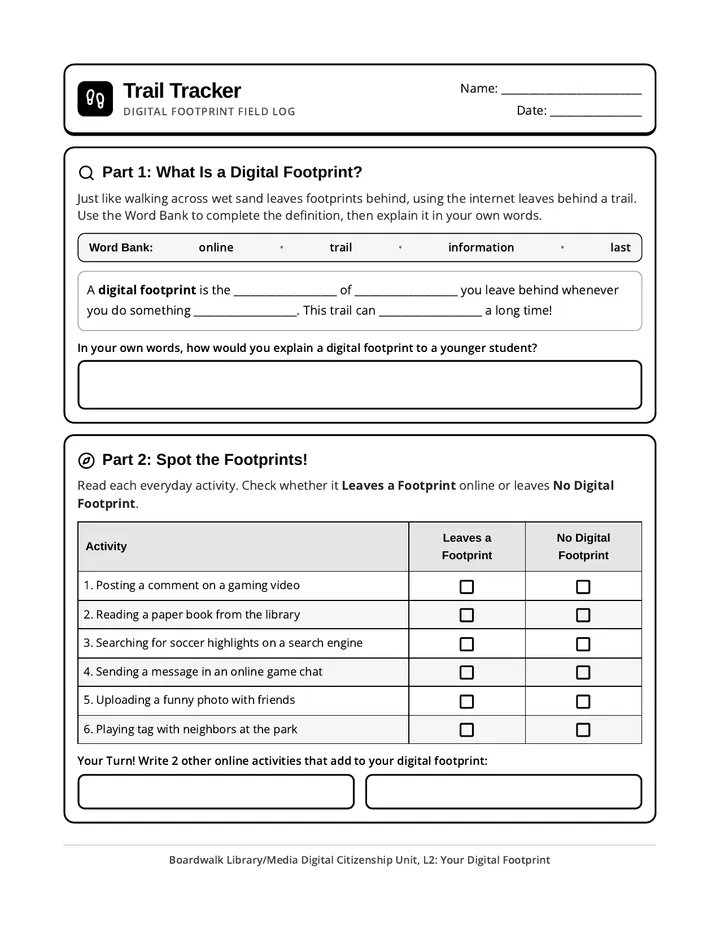
Remember: "Free" apps often earn money by tracking user attention and data. Fewer apps = smaller digital footprint.
Placing Boundaries
Healthy limits work best when they are clear, predictable, and paired with ongoing conversation.
1. Start Slowly & Delay
Wait on full social media until at least age 13. Use parent-managed messaging or shared family devices in grades 5–6.
2. Co-View & Check In
Play a game or watch a favorite creator together. Curiosity builds trust so your child comes to you when something feels wrong.
3. Use Built-In Controls
Enable Apple Screen Time or Google Family Link to set bedtime downtime, daily app limits, and download approvals.
4. Model Healthy Habits
Kids notice adult screen habits. Put your own phone away during family meals and conversations.
Next Step: Talk Together
Use the Tech Talk Discussion Guide to set your family's rules together—without a power struggle.
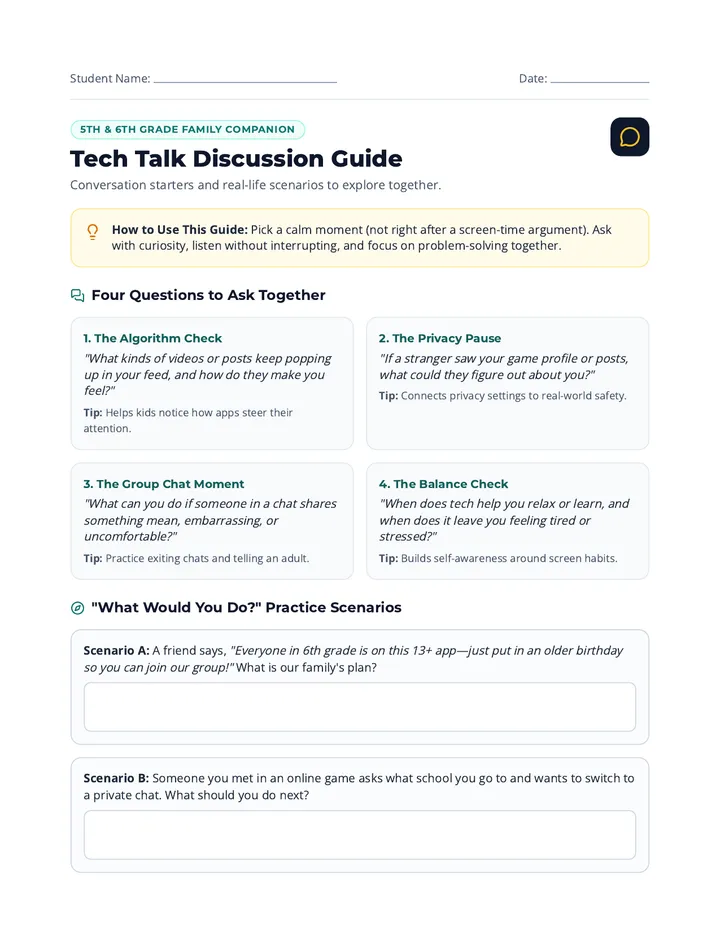
Tech Talk Discussion Guide
Student Name:
Date:
5th & 6th Grade Family Companion
Tech Talk Discussion Guide
Conversation starters and real-life scenarios to explore together.
How to Use This Guide: Pick a calm moment (not right after a screen-time argument). Ask with curiosity, listen without interrupting, and focus on problem-solving together.
Four Questions to Ask Together
1. The Algorithm Check
"What kinds of videos or posts keep popping up in your feed, and how do they make you feel?"
Tip: Helps kids notice how apps steer their attention.
2. The Privacy Pause
"If a stranger saw your game profile or posts, what could they figure out about you?"
Tip: Connects privacy settings to real-world safety.
3. The Group Chat Moment
"What can you do if someone in a chat shares something mean, embarrassing, or uncomfortable?"
Tip: Practice exiting chats and telling an adult.
4. The Balance Check
"When does tech help you relax or learn, and when does it leave you feeling tired or stressed?"
Tip: Builds self-awareness around screen habits.
"What Would You Do?" Practice Scenarios
Scenario A: A friend says, "Everyone in 6th grade is on this 13+ app—just put in an older birthday so you can join our group!" What is our family's plan?
Scenario B: Someone you met in an online game asks what school you go to and wants to switch to a private chat. What should you do next?
Home & School Partnership
Our Family Tech Pact
Backing Up School Expectations
At school, 5th and 6th graders keep personal devices silenced and stored away during class, use school devices for learning only, and treat classmates respectfully online. At home, we agree to the boundaries below:
1. Where all phones, tablets, and games charge at night (outside bedrooms):
2. Our daily homework-first & screen-time schedule (weekday vs. weekend):
3. Approved apps, games, and websites for our family right now:
Our Safety Promises (Check Together)
I will ask a parent or guardian before downloading any new app, game, or account.
I will keep my accounts private, location off, and never share my school, address, or passwords.
I will treat others kindly online and never forward embarrassing screenshots or mean messages.
If something online makes me feel worried, confused, or unsafe, I will tell a trusted adult right away.
Student Signature
Parent/Guardian Signature
Next Check-In Date