Inbox Impact Lesson Plan Inbox Impact Lesson Plan
Professional Digital Communication Unit
Life Skills / Grade 10
Unit Objective
Students will identify the essential components of a professional email and independently draft clear, polite communications for workplace, school, and housing scenarios using structured supports.
Included Materials
Inbox Impact Slide Deck
Email Anatomy Anchor Chart
Scenario Templates (with Word Banks)
Scenario Practice Worksheet
Teacher Answer & Discussion Guide
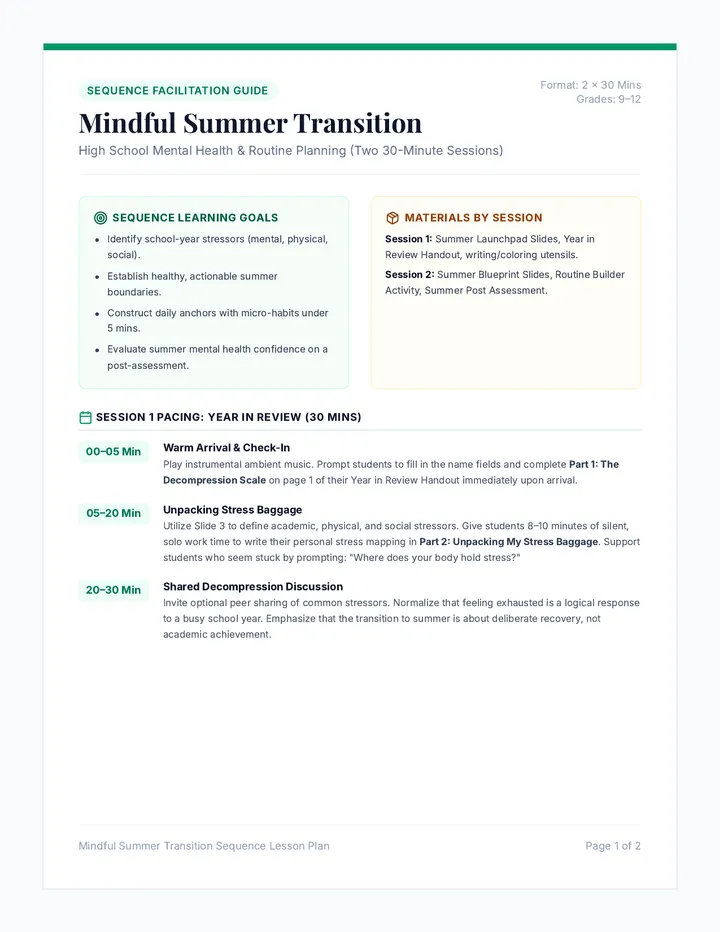
Day 1: The Anatomy of an Email
Direct Instruction: Use the Slide Deck (Slides 1-7) and Anchor Chart to introduce the 6 parts of a professional email.
Guided Activity: Project a "broken" email from the slide deck. Students identify missing parts as a group.
Day 2: Career Communications
Discussion: Use Slide Deck (Slides 8-10) to discuss professional tone vs. texting.
Activity: Students use the Templates Handout to draft a job inquiry using the provided Word Banks.
Day 3: Life & School Advocacy
Discussion: Use Slide Deck (Slides 11-12) to brainstorm teacher and landlord scenarios.
Activity: Students practice filling the Repair Template independently with peer-support or word bank assistance.
Day 4: Independent Mastery
Assessment: Use the Scenario Practice Worksheet. Students first "fix" a bad email, then draft a professional one.
Closing: Review the Final Checklist (Slide 13) before students submit their work.
Differentiation Strategies
Scaffolding:
The Templates Handout now includes scenario-specific word banks to support vocabulary recall.
Visual cues on slides match the labels on student worksheets.
Extension:
Students can draft a "thank you" follow-up for the job inquiry scenario.
Email Anatomy Anchor Chart The Anatomy of an Email
Professional Messaging Visual Guide
https://mail.google.com/compose
To:
m.henderson@workplace.com
1. RECIPIENT
Subject:
Schedule Change Request - Jordan Smith
2. SUBJECT
Greeting:
Dear Mr. Henderson,
3. SALUTATION
Body:
Opening: I hope you are having a good week.
The Request: I am writing because my football practice schedule changed. Can I please move my Thursday shift to Friday at 4:00 PM?
4. THE MESSAGE
Closing:
Thank you for your time,
5. THE CLOSING
Sign-off:
Jordan Smith
555-0123
6. SIGNATURE
Check the Tone
Use "Please" and "Thank you."
Double Check
Check spelling before sending.
Subject Clarity
State exactly why you email.
Professional Email Templates Handout Email Practice Templates
Life Skills Mastery • Grade 10
NAME:
DATE:
Use the Word Banks to fill in the blanks for each professional email.
1. Job Inquiry
Word Bank: Hiring Manager Interested Application Hard Worker
Subject: Job Inquiry - ________________________________
Dear ________________________________,
I am writing to see if you have any openings for a ___________________________ position. I am ___________________________ in working for you because I am a ___________________________. Please let me know if I can fill out an ___________________________.
Sincerely, ________________________________
2. Schedule Change
Word Bank: Request Conflict Possible Instead
Subject: Schedule Request - ________________________________
Hello ________________________________,
I am writing to ___________________________ a change to my work schedule. I usually work on Saturday, but I have a ___________________________ with my family. Would it be ___________________________ for me to work on Sunday ___________________________?
Best regards, ________________________________
3. Missing Assignment
Word Bank: Project Attached Missing Review
Subject: Missing Work: ________________________________
Dear ________________________________,
I am checking on my ___________________________. I noticed it is marked as ___________________________ in the gradebook. I have the work ___________________________ to this email. Can you please ___________________________ it?
Thank you. Sincerely, ________________________________
4. Apartment Repair
Word Bank: Maintenance Working Causing Fixed
Subject: Repair Request - Unit #________________________________
Dear ________________________________,
I am writing to report a ___________________________ issue. The heater is not ___________________________ correctly. This is ___________________________ the room to be cold and it needs to be ___________________________.
Thank you. Sincerely, ________________________________
Scenario Practice Worksheet Scenario Solvers
Guided Practice Worksheet
NAME:
DATE:
Part 1: What's Wrong Here?
Read the unprofessional email below. Find and list three mistakes you see.
To: bossman@grocery.com
Subject: (blank)
hey,
i cant come in sat. i gots stuff to do with fam. hope thats cool. see ya later lol.
Sent from my iPhone
Part 2: Draft Your Own
Scenario: Your kitchen sink is leaking. You need to email your landlord, Mrs. Miller, to ask for a repair.
Subject:
Greeting:
Message:
Closing:
Sign:
Final Review Checklist
Clear subject line?
Polite greeting?
Used "Please/Thank you"?
Checked my spelling?
Email Etiquette Teacher Guide Email Etiquette Teacher Guide
Instructional Keys & Discussion Prompts
Scenario Solvers Key
Part 1: The "Bad" Email Mistakes
Missing Subject Line: Subject is "(blank)", making the email easy to miss.
Informal Greeting: "hey," is too casual for a supervisor.
Poor Grammar: "i cant", "sat", "lol". Professional emails require full words.
Vague Excuse: "stuff to do" is unprofessional; "family commitment" is better.
Part 2: Sample Repair Draft
Subject: Repair Request - Leaking Sink in Unit 12
Greeting: Dear Mrs. Miller,
Body: I am writing to report a leak under my kitchen sink. It started this morning. Could you please send someone to fix it? Thank you.
Closing: Sincerely,
Signature: Jordan Smith
Guided Discussion Prompts
Subject Lines:
"Why is a clear subject line like a 'name tag' for your message? What happens if you leave it blank?"
Wait Times:
"How long should you wait for a reply? Why do we stay polite even if they are slow to answer?"
The 'Paper Trail':
"Why is it safer to email a landlord about a leak rather than just telling them in the hallway?"
Teaching Tips for SPED
Professional Privacy: Students often provide too much medical or personal detail. Teach them phrases like "family matter" or "medical appointment" to maintain boundaries.
Switching Channels: Explicitly explain that email is for "Professional Jordan" and texting is for "Friend Jordan". They are different versions of the same person.
Inbox Impact Presentation Slides INBOX IMPACT
Mastering Professional Emails
Why Professional Emails?
Gets Results
People take you seriously when your writing is clear and polite.
Builds Trust
It shows bosses, teachers, and landlords that you are responsible.
Creates a Record
Emails are "proof" of what was said and agreed upon.
"You only get one chance to make a first digital impression."
Pro-Tip:
Treat every email like a job interview.
The Anatomy of an Email
1
The Recipient & Subject
2
The Salutation (Greeting)
3
The Message Body
4
The Closing & Signature
1. Who & Why
Recipient (To:)
Check the spelling of the email address! One wrong letter means they never get it.
Subject Line
The "Preview." Tell them exactly what the email is about in 3-5 words.
Subject Line Examples:
Schedule Change - Alex Rivera
Question about Unit 4 Quiz
hey
2. The Start
The Salutation
Always use a formal greeting unless you know them well.
Dear Mrs. Miller,
Hello Mr. Smith,
Dear Hiring Manager,
The Opening
Start with a polite sentence before asking for something.
"I hope you are having a good week."
"Thank you for your time."
3. The Message
!
Be Direct & Brief
!
Use "Please" & "Thank you"
!
Explain the "Why"
BAD EXAMPLE:
"fix my sink its broken floor is wet. hurry up."
GOOD EXAMPLE:
"I am writing because my sink is leaking. Could you please send someone to fix it?"
4. The Finish
Sign Off with Style
Don't just stop typing! Finish with a professional closing and your full name.
Sincerely,
Thank you,
Best regards,
Best,
Text vs. Professional
The Text (Friends)
Lower case "i"
Slang (lol, idk, u, r)
No greeting or closing