Email Etiquette Lesson Plan Email Etiquette
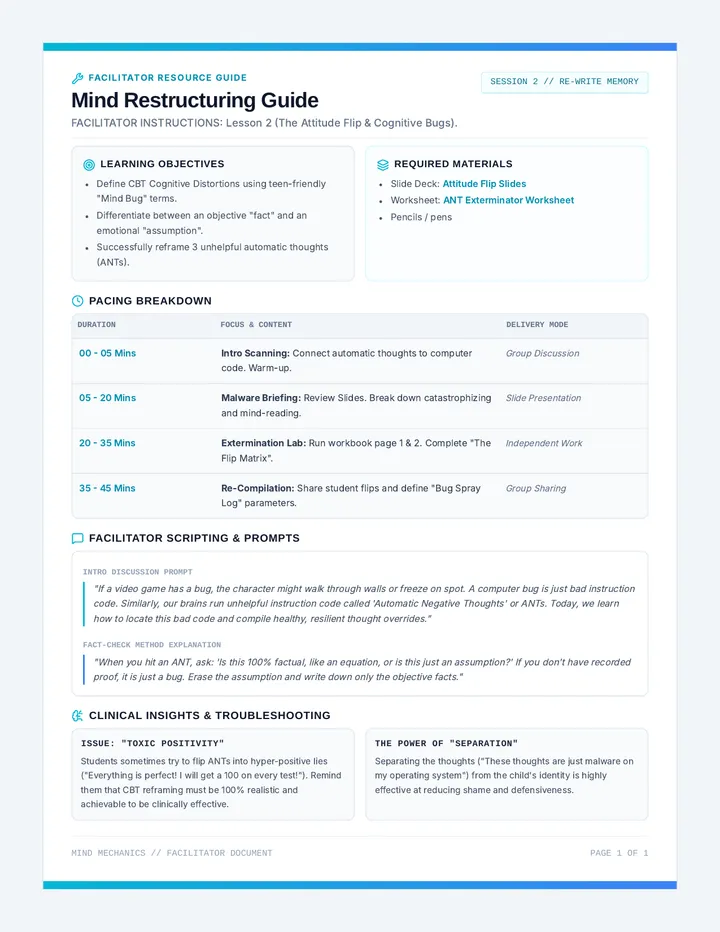
Lesson Facilitation Guide
Duration
30 Minutes
Learning Objective
Students will learn the fundamentals of email etiquette, including proper greetings, tone, and structure, to effectively communicate in a professional digital format.
Why it Matters
Understanding email etiquette prepares students for academic success and future professional interactions, ensuring their messages are received with respect and clarity.
Preparation Checklist
Review lesson plan and objectives (10 min)
Familiarize yourself with the Worksheet activities
Test Slide Deck transitions and links
Ensure digital tools/projector are ready
Instructional Flow
Intro 5m
Kickoff & Context
Welcome students and briefly discuss what email is and why it's a foundational digital tool.
Explain Digital Etiquette (Netiquette) and its relevance in school and beyond.
Introduce essential vocabulary: Greeting, Subject Line, Signature.
Activity 20m
Direct Instruction & Practice
Present: Use the Slide Deck to show contrast between "Effective" and "Ineffective" emails.
Discuss: Facilitate a discussion on what makes an email polite. What feelings do different tones evoke?
Drafting: Distribute the Worksheet. Students will identify errors and draft a mock email to a teacher.
Coach: Circulate to provide feedback on subject lines and greeting choices.
Wrap-up 5m
Review & Reflection
Recap the "Golden Rules" of email using the slide deck summary.
Invite 2-3 volunteers to share one thing they will change about their next email.
Answer lingering questions about digital professionalism.
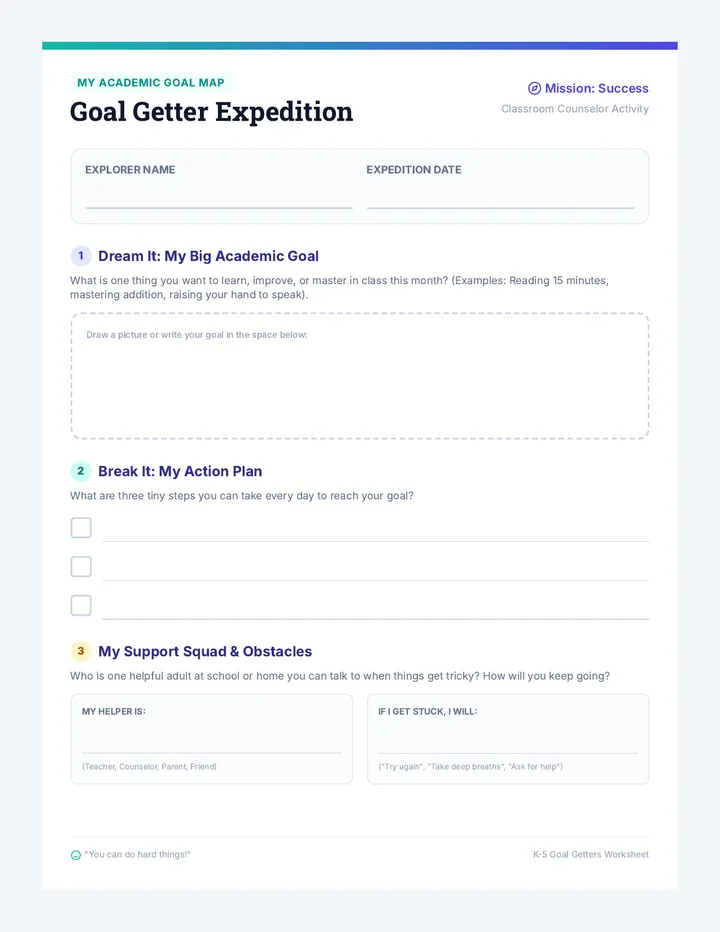
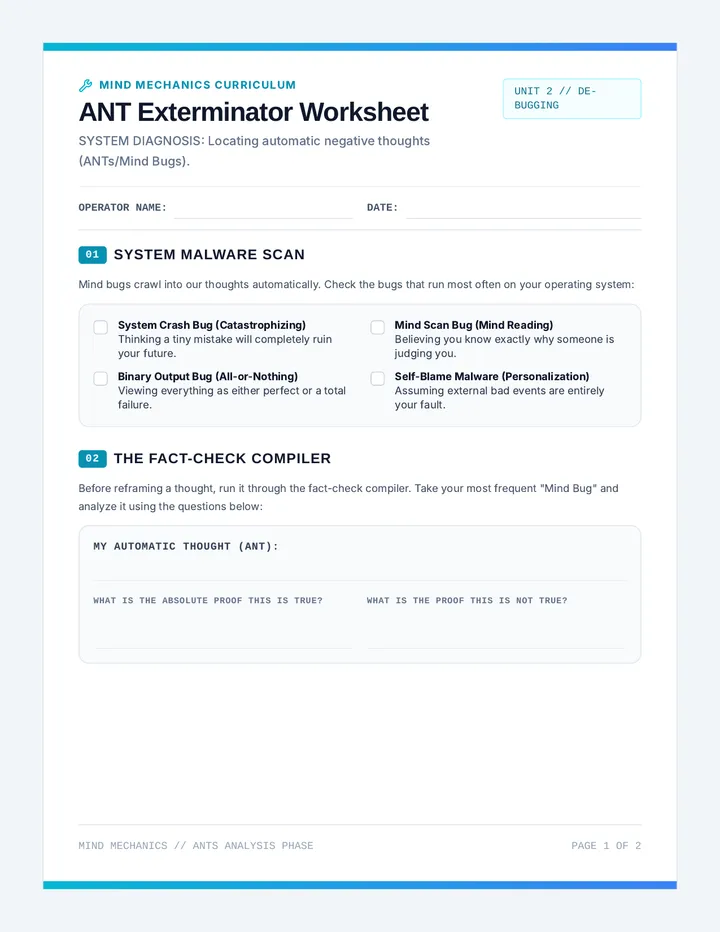
Email Etiquette Practice Worksheet Email Mastery
Name
Date
Welcome to the Digital Inbox! Today, you'll sharpen your communication skills by analyzing, editing, and crafting professional emails.
1
Case Study: The Quick Request
Message View
Subject: Important Info
Hi,
I need you to send me the report as soon as possible.
Thanks,
Alex
1. What is one thing that this email did well?
2. Identify two areas in this email that could be improved to make it more polite and clear.
2
The Inbox Upgrade
Rewrite the following unprofessional email to make it respectful and clear.
Subject: report
Dear team,
Send me the report immediately.
Regards,
Sam
Your Professional Rewrite:
Subject:
3
Help Wanted
The Scenario:
Imagine you need to ask your teacher for help on an assignment. Write an email that includes a proper greeting, clear explanation of your issue, and a polite request for help.
Your Email Draft:
SUBJECT: ____________________________________________________________________
Email Etiquette Slide Deck Mastering Email Etiquette
Your Guide to Professional Digital Communication
Unit 1: Digital Citizenship Grade 6
Anatomy of an Email
The 4 essential components every email needs
1
Greeting
A respectful "Hello" or "Dear..." starts things off right.
2
Subject Line
Clear and concise summary of the email's purpose.
3
Body
The main message. Keep it polite, clear, and focused.
4
Sign-off
End with "Thank you" or "Regards" followed by your name.
The Etiquette Filter
Avoid This
Subject: help
Hey,
send help with math.
bye.
Issues: Vague subject, no politeness, poor punctuation.
Aim for This
Subject: Homework Help Request
Hello Mrs. Smith,
I hope you are well. I need some help with my math assignment. Could we possibly schedule a time?
Thank you,
Alex
Benefits: Clear subject, respectful tone, specific request.
YOUR TURN TO PRACTICE
Grab your Email Mastery Worksheet.
Identify errors in sample emails
Upgrade "The Inbox Fail" to professional
Draft your first professional request
Recap & Next Steps
Subject Lines
Must be specific and clear
Greetings
Match your audience (Formal/Casual)
Sign-offs
Always include your name!
"Communication is a skill you can learn. It's like riding a bicycle or typing. If you're willing to work at it, you can rapidly improve the quality of every part of your life."
Email Etiquette Answer Key Email Mastery
Answer Key & Teacher Guide
Resource Type
Teacher Reference
1 Part 1: Case Study Analysis
Q1: What is one thing that this email did well?
Possible Answers: It includes a greeting ("Hi"), it has a sign-off ("Thanks, Alex"), and the message is direct and short.
Q2: Identify two areas for improvement.
Subject Line: "Important Info" is too vague. It should be specific (e.g., "Request for Q3 Sales Report").
Tone: "I need you to send me..." is a bit demanding. It should be a request (e.g., "Could you please send me...").
Greeting: For a professional report, "Hi" might be too casual depending on the relationship.
2 Part 2: The Inbox Upgrade (Sample Rewrite)
Subject: Request for Weekly Project Report
Dear Team,
I hope you are all having a productive week. Could you please send over the latest project report when you have a moment? I would like to review it before our meeting tomorrow.
Thank you for your hard work!
Best regards,
Sam
*Teacher Note: Look for a clear subject line, a professional greeting, a polite request using "please," and a formal sign-off.
3 Part 3: Help Wanted (Drafting Criteria)
When grading student drafts, check for the following "Checklist for Success":
Clear Subject
Includes student name or class period (e.g., "Math Help - Alex P.")
Formal Greeting
Uses "Dear [Name]," or "Hello [Name],"
Specific Issue
Explains exactly what they are struggling with.
Polite Closing
Uses "Sincerely," "Thank you," or "Best,"