Identifies college, vocational training, and independent living pathways for students with disabilities. Guides goal-setting while addressing necessary accommodations and self-advocacy skills.
Culminating project where students design a 'User Manual' for their brain, documenting their specific tech needs and preferences to share with future educators.
Focuses on building confidence when explaining assistive technology to peers. Students learn strategies to respond to curiosity or criticism with poise and clarity.
Students develop and practice verbal scripts to respectfully request TTS access from various adults, including substitutes. Role-playing builds the executive function and communication skills needed for self-advocacy.
Learners analyze their school day to identify high-need reading tasks that benefit from Text-to-Speech. Using a 'Red Light, Green Light' framework, they create a personal usage map for their technology.
Students explore the concept of fairness versus sameness using the Band-Aid activity to understand that everyone needs different tools to succeed. They define assistive technology as an essential accommodation for access rather than an unfair advantage.
Students synthesize their preferences into a 'Personal Accessibility Profile' document that lists their preferred tools, settings, and strategies. They demonstrate mastery by configuring a 'clean' device to their specifications within a set time limit.
This lesson addresses common barriers, such as inaccessible PDFs or text embedded in images, by teaching students to use OCR (Optical Character Recognition) tools. Students practice converting 'dead text' into readable formats compatible with their TTS software.
In this final lesson, students practice solving common TTS technical failures. They develop 'digital resilience' by creating backup plans for high-stakes academic situations.
Students set up mobile reading ecosystems, syncing their computer-based reading lists with mobile devices for on-the-go learning and effective time management.
In this culminating lesson, students compile a digital portfolio listing their preferred software, proof of diagnosis/need, and templates for requesting accommodations.
Students explore how TTS is perceived and utilized in corporate environments versus academic ones. They analyze workplace scenarios involving confidentiality, open-office etiquette, and disclosure to HR.
This lesson focuses on 'immersion reading'—the simultaneous use of auditory and visual input. Students learn to use digital annotation tools to mark up text while listening.
This sequence empowers 5th-grade students to understand, use, and advocate for Text-to-Speech (TTS) as a vital learning tool. It focuses on the distinction between fairness and sameness, identifying specific tasks where TTS is most effective, and building the social-emotional confidence to communicate needs to teachers and peers.
This sequence equips 12th-grade students with advanced technical skills in Text-to-Speech (TTS) technology. It moves beyond basic tool usage to professional-grade workflows, including auditory calibration, OCR conversion, immersion reading, mobile synchronization, and technical troubleshooting, preparing students for the heavy reading demands of post-secondary environments.
A comprehensive transition sequence for 12th-grade students focusing on the legal, professional, and practical aspects of using Text-to-Speech (TTS) and other assistive technologies in higher education and the workplace. Students learn to advocate for their rights under the ADA and Section 504 through role-play, professional writing, and portfolio building.
A technical sequence designed for high school students to master text-to-speech (TTS) tools. It covers tool selection, voice optimization, navigation shortcuts, troubleshooting inaccessible formats like PDFs, and ends with students creating a personal accessibility profile for independent academic success.
A 5-lesson sequence for 8th-grade students to master Text-to-Speech (TTS) tools, develop self-advocacy skills for accessible materials, and create a personalized digital accessibility plan for high school. Students transition from identifying accessible content to independently managing their accommodations across various academic environments.
A 5-lesson sequence for 11th-grade students transitioning from physical math manipulatives to virtual tools. The curriculum emphasizes digital literacy, strategic tool selection, and self-advocacy to prepare students for post-secondary academic environments.
This sequence teaches 11th-grade students how to use digital visual systems (calendars, Kanban boards, and widgets) to support working memory and executive function. Students transition from reactive list-making to proactive visual time and task management, preparing them for the demands of college and career environments.
A comprehensive sequence for graduate students to master the implementation of Student-Led IEPs (SLIEPs). This sequence explores the continuum of student involvement, preparation protocols, visual advocacy aids, meeting facilitation techniques, and post-meeting reflection to empower students as self-advocates for their own accommodations.
This sequence for graduate students explores the legal and psychological shift from IDEA to ADA in the context of self-advocacy and accommodation requests. It moves from legal analysis to curriculum design, preparing future special education leaders to build robust transition programs.
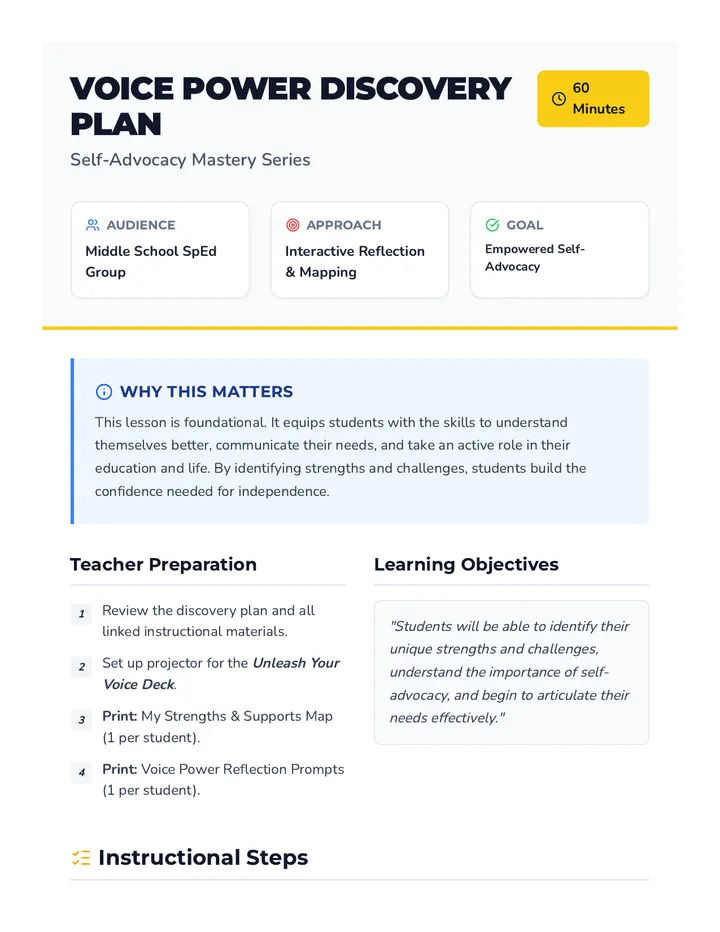
A self-advocacy sequence for 11th-grade students to manage working memory challenges by requesting single-step directions and professional modifications in fast-paced environments.
A comprehensive graduate-level sequence for future Assistive Technology specialists, focusing on the pedagogical strategies required to teach keyboard navigation and shortcuts to individuals with disabilities. The course covers assessment, scaffolding, gamification, and emotional resilience in AT training.
A comprehensive sequence for 12th-grade students on mastering web browser navigation using keyboard shortcuts. This unit covers address bar manipulation, tab management, link navigation, form interaction, and integrated research workflows to build independence and efficiency in digital environments.
The culminating project template for the sequence—a 'User Manual' that students fill out to document their learning style, AT tools, usage map, and self-advocacy scripts.
A 5-slide presentation for the final lesson, framing the 'User Manual' project as a tool for student independence and future teacher communication.
A teacher guide for the final lesson, providing instructions for the 'User Manual' project and a sequence-wide reflection checklist for student independence.
A student activity sheet for Lesson 4 where students decode peer curiosity, select their favorite 'Power Reply', and practice the body language of confidence.
A personal template for Lesson 5. Students fill this out to create their own 'Digital Resilience Plan', documenting their tool arsenal, escalation steps for technical failures, and human support resources.
A 5-slide presentation for Lesson 4 that teaches students how to handle peer curiosity with short, confident 'Power Replies' and a positive attitude.
A technical worksheet for Lesson 5. Students are presented with three 'high-stakes' technical failure scenarios and must document their primary and secondary backup plans to ensure reading productivity.
A teacher guide for Lesson 4 that addresses the social-emotional side of AT use, including a case study about hiding tools and strategies for confident, short replies to peer questions.
Slides for Lesson 5 on Digital Resilience. Teaches students how to troubleshoot common TTS failures, establish a 'Plan B' hierarchy, and remain productive during technical high-stakes moments.
Handy role-play script cards for students to practice self-advocacy in different school scenarios, including a 'create-your-own' card and a peer review checklist.
A productivity audit worksheet for Lesson 4. Students identify 'dead time' in their schedules, calculate the time savings over their college career, and make a formal commitment to using their mobile TTS workflow.
A 6-slide presentation for Lesson 3 that defines self-advocacy, breaks down a respectful script template, and provides tips for using a 'Power Voice' during role-play.