Prompt Power Extension Activity Prompt Power
GWL 3O • Extension Activity • Day 1
Name: _________________________
Date: __________________________
The Mission: Practice the PTCF Formula (Persona, Task, Context, Format) to turn "Lazy" prompts into "Power Prompts."
1. Jordan's Case Study
"Jordan wants to know if a career in plumbing is a good idea. Jordan just asked Gemini: 'Is plumbing good?' The AI gave a generic list. Jordan needs more detail about wages in Ontario and how to start an apprenticeship."
2. The Brain Dump
What specific details should Jordan add to make this prompt more powerful? (Wages, local area, specific questions).
3. The PTCF Power Prompt
Now, write the full Power Prompt Jordan should use instead:
Task Progress
Case Study analyzed
Brain Dump involved times/details
PTCF Formula applied
Prompt Powered!
Smart Start Facilitator Guide Facilitator Guide
Lesson 1: Smart Start
GWL 3O | AI Ally Unit
Focus: AI Basics & Ethics
Objective
Students will define AI, leverage Gemini for research and creation, and apply the PTCF Formula (Persona, Task, Context, Format) to generate professional outputs while auditing for hallucinations.
Pacing
75m
Instructional Flow
10
Hook
The AI Hook
Slides 3-5: Discuss where students see AI (TikTok, etc.) and the "Boring Task" vs. "Risk" tension. Validate that AI is a tool, not a replacement for their brain.
"AI is a mirror—it only shows you what you give it."
15
Direct
The Gemini Dashboard
Slides 6-9: Explain Gemini as a multi-tool. Focus on the 5 Power Tools (Learn, Image, Canvas, Research, Music). Emphasize using Gemini for both finding facts and writing drafts.
"Gemini is your co-pilot. You decide where we fly."
20
Formula
PTCF Workshop
Slides 10-11: Walk through the PTCF Formula using the "Chef Analogy." Model the difference between a "Lazy" prompt and a "Pro" prompt on the whiteboard.
Persona
Task
Context
Format
20
Audit
Fact-Check Challenge
Slides 13-15: Students audit Gemini's local history facts. Use the "Verify Mantra" slide to emphasize that clicking the link is the only way to be sure.
10
Wrap
Mission Control
Slide 16: Debrief the Scavenger Hunt results. Students submit their AI Explorer Tutorial Pack evidence for credit.
SpEd Scaffolding
"Encourage Speech-to-Text for students who struggle to get their 'messy' thoughts into a prompt. Gemini is excellent at cleaning up spoken grammar."
Extension
Fast finishers should use the Prompt Power Extension to practice "Persona Swapping"—writing the same request for 3 different bosses.
Facilitator Reference
Teaching Norms
SPECIFIC OR SORRY
Teach students that vague prompts result in "Robot Speak." If they want the AI to sound human, they must provide human context.
THE VERIFY RULE
"If Gemini tells you the sky is green, and it doesn't give a link to a photo, don't believe it. You are the Auditor."
Discussion Prompts
Ethics Hook
"If an AI assistant does your whole project, whose name should be on the cover? Does using a tool make the work less yours?"
Self-Reflection
"Which of the 5 Power Tools (Learn, Image, Canvas, Research, Music) feels most like a 'superpower' for your specific job goal?"
Facilitator Script (Modeling)
Whiteboard Prompt Demo:
"Watch as I use the formula. 'Act as a Chef (P) . Create a Shopping List (T) for $20 total (C) . Output as a Checklist (F) .' Notice how the $20 context stops it from suggesting expensive items. Context is the anchor."
Closing Unit Tie-In:
"By the end of this week, you won't just be using Gemini. You'll be its boss. You'll know how to hire it for the right job and fire it when it makes things up."
Smart Start Slides Day 01 Intro
Smart Start
Meet Your AI Ally
Today's Mission
1
Understand the Basics
Define Generative AI and its role in your future.
2
Master Gemini
Use AI as your researcher and creator for success.
3
Build Better Prompts
Apply the PTCF Formula for perfect results.
The Hook
🥱 ➡️ ✨
"What is one boring task you'd give to an AI?"
Turn & Talk: Degrees OR Direct Entry—what task goes first?
What is AI?
The Predictive Engine
It doesn't "know" things. It predicts the next part of a pattern using trillions of data points.
Pattern Logic
🪞 The Mirror
Better input = Better output. It reflects your research.
🧗 Your Co-Pilot
It helps you climb, but YOU choose the destination.
One Tool, Many Modes
Researcher
Analyze college programs & job requirements.
Verify facts with primary sources.
Focus: GATHERING
Creator
Draft professional emails & scripts.
Build schedules & visual organizers.
Focus: BUILDING
The PTCF Formula
P
Persona
Who is the AI pretending to be?
"Act as a professional coach..."
T
Task
What exactly must it do?
"Draft a resume..."
C
Context
Who is it for? Details?
"For a library job..."
F
Format
Final output look?
"Use point form."
Pathways to Success
Post-Secondary
Using AI to research diplomas, degrees, and college application requirements.
Scenario: Prompting for "Grade 12 prerequisites" at Mohawk College.
Direct Entry
Using AI to research trades, unions, safety certifications, and workforce entry.
Scenario: Prompting for "Local Union 18" apprenticeship steps.
Mission Brief
01
Open the
AI Explorer Tutorial pack The AI Explorer Pack
Mastering the Art of AI Conversation
GWL 3O: Grade 11/12
Date: _________________
THE SMART HOOK
1. What is one boring task you'd give to an AI?
2. What is the biggest risk of letting a computer do it?
Mission Access
Open your Google Classroom . Click the Tone Polisher Gem to access your unit AI assistant.
Your 5 Power Tools
Learn
Image
Canvas
Research
Music
The PTCF Formula
AI prompting is like a recipe. PTCF ensures the AI knows exactly what's on the menu!
Master Exemplar:
"Act as a Career Coach (P) . Draft an Email (T) asking for a Shift Swap (C) in point form (F) ."
P - Persona: Who is it?
T - Task: What action?
C - Context: Background?
F - Format: Final look?
Formula Dictionary
P - Persona T - Task C - Context F - Format Career Coach Draft Email Job Search Table Ontario Guide Create List Local History Point Form
MISSION: PROMPT MASTERY
Break these into PTCF parts. Choose a path!
1. THE SKILL AUDIT (Direct Entry)
Workforce Path
Ask for 3 safety certs for an Ontario Construction role.
Persona:
Task:
Context:
Format:
2. THE ADMISSION CHECK (Post-Sec)
Academic Path
Ask for nursing program prerequisites in point form.
Persona:
Task:
Context:
Format:
Mission Status
Hook questions answered
2 scenarios completed
Accessed via Polisher Gem
Ready for Review
Source Sleuth Activity Source Sleuth
GWL 3O • Lesson Activity • Day 1
Name: _________________________
Date: __________________________
The Mission: Verify AI-generated information against primary sources. Never trust AI blindly—be a **Source Sleuth**.
1. Jordan's Case Study
"Jordan used AI to find the starting wage for an Electrician Apprentice in Ontario. Gemini said '$35/hour.' Jordan needs to verify this on the Job Bank Canada website to make sure the AI isn't hallucinating."
2. The Brain Dump
What 3 specific keywords or sites should Jordan use to find the REAL answer? (Include times/years for accuracy).
3. Verification Result
Perform the search! Record the primary source and the verified fact below:
Sleuth Status
Case Study analyzed
Primary source found
Fact verified (Matches or Fixes AI)
Sleuth Mission Complete!
Fact Check Challenge Handout Fact-Check Challenge
GWL 3O • Critical Thinking • Day 1
Name: _________________________
Date: __________________________
The Mission: Catch an AI "Hallucination" by asking about local history or facts that are hard to find online. Always verify the output!
1. Modeling: The Hallucination
"I asked Gemini who the first principal of our high school was. It gave me a name from a movie! I had to check our school's 'About' page to find the real person. This is a hallucination."
2. The Brain Dump
List 3 local or niche facts you could try to 'trip up' the AI with (e.g., local bus routes, specific neighborhood shops, school history).
3. The Catch
Record what Gemini said vs. what you found on a primary source. Did you catch a lie?
AI Response:
Verified Reality:
Challenge Status
Niche topic selected
Primary source checked
Hallucination found (or debunked)
Challenge Complete!
Future Finder Facilitator Guide Future Finder
Facilitator Guide • Lesson 2
75-90 MIN
Learning Objectives
• Apply Gemini to research specific career requirements and labor market trends.
• Verify AI findings against primary sources (Job Bank, BLS, or Institution sites).
• Synthesize diverse pathways (Post-Secondary OR Direct Entry) into a structured plan.
Key Terminology
BLS: Bureau of Labor Statistics (Global skill authority).
Job Bank: Canada's primary source for Ontario wage trends.
PTCF: Persona, Task, Context, Format.
Instructional Flow
0-10 MIN
Dream vs. Reality Hook
Use Gemini to pull "3 Surprising Facts" about a high-interest job (e.g., HVAC Tech vs Designer). Discuss how AI acts as a filter for early research.
10-25 MIN
Direct Instruction: Diverse Sources
New: Introduce the two paths for today's independent task.
Review BLS and Job Bank . Explain: AI provides leads; official sites provide truth. Model how to cross-reference a "suggested" salary in Gemini with a "live" Job Bank posting.
25-45 MIN
Guided Practice: Career Path Tutorial
Students work through the Tutorial Pack to practice levels of career prompting. Circulate to check for local "Ontario" context.
45-75 MIN
Independent Choice Task
Students select the worksheet that matches their goal:
Path A: Post-Secondary
Degree/Diploma research and course prerequisites.
Path B: Direct Entry
Workforce, trades, and safety certifications.
75-90 MIN
Fact or Fake Debrief
Quick-fire share: "One thing Gemini got right, and one thing it missed." Discuss why checking primary sources leads to more confident decisions.
Support & Extension
Executive Functioning
Choice Clarity: Explicitly tell students they can choose either worksheet; they do not need to do both.Visual Aids: Use the "Roadmap" layout for trades-bound students to visualize steps.Transitioning: Give a 5-minute warning before moving from research to verification.
Language & Literacy
Audio Input: Speak prompts to Gemini if spelling is an obstacle.
Post-Secondary Comparison Worksheet Post-Secondary Comparison
GWL 3O • Research Task • Day 2
Name: _________________________
Date: __________________________
The Mission: Use Gemini to compare two different post-secondary programs. Then, perform a Source Sleuth check on one key fact.
1. Taylor's Case Study
"Taylor is comparing Graphic Design at George Brown vs. Centennial College. Taylor needs to know the tuition costs and admission prerequisites for both to decide."
2. The Brain Dump
List 5 specific details Taylor (or you) should ask AI to find for this comparison (e.g., specific year, international vs. local, campus location).
3. Comparison Table
Ask Gemini to create a table. Record the two programs and one verified fact below:
Task Progress
Case Study analyzed
Brain Dump includes 5+ details
Source Sleuth check complete
Comparison Finalized!
Future Finder Slides Lesson 2: Career Navigation
Future Finder
Using Gemini to explore post-secondary paths and direct workforce entry.
The Research Gap
Too Much Noise?
Google results often bury facts under paid ads.
#AD #PROMOTED
The Truth Trap
AI can hallucinate old dates or tuition fees.
⚠️ Verify findings!
Our Mission
Research 2 pathways.
Compare entry requirements.
Audit salary data across sources.
Fact-check everything.
The Research Toolkit
Job Bank Canada
The authority for Ontario salaries and city-level job growth.
🇨🇦
BLS
Bureau of Labor Statistics: Universal "Skill Sets" authority.
🇺🇸
Official Sites
The only source for prerequisites, fees, and deadlines.
🏫
Triple-Check Process
1
Ask Gemini
Prompt for base data, salaries, and skill lists .
2
Double Check
Use Gemini's "G" icon to run a live Google Search audit.
3
Live Verify
Confirm the "Big 3" : Fees, Prerequisites, and Deadlines.
Select Your Mission
Path A: Post-Secondary
Degrees, Diplomas, and Campus Life research.
🎯 Degree Seeker
Path B: Direct Entry
Workforce, Trades, and Certifications research.
🛠️ Skill Builder
Today's Task List
01
Complete Career Path Tutorial .
02
Select your Roadmap Worksheet.
03
Research and Verify 1 big fact .
Direct Entry Roadmap Worksheet Direct Entry Roadmap
GWL 3O • Career Task • Day 2
Name: _________________________
Date: __________________________
The Mission: Use Gemini to research a direct-entry workforce path (Apprenticeship, Trade, or Service). Perform a Source Sleuth check on wages or union rules.
1. Alex's Case Study
"Alex wants to enter a Carpentry Apprenticeship. Alex needs to know: What is the starting Union Wage ? How many hours are needed to reach Level 2? and What specific tools must a new apprentice buy?"
2. The Brain Dump
List 5 specific details Alex (or you) should ask AI to find for this career roadmap (e.g., local union number, specific city, tool list, safety certs).
3. The Roadmap Result
Ask Gemini for a step-by-step roadmap. Record one verified union or wage fact below:
Roadmap Status
Case Study analyzed
Brain Dump involved 5+ details
Union/Wage fact verified
Roadmap Ready!
Career Path Tutorial pack Career Path Tutorial
Mastering Career Exploration with Gemini
GWL 3O
Persona
Expert
Task
Action
Context
Details
Format
Look
1
Basic Discovery
"Act as a career advisor. List 5 daily responsibilities, starting salary in [City], and education for a [Job]. Point form."
Write Gemini prompt below:
2
Skill Deep Dive
"For a [Job], what are the top 3 'hard skills' and top 3 'soft skills' hiring managers look for? Format as a table."
Write Gemini prompt below:
3
The Outlook
"Provide the 2024 job outlook for [Job] in Ontario. Use Job Bank Canada or BLS data. 1-sentence summary of growth."
Write Gemini prompt below:
My Discovery
One surprising fact...
Mission Complete
3 levels of prompts finished
Data verified on primary site
Reflection complete
Future Finder Source Sheet AI Ally Research Sheet
Source Navigator
Reference Sheet • Lesson 2
GWL 3O
AI (The Secondary Source)
"Gemini is your research assistant. It finds patterns, but it doesn't always have live updates from today."
The Primary Source
"The primary source is the ultimate authority. If a post-secondary site says $5,000, that is the truth."
Your Research Map
Job Bank Canada
Authority: Ontario Salaries & Trends
Master database for Canadian labor data. Use to find if a job is growing in Ontario and the hourly pay in your specific city.
BLS (Bureau of Labor Statistics)
Authority: Skills & Global Trends
U.S. source for "Hard" and "Soft" skills. While salaries are in USD, their research on global industry skills is world-class.
Post-Secondary Websites
Authority: Admission & Fees
The ONLY source for Grade 12 course requirements. AI often misses prerequisites like "MAP 4C" or specific application dates.
The Verify Checklist
Ask yourself these 3 questions before saving research to your kit:
01
Is it local?
Did I check if this salary is for Ontario or for California?
02
Is it recent?
Is this data from 2024, or is it from 5+ years ago?
03
Is it official?
Can I find this number on a .gov or .edu website?
AI Ally Unit • Designing Your Future showcase
Research Radar Slides Research Radar
The Power of Advanced AI Synthesis
Designing Your Future | Day 5
Research & Synthesis
Information Overload
Imagine your boss gives you a 50-page employee handbook. Or a professor gives you a 10-page syllabus.
The Struggle
Finding the specific rule or date you need is like finding a needle in a haystack.
"Where did I read that?"
Synthesis Power
How it works:
1 Feed AI your PRIMARY source (Webpage, PDF, Manual).
2 Ask questions using the RCT Formula .
3 Verify the AI's summary against the actual facts.
Why use it?
It turns a 10-minute search into a 10-second summary, giving you more time for high-level work.
"It's like having a search bar for any project or document."
College & Career Skills
In College:
• Summarize key dates in a syllabus
• Find specific rules for financial aid
• Compare two different programs
At Work:
• Learn the rules for vacation time
• Prep for a project in 5 minutes
• Understand a complex tech manual
The Research Tour
1 Find a primary source (syllabus or article).
2 Ask 3 specific "Fact-Finder" questions (RCT).
3 Record a Screen Tour of your discovery.
Research Radar Tutorial Research Radar
Skill: Advanced Synthesis with the RCT Formula
GWL 3O: Grade 11/12
Date: _________________________
Your Goal
Master the RCT Formula (Role, Context, Task) to synthesize complex post-secondary or career information using AI.
Tutorial Companion
Use with the live screen demo.
1
Find Your Source
Locate a post-secondary syllabus or union manual for your chosen pathway. Keep the tab open.
2
Apply RCT Formula
"Role: coach. Context: I am a student. Task: Summarize 3 key dates from this page."
Evidence Discovery
Record one specific fact verified by AI:
Mission Checklist
Primary source located
RCT question used
Fact recorded above
Ready for Review
Research Radar Facilitator Guide Facilitator Guide
Lesson 5: Research Radar
GWL 3O | AI Ally Unit
Focus: Research & Synthesis
Objective
Students will use AI for deep research synthesis, learning to cross-reference primary sources and extract verified facts using the RCT Formula (Role, Context, Task).
Pacing
75m
Instructional Flow
10
Hook
Information Overload
Slide 2. Compare searching a messy room (internet) vs. searching a specific drawer (primary source). Introduce "Source-Based Synthesis."
15
Direct
Advanced Prompting
Explain the RCT Formula (Role, Context, Task). This formula helps AI focus on specific documents instead of guessing from its general knowledge.
"The source is the boss. The AI is the assistant."
15
Guided
Research Radar Tutorial
Model using AI to summarize a specific webpage (e.g., a college program requirements page). Practice the "Ask and Verify" technique.
25
Task
Research Screen Tour Task
Students record their research path. They must show the primary source and the AI response that matches it.
10
Reflect
Hallucination Audit
Students find one thing the AI simplified or missed from the original document. Discuss the risks of AI summaries.
Facilitator Reference
Research Rigor
Check for Evidence
"If a student says 'The AI said this,' ask them: 'Where in the original document does it say that? Show me the match.'"
The Context Gap
Remind students that AI knowledge has cut-off dates. Using current primary source links is the only way to get accurate 2026/2027 info.
Discussion Prompts
Reliability
"Would you trust an AI to summarize a legal contract? Why is it dangerous to let the AI do 100% of the reading?"
Efficiency
"How much time did the AI save you today? What are you going to do with that extra time?"
SpEd Scaffolding
"Use AI to translate complex 'College Speak' into 'Plain Language.' This is a vital accommodation for language processing."
Extension
Fast finishers should use AI to generate 3 "Quiz Questions" based on the document to test their own understanding.
Facilitator Script (Deep Search)
"Research isn't just about finding facts; it's about checking them. Watch me use RCT to summarize this manual. Notice how I don't just take its word—I find those rules in the manual myself."
Research Screen Tour Task Research Screen Tour
GWL 3O • Evidence Task • Day 5
Name: _________________________
Date: __________________________
The Mission: Record a Screen Recording (NO Voice) showing how you use Gemini and the RCT Formula to verify facts from a primary source document.
1. Jordan's Case Study
"Jordan is looking at a college syllabus. It's 15 pages long. Jordan needs to know: When is the first midterm? What happens if you miss a lab? and Is there a required textbook?"
2. Your Brain Dump
List 3 specific "Fact-Finder" questions Jordan (or you) should ask Gemini about the document.
3. The Evidence Tour
Record your screen. Record one specific RCT prompt and the AI answer that matches the source.
Record the Verified Fact below:
Tour Status
Recording shows source doc
RCT question is visible
Verified fact matches source
Tour Ready!
Digital Communication Task Digital Communication
GWL 3O • Evidence Task • Day 3
Name: _________________________
Date: __________________________
The Goal: Use the Tone Polisher Gem to transform a casual or "frustrated" message into a professional, clear communication for college or work.
1. The Rough Draft
Write a casual or messy version of a message you need to send (e.g., asking for a shift change or a meeting with a prof).
2. The AI Polish
Use the Tone Polisher Gem. Paste the "Polished" version provided by AI below:
3. Tone Reflection
Identify two specific changes Gemini made. How did these changes improve the message's "professional edge"?
Change 1:
Change 2:
Evidence Checklist
Rough draft recorded
AI Polish pasted
Reflection completed
Communication Ready
Tone Tech Scenarios Worksheet Tone Tech Scenarios
GWL 3O • Practice Task • Day 3
Name: _________________________
Date: __________________________
The Mission: Use the Tone Polisher Gem to rewrite the following "bad" emails. Write the polished AI version in the box.
1
The Late Work Apology
"Hey, sorry my work is late. My wifi was out. I'll get it to you later today."
2
The Sick Day Notice
"Can't come in today. Feeling super gross. See ya tomorrow maybe."
3
The Meeting Request
"I need to talk about my project. When are you free?"
4
The Feedback Request
"Did you check my draft yet? I need to know if it's okay before I finish."
5
The Missing Grade Inquiry
"I turned my assignment in last week but there's no mark. What happened?"
Task Progress
All 5 Scenarios Polished
Professional Tone used
Subject lines included
Tones Polished!
Tone Tech Slides Day 03 Intro
Tone Tech
Writing with Professional Power
Today's Mission
1
Master Professional Tone
Understand the difference between "Social" and "Professional" voice.
2
Launch the Tone Gem
Use the Tone Polisher in Google Classroom to polish messy drafts.
3
The "Cool Down" Rule
Learn how AI helps us avoid "Angry Send" in professional settings.
Watch: The Professional Edge
Embedded media
"What are the 3 parts of a formal email mentioned in the video?"
"Why is it easier to be rude behind a screen?"
How can AI help us "cool down" before we hit send on a frustrated email?
Turn & Talk: Have you ever sent a text you regretted?
Professional Norms
Social vs. Professional
How you talk to a friend is Social . How you talk to a boss is Professional .
First Impressions
An email is often the first way an employer "meets" you. Tone shows respect.
Tone = Digital Handshake
Gemini: Your Tone Editor
Casual (Too blunt/frustrated)
"Hey, I can't come in today. Sry. I'll be there tmrw maybe?"
Professional (Polished Version)
"Dear Manager, I am unable to come in today due to an unexpected circumstance. I will be back in tomorrow at my usual time. Thank you."
The Power Access
Open the Tone Polisher Gem in Google Classroom for professional settings.
Tone Mission
1 Follow Tutorial: Open the Tone Polisher Gem .
2 Complete the Scenario Worksheet drafts.
3 Compare Before vs After in your Task Sheet.
The Tone Polisher Tutorial pack The Tone Polisher
Skill: Using the Tone Polisher Gem & PTCF
GWL 3O: Grade 11/12
Date: ________________
Digital Screen Gap
"Why is it easier to be rude behind a screen? How can AI help us 'cool down' before we hit send?"
Step 0: Access the Gem
Go to Google Classroom . Click the Tone Polisher Gem link to open your AI co-pilot.
1
The Messy Draft
Type your raw thoughts into the Gem. No need to be perfect!
2
Apply the PTCF Recipe
"Persona: coach. Task: Rewrite politely. Context: I am a student. Format: Standard email."
3
Mission: Final Draft
Pick a scenario from the Scenarios Worksheet . Write your prompt below:
Final Checklist
Accessed via Tone Polisher Gem
Discussion question answered
Professional draft written above
Tone Tech Facilitator Guide Facilitator Guide
Lesson 3: Tone Tech
GWL 3O | AI Ally Unit
Focus: Professional Communication
OBJECTIVE
Students will use AI to adapt communication styles for professional contexts and learn to "polite-ify" their natural voice using the Tone Polisher Gem .
PACING
75m
Instructional Flow
10
Hook
The Screen Gap
Slide 3: Discuss "Why is it easier to be rude behind a screen?" and how AI acts as a cool-down tool. Share misinterpreted texts or DMs.
15
Direct
Professional Edge
Slides 3-5: Watch the "Professional Edge" video. Discuss the 3 parts of formal emails. Explain the "Social vs Professional" spectrum.
"Input raw thoughts -> Output professional armor."
20
Guided
The Tone Polisher Gem
Model accessing the Gem via Google Classroom. Work through Tutorial Step 2: Persona (Coach) and Task (Rewrite politely).
20
Task
Scenario Practice
Students draft 5 emails using the Scenarios Worksheet . They must compare the AI's best phrase with their raw thoughts.
10
Wrap
The "Cool Down" Rule
Debrief: How does AI help us avoid "Angry Send"? Reflect on using AI to check tone before hitting send on a stressful day.
Facilitator Reference
Professional Norms
Concise & Clear
Workplace emails aren't essays. Look for the "Core Request" in the first 2 sentences.
The AI Filter
"AI takes your 'honesty' and turns it into 'diplomacy'. It's your professional armor."
Discussion Prompts
Digital Empathy
"Why do we forget there's a human on the other side of an email? How can AI help us 'be human' better?"
Reliability
"If the AI sounds too formal, does it still sound like you? How much 'you' should stay in a professional email?"
SpEd Scaffolding
"The Gem handles formatting. This reduces the 'blank page' anxiety for students with executive functioning challenges."
Extension
Prompt for extreme tones (Pirate vs. CEO) to see how vocabulary choice creates professional distance or social closeness.
Facilitator Script (Modeling)
"Class, look at my screen. I'm opening the
Tone Tech Scenarios Differentiated Worksheet Tone Tech (Scaffolded)
GWL 3O • Practice Task • Day 3
Name: _________________________
Date: __________________________
The Mission: Use the Tone Polisher Gem to rewrite these messages. Frame them for a boss or teacher.
1
The Late Work Apology
"Hey, sorry my work is late. My wifi was out."
2
The Sick Day Notice
"Can't come in today. Feeling sick."
3
The Meeting Request
"I need to talk about my project. When are you free?"
Progress Check
3 Scenarios Polished
Task Complete
Advocacy Ace Slides Advocacy Ace
Using AI to Speak Up for Yourself
Designing Your Future | Day 6
Self-Advocacy & Planning
Your Voice, Your Needs
Self-Advocacy is...
Knowing what you need to succeed and asking for it in a professional way.
Examples:
• Asking for extra time on a project.point form .
"No one knows what you need better than YOU do."
AI as your Practice Partner
The "Accommodation Prompt":
"Gemini, I need to ask my boss for a quiet workspace because I get overwhelmed by noise. Can you write a polite 3-sentence email asking for this?"
Prepares Scripts
Gives you the exact words to say or type.
Reduces Anxiety
Takes the "scary" out of the conversation.
Advocating for Time
Part of advocacy is showing that you have a plan. Use AI to create Project Timelines .
The "Timeline" Prompt:
"Gemini, create a 4-week timeline for my project. Include one goal for each week in point form ."
Mission: The Advocacy Ace
1 Choose an accommodation you might need.
2 Ask Gemini to draft a professional email for it.
3 Complete the Advocacy Readiness Task .
Advocacy Ace Facilitator Guide Facilitator Guide
Lesson 6: Advocacy Ace
GWL 3O | AI Ally Unit
Focus: Self-Advocacy & Planning
Objective
Students will use AI to draft professional scripts requesting accommodations and breakdown long-term goals, applying the PTCF Formula to practice self-advocacy.
Pacing
75m
Instructional Flow
10
Hook
Your Professional Voice
Slide 2. Discuss the difficulty of asking for help. Emphasize that requesting support is a professional right and a key life skill for success after school.
15
Direct
The AI Scriptwriter
Slide 3. Explain how AI acts as a practice partner. Highlight the "Accommodation Prompt" example and how it reduces anxiety.
15
Guided
Advocacy Scripting
Model a prompt where AI acts as a "Kind but Firm Career Coach." Students work through the Advocacy Scripting Tutorial .
25
Task
Advocacy Readiness
Students identify a need and draft a script. They must also use AI to create a Project Timeline for a long-term goal. Use Slide 4.
10
Wrap
Confidence Check
Share one phrase AI suggested that made the request feel professional and doable. "I'm most productive when..."
Facilitator Reference
Roleplay Scenarios
The Desk Request
"Ask for a desk move away from the high-traffic breakroom. Highlight how this increases your accuracy on daily reports."
Written Instructions
"Ask for verbal instructions to be followed up with a quick email or text list. Explain it ensures no steps are missed during busy shifts."
Discussion Prompts
Perspective
"How does having a plan (like a timeline) help a manager say 'yes' to your request for extra support?"
Self-Regulation
"If you feel frustrated during a request, how can AI help you 'cool down' your tone before you hit send?"
SpEd Scaffolding
"Script and Read." For students with high anxiety, have them read their AI-generated script word-for-word. It builds the neural pathways for advocacy without the cognitive load of word-finding.
Extension
Ask AI: "What are 3 questions my manager might ask about this request? How can I answer them professionally?"
Facilitator Script (Advocacy)
Advocacy Readiness Task Advocacy Readiness
GWL 3O • Evidence Task • Day 6
Name: _________________________
Date: __________________________
The Mission: Identify an accommodation need for your chosen path (College or Work). Use AI to draft a script and create a timeline that shows you are ready and prepared .
1. Identified Need
What is one specific accommodation or support that would help you succeed? (e.g., quiet space, written instructions, extra time).
2. The Advocacy Script
Use the PTCF Formula to draft a request. Paste the most professional phrase Gemini suggested below:
3. Preparation Timeline
Managers say "yes" to plans. Ask Gemini to create a 4-week project timeline for one of your future goals. Record a key milestone below:
Final Readiness Check
Accommodation Identified
Professional script drafted
Timeline milestone recorded
READY TO ADVOCATE!
Advocacy Scripting Tutorial pack Advocacy Scripting
Skill: Professional Scripting with PTCF
GWL 3O | Day 6
Name: _________________________
The Goal: Use AI to practice "scripting" for an accommodation. Frame your needs as solutions that help you do your best work.
The PTCF Advocacy Recipe
PERSONA
"Act as a Kind Career Coach"
TASK
"Draft a 3-sentence email"
CONTEXT
"Requesting a quiet desk"
FORMAT
"Professional & Firm"
1
The Draft
Use PTCF to get a script from Gemini. Copy your favorite phrase below:
Done?
Accommodation Identified
PTCF formula applied
Script phrase recorded above
Ace Script Ready!
Plan Pro Slides Plan Pro
From Chaos to Calm with AI
Designing Your Future | Day 4
Executive Functioning Mastery
Today's Mission
Transform Chaos
Turn a "brain melt" list into a visual master plan.
Apply Formula
Master the PTCF recipe for professional schedules.
Avoid Glitches
Spot AI hallucinations and add 20% "buffer time."
The goal: Be the boss of your own time.
Executive Functioning
"How to manage your time without feeling like your brain is melting."
Decision Fatigue
AI removes the "choice paralysis" of deciding what to do first. It acts as a personal assistant for your life.
From "Messy List" to "Master Plan"
The Mess
Scenario 1: High School Senior
Everything Everywhere
The Problem
Grocery job, basketball practice, Chemistry lab, and you need sleep.
The Prompt
"I have basketball practice 3:30-5:00, a work shift 6:00-10:00, and a lab report that takes 2 hours. Create a schedule with dinner and a 15-min break."
The Result
Breaks day into chunks
Suggests "car meals" for busy shifts
Tells you exactly when to hit the books
WHY IT WORKS: Removes choice paralysis.
Scenario 2: College Commuter
Finding Hidden Time
The Prompt
"I'm at campus 9:00-4:00. Gap between 11:00-1:00. Need to read 30 pages of Psychology. Suggest a study schedule using my 45-min commute."
AI Insight
AI suggests "text-to-speech" to listen on the bus, and using the first hour of a gap for deep work so the second hour is for socializing.
Hidden Time
Treat your life like a puzzle . AI fits the pieces together for you.
WHY IT WORKS: Finds time you didn't know you had.
Scenario 3: New Employee
Life After School
The Prompt
"I work 8-4 Mon-Wed and 12-8 Thu-Fri. I want to go to the gym 3 times and need to do laundry. Create a weekly 'to-do' flow."
Rotating Shifts
Handles changing start times effortlessly.
Priority Organizer Task v2 Priority Organizer
GWL 3O • Mastery Task • Day 4
Name: _________________________
Date: __________________________
Part 1: Sam's Case Study
"Sam is a senior. Today is Thursday. Sam has: History Project due tomorrow (needs 2 hours), Basketball practice (3:30-5:00), Work shift at the grocery store (6:00-10:00), and a 15-minute commute between everything. Sam also needs to eat dinner and sleep!"
1. Write the PTCF Prompt for Sam:
2. Sam's AI Suggested Schedule:
Part 2: Your Triage
Perform a Brain Dump of a day that feels overwhelming. List at least 5 tasks and include specific times or durations .
The Brain Dump (List 5+ tasks & times):
Your PTCF Prompt:
Suggested AI Schedule:
The Exhaustion Dilemma
"What happens if AI schedules you for a 2-hour study block but you are exhausted? "
The Glitch Audit
Fix Prompt (If needed):
Task Done?
Case Study Analyzed
Brain Dump (5+ tasks)
Ready for Review
The Task Master Tutorial pack The Task Master Tutorial
Skill: AI-Powered Executive Functioning
GWL 3O | Day 4
Name: _________________________
The Goal: Use AI as a personal assistant to remove "choice paralysis" and build a schedule that works for your unique brain.
1
The Brain Dump
Type every task, appointment, and worry into Gemini. Don't worry about the order.
2
Apply PTCF
"Act as a Pro Organizer . Take my list and create a Table . Include columns for Priority and First Step . Include 20% buffer time ."
3
The Smallest Step
Record the "Absolute Smallest First Step" for your top priority:
_____________________________________________
The "Glitches"
The Hallucination: AI lies about travel times. Double-check your map!
Robot Rigidity: If you're exhausted, pivot. You don't work for the AI.
Privacy: Use "my house" instead of your actual address.
Over-Packing: Always ask for "buffer time" or the AI will fill every minute.
Mission Checklist
Messy list typed in chat
PTCF formula applied
Buffer time included
Screenshot Taken
Plan Pro Facilitator Guide Facilitator Guide
Lesson 4: Plan Pro
GWL 3O | AI Ally Unit
Focus: Executive Functioning
Objective
Students will use AI to transform messy task lists into prioritized schedules, applying the PTCF Formula and learning to maintain executive control through "Pivot Power."
Pacing
75m
Instructional Flow
10
Hook
Mission & Chaos
Use Slide 2 to set the mission. Discuss Decision Fatigue using Slide 3 . Frame AI as an external frontal lobe for organizing life's mess.
15
Direct
Scenarios & Glitches
Walkthrough Slides 4-6 (Senior, Commuter, Employee). Use Slide 7 to model hallucinations. Highlight the "20% Buffer" as a required prompt ingredient.
10
Guided
Sam's Case Study
Guide students through Part 1 of the Priority Organizer Task. Model writing the PTCF prompt for Sam before they try it themselves.
25
Task
Personal Triage
Students perform their own Brain Dump (5+ tasks) and use AI to triage. They must audit the final result for realistic travel times.
15
Reflect
The Pivot Power
Use Slide 8 . Debate the "Exhaustion Dilemma." Students complete the reflection on their task sheet. Commit to being the "Boss" of the AI.
Facilitator Reference
Scaffolding Tips
Visual Support
Tools like Magic School or myBlueprint can help students explore planning features beyond simple chat. Encourage visual output (Tables).
Prompt Modeling
"Model the 20% Buffer Time prompt. Students often underestimate how long transit and breaks take; AI does too without explicit instruction."
Discussion Starters
Pivot Power
"If you are exhausted, how do you tell the AI to 'reschedule' without feeling like a failure?"
Privacy Check
"Why should we avoid typing our exact home address into a public AI tool?"
Modeling Script
"Watch as I use AI to triage my day. I'm going to tell it I have a shift at 4, a game at 7, and a test to study for. I'm going to explicitly ask for 'buffer time' so I don't feel like I'm running from one thing to the next. If the AI suggests I walk across town in 2 minutes, I'm going to tell it: 'That's not realistic, try again with more travel time'."
The Launchpad Project Brief The Launchpad Brief
Day 7 • Final Showcase • GWL 3O
The Final Mission
Simulate your first week at Post-Secondary OR a New Job . Build a digital "Survival Kit" using AI skills to organize, research, and communicate.
Path A: Student
Accepted! You have a huge syllabus, 4 classes, and need to stay organized.
Focus: Organization & Advocacy
Path B: Pro
Hired! You have a long employee handbook and shifts to manage.
Focus: Comm Mastery
"Turn the page to record your Survival Kit deliverables..."
Survival Kit Deliverables
1. AI Polished Email
2. Task Table (Brain Dump: 5+ Tasks & Times)
Task List & Durations:
1. _______________________
AI Prioritized Result:
3. Verified Fact
4. Advocacy Script
Mission Status
Path selected & checked
All 4 items complete
Brain Dump (5+ tasks) included
SURVIVAL KIT READY!
Launchpad Showcase Facilitator Guide Facilitator Guide
Lesson 7: Launchpad Showcase
GWL 3O | AI Ally Unit
Focus: Culminating Showcase
Objective
Students will present their "AI Survival Kits," demonstrating their ability to use AI and the PTCF Formula to solve real-world workplace and college challenges.
Pacing
75m
Instructional Flow
10
Hook
The "Boardroom" Setup
Explain the simulation: This is a professional showcase. Encourage professional greetings and posture as they share their "Survival Kits."
45
Showcase
Digital Showcase
Students present their 3 key "Wins" (Communication, Organization, Research). Focus on the Impact of AI on their readiness.
"Show us the prompt that helped you solve a problem."
10
Feedback
Peer Review
Peers identify one "Glow" (What was brilliant?) and one "Grow" (How could AI help more next time?).
10
Reflection
The AI Ally Pledge
Students commit to using one AI strategy next week. Hand out completion stickers.
Facilitator Reference
Presentation Tips
The "Elevator Pitch"
Encourage students to summarize their unit experience in 3 sentences. "I used to..., now I..., and next I will..."
Soft Skill Focus
"AI did the work, but YOU did the choosing. Highlight the choices you made to be professional today."
Unit Reflection Questions
Growth
"Which AI technique (PTCF, RCT, Verify) was the most useful for you? Why?"
Ethics
"When is it wrong to use AI in your future college or job? How do we stay an 'Ally' and not a 'Cheater'?"
SpEd Scaffolding
Allow "Video Presentations" or "Screencasts" for students with high social anxiety. The goal is to see their skill application, not just public speaking.
Extension
Ask fast finishers to "Predict the Future"—how will AI change their chosen career path in 5 years?
Closing Remarks
"Class, you've mastered a new way to work. Whether you're in a college lecture or on a job site, you now have the tools to stay organized and professional. Congratulations on becoming an AI Ally."
"Remember the PTCF formula. Persona, Task, Context, Format. It's your secret code for getting the most out of AI. Keep practicing, and always verify your sources!"
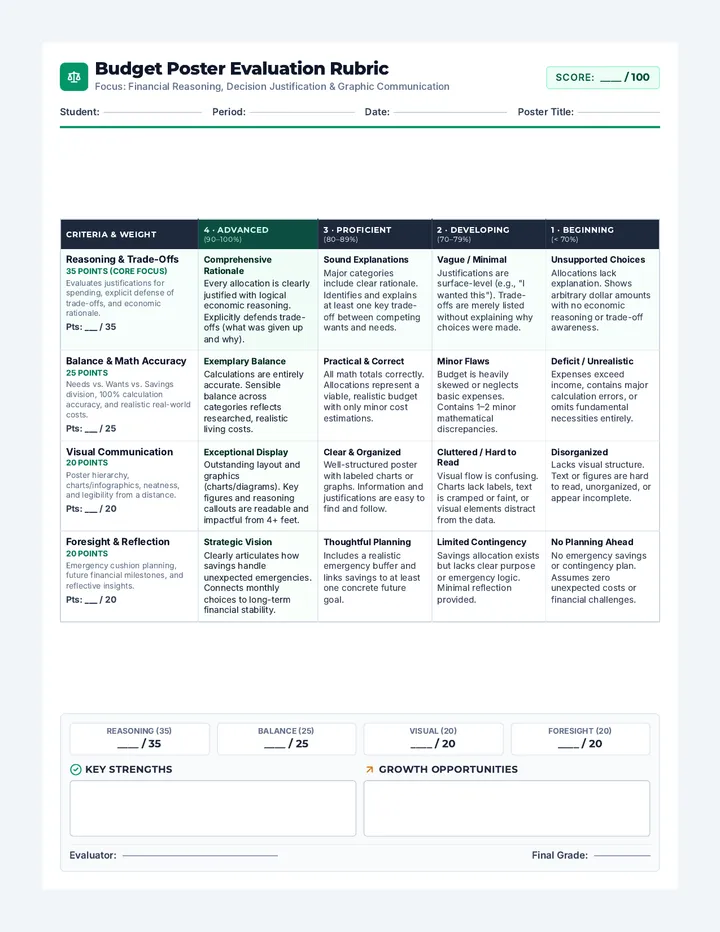
The Launchpad Rubric Project Rubric
The Launchpad Showcase
Total: /20
Designing Your Future | AI Ally Assessment
Criteria Level 4 (Exceeding) Level 3 (At Standard) Level 1-2 (Working Toward) Professional Communication Refining tone and clarity using Gemini.
| Email is perfectly polished, polite, and clearly fits the workplace/college scenario. | Email is professional and polite with clear meaning for the scenario. | Email is readable but may still be too casual or unclear in its purpose. |
| Task Management
Using AI to prioritize and organize.
| The schedule is highly detailed, prioritized correctly, and easy to read. | The schedule has clear priorities and follows a logical order. | The schedule is missing priority labels or is difficult to follow. |
| AI Research Skills
Using primary sources and verify fact.
| Verification is incredibly clear and captures all vital information from the original source. | Fact check matches the primary source accurately. | Findings are too brief or miss important details from the official site. |
<table class="w-full border-collapse mb-12"><tbody class="text-xs"><tr><td class="p-6 font-black border border-slate-100 bg-slate-50 uppercase text-[9px] tracking-tight w-1/4">Self-Advocacy<p class="font-bold text-slate-400 mt-2 lowercase text-[10px] italic normal-case">Requesting help or accommodations.</p></td><td class="p-6 border border-slate-100 leading-snug w-1/4">Advocacy script is professional, brave, and clearly states exactly what is needed to succeed.</td><td class="p-6 border border-slate-100 leading-snug w-1/4">Advocacy script is clear and polite in asking for help or a change.</td><td class="p-6 border border-slate-100 leading-snug text-slate-400 italic w-1/4">The request is vague or does not explain WHY the help is needed.</td></tr><tr><td class="p-6 font-black border border-slate-100 bg-slate-50 uppercase text-[9px] tracking-tight w-1/4">Survival Kit Showcase<p class="font-bold text-slate-400 mt-2 lowercase text-[10px] italic normal-case">Final presentation organization.</p></td><td class="p-6 border border-slate-100 leading-snug w-1/4">Kit is perfectly organized, creative, and shows deep mastery of AI as an ally.</td><td class="p-6 border border-slate-100 leading-snug w-1/4">Kit is organized and includes all required components from the project brief.</td><td class="p-6 border border-slate-100 leading-snug text-slate-400 italic w-1/4">Kit is missing one or more parts or is messy/disorganized.</td></tr></tbody></table>
Facilitator Feedback & Next Steps
Overall Level
____