Mapping the Brain Slides THE LEVEL UP LAB
Upgrade Your Executive Brain
Phase 01: Mapping the Brain
Mission Control
Executive Functioning
The mental skills we use to pay attention, organize, plan, and manage time.
The Internal CPU
Deciding which processes (tasks) run, when they start, and how they finish.
"The CEO of your Brain"
The System Foundation
Working Memory
Holding information in mind while you work with it.
Flexibility
Adjusting to new rules or solving problems in new ways.
Control
Ignoring distractions and resisting impulsive behavior.
System Status
"If your brain was a device right now, would it be:
Log Your Status Below
Your 8-Week Expansion
01 Self-Awareness Map
02 Mission Control
03 Clock Hackers
04 Task Initiation
05 Pivot Points
06 Engine Cooling
07 Study Strategy Lab
08 Final Launch Day
Initial Audit
Open your Personal EF Profile. We're going to identify your current system strengths and where we need an upgrade.
Run Diagnostics
Mapping the Brain Handout Personal EF Profile
The Level Up Lab // Phase 01
Name:
Date:
Part 1: The System Audit
Rate 1-5 (1 = Never, 5 = Always).
1. I forget instructions almost immediately.
1
2
3
4
5
2. I have trouble getting started on big projects.
1
2
3
4
5
3. I lose my phone or supplies frequently.
1
2
3
4
5
Part 2: Hardware Analysis
High Performance Areas
Upgrade Needed
Part 3: Version 2.0 Goal
By the end of this lab, I want to upgrade my ability to...
Architects Guide Week 1 Facilitator Guide
Architects of Action // Week 01: Mapping the Brain
Duration
45 MIN
Session Objectives
Build rapport and establish "Site Safety" norms.
Define EF using the "Mission Control" metaphor.
Identify personal EF strengths and challenges.
Introduce the 8-week Blueprint roadmap.
Materials
Projector & Slides
Profile Handouts
Manifesto Handouts
Architect Folders
Agenda & Scripting
Time Activity Notes 5m Icebreaker & Norms Define confidentiality and group safety. Create "Rules of the Site." Rapport building is #1 priority today. 10m Mission Control Intro Present the 'CEO' metaphor. Hand out the **Manifesto**. Check for understanding of the air traffic controller metaphor. 15m Profile Workshop Distribute **EF Profile handouts**. Students self-rate challenges. Monitor for students feeling overwhelmed by their challenges. 15m Processing & Close Facilitate group discussion using the debrief questions below. Close with the 8-week Roadmap visual.
End-of-Session Processing
1
If your executive brain was a physical building, which part feels like it's built on a "solid foundation" and which part needs a "major renovation"?
2
We talked about the brain as having a "CEO." What happens when your CEO takes a vacation or gets overwhelmed? What does that look like for you?
3
Looking at our 8-week Roadmap, which "room" in your mental house are you most excited to design or fix?
4
How does it feel to know that every other "Architect" in this room is also working on their blueprints?
Lead Architect Tips
Depersonalize the Struggle
Keep coming back to the metaphors. It’s easier to talk about "supplies" and "blueprints" than "failing grades" or "messy rooms."
Model Vulnerability
Share a small EF challenge of your own (e.g., losing keys, time blindness with email) to level the playing field.
Lab Manifesto Handout The Lab Manifesto
The Level Up Lab // Core Purpose
Internal Systems Only
This isn't about *what* you learn; it's about the mental hardware you use. We train your prefrontal cortex to manage the workload of high school.
Debug the Design
If you're stuck, it's not a character flaw—it's a logic error. We are here to troubleshoot the process and build tools that fit how your specific brain processes data.
External Storage
Your brain is a processor, not a hard drive. We use "External Brains"—checklists and digital systems—to clear mental RAM and keep your focus on high-priority tasks.
Continuous Testing
Mistakes are just Feedback. In this lab, we experiment. If a strategy fails, we patch the system and try again. You are the lead developer of your own life.
The Lab Strategy Kit Handout The Strategy Kit
Level Up Lab // Core Hacks
01
The 5-Minute Rule
Can't get started? Commit to the task for only 5 minutes. Breaking the initial friction is the hardest part. You can stop after 5, but you probably won't.
BEST FOR: PROCRASTINATION
02
Point of Performance
Store your gear where the action happens. Keep chargers, pencils, and subject folders in the specific spot you actually do the work.
BEST FOR: LOST SUPPLIES
03
The Sunday Setup
Spend 15 min every Sunday looking at the week ahead. Map out "Hard Edges" (deadlines, jobs, games) to eliminate mid-week surprises.
BEST FOR: TIME BLINDNESS
04
The Brain Dump
Move thoughts from Internal RAM to an external drive. Write down every task and worry to clear up processing space for focus.
BEST FOR: OVERWHELM
Ultimate Hack: THE LAUNCHPAD
Pick one spot by your door. Gear lives there and nowhere else. Pack it the night before. Zero search time in the morning.
SYSTEM STABLE // OPTIMIZE YOUR WORLD
Mission Control Slides Mission Control
Goal Setting & Task Chunking
Phase 02: The Level Up Lab
System Navigation
Without a goal, your executive brain is like a processor with no instructions.
Reduce Decision Fatigue
Lock On Target
Goals =
SMARTER Parameters
S
Specific
M
Measurable
A
Actionable
R
Realistic
T
Time-bound
E
Evaluate
R
Readjust
"I will spend 20 min/night on Math homework to maintain a B grade."
The Art of Chunking
Complex tasks cause System Overload.
Identify first tiny step (< 2 min)
Log 5 major milestones
Process Breakdown
Pick one upcoming project. We're going to use the Chunking Table to debug and upgrade it.
Execute Plan
Mission Control Chunking Handout The Chunking Table
The Level Up Lab // Phase 02
Name:
Step 1: Define Parameters
Target Task (Broad)
SMARTER Version (Specific / Actionable / Timed)
Step 2: Sub-Process Breakdown
# Micro-Task (Chunk) Duration Deadline 1 2 3 4
Step 3: Debug Protocol
Potential Error Code (Obstacle)
System Patch (If-Then Plan)
The Level Up Lab // Diagnostics Tool // 2.0
Architects Guide Week 2 Facilitator Guide
Architects of Action // Week 02: Mission Control
Duration
45 MIN
Session Objectives
Understand why broad goals cause "Brain Freeze."
Apply the SMARTER framework to a personal academic or life goal.
Master the "Chunking" technique to break big tasks into < 15 min steps.
Identify personal roadblocks and "If-Then" solutions.
Materials
Mission Control Slides
Chunking Handouts
Ruler / Highlighters
Student Folders
Agenda & Scripting
Time Activity Key Concepts 5m The "Site Check" (Review) Quick check-in on Week 1 profiles. Reinforce the "Architect" identity. 10m Goal Blueprints (SMARTER) Intro SMARTER acronym. Contrast broad vs. specific. "Vague goals are like blurred blueprints." 20m The Breakdown Workshop Chunking activity. Students break down one project. "How do you eat an elephant? One bite." 10m Processing & Commit End-of-session questions and goal commitment. Check for "Readiness to Launch."
End-of-Session Processing
1
Which letter of the **SMARTER** acronym felt like the biggest "Aha!" moment for you? Why?
2
When you broke your goal into 5 chunks, did the task feel more or less "scary" than it did 20 minutes ago? What changed?
3
What is the very first, 2-minute "tiny start" for your project? Could you do it tonight before bed?
4
If one of us gets stuck on our roadmap this week, how can we help each other get back into "Mission Control"?
Lead Architect Tips
Watch for Over-Chunking
If a student has 20 steps, they might get overwhelmed. Keep it to 5 major "milestones" first, then zoom in on the first one.
The Power of "Yet"
If a student says "I can't do this," remind them: "You haven't built the system for it *yet*." Focus on the construction process.
Clock Hackers Slides Clock Hackers
Syncing Brain Time to Clock Time
Phase 03: The Level Up Lab
Are you Time-Blind?
"Time blindness is a difficulty perceiving the passage and duration of time. It's not lazy—it's a hardware limitation."
The Vortex
"I'll scroll for 5 min."
The Morning Sprint
"I have 15 min left."
The Sunday Sync
Look Back
Review the previous week. What processes failed? What was stable?
Hard Edges
Log the non-negotiables: tests, practice, work, family events.
Optimize
Select your Top 3 Priorities for each day of the next phase.
Calibration Test
We're going to use the Calibration Log to compare your predicted time vs. reality.
Hack the Clock
Clock Hackers Log Handout Calibration Log
The Level Up Lab // Phase 03
Name:
Step 1: Guess vs. Reality
Process / Task Predicted Actual Delta (Gap) Morning Routine (Out of bed to Bus) Packing Gym Bag / Sport Gear Typical Math Worksheet Walking between specific classes
Step 2: Log Hard Edges
Work / Sports / Clubs
Tests / Exams / Deadlines
Personal Time-Thief
Identify the #1 distraction that causes you to lose sync with the clock.
The Level Up Lab // Phase 03 // Efficiency Diagnostics
Architects Guide Week 3 Facilitator Guide
Architects of Action // Week 03: Clock Hackers
Duration
45 MIN
Session Objectives
Define "Time Blindness" and identify personal "Time Thieves."
Calibrate time estimation skills using the Guess vs. Reality technique.
Introduce the "Weekly Review" (Sunday Setup) framework.
Map "Hard Edges" (non-negotiable commitments) to a weekly view.
Materials
Clock Hackers Slides
Time Log Handouts
Visual Timers (Analog)
Shared Group Calendar
Agenda & Scripting
Time Activity Key Concept 5m The "Site Walkthrough" Check-in on Week 2 SMARTER goals. Any early wins? Maintenance over Perfection. 10m Time Blindness Intro Discuss the difference between "Clock Time" and "Brain Time." "EF is our internal stopwatch." 20m Calibration Workshop Predict duration of simple tasks. Map "Hard Edges" of the week. "Truth in the Timeline." 10m Processing & Sunday Prep Explain the Weekly Review habit and wrap-up questions. "The Sunday Setup."
End-of-Session Processing
1
Where did you find the biggest "Time Gap" today? (A task that took much longer or shorter than you guessed).
2
If you were to eliminate your #1 "Time Thief" for just one day this week, what would you do with that extra hour?
3
Does having a "Hard Edge" (like a practice or a job) make it easier or harder for you to stay organized? Why do you think that is?
4
One "Hacker" tip: What is your favorite alarm sound or calendar app that *actually* gets your attention?
Lead Architect Tips
Normalize Time Blindness
Many students feel shame about being late. Reframe it: "Your brain's internal clock is just set to a different time zone. We need external tools to sync it up."
Visual over Digital
For students with high time blindness, digital clocks are numbers; analog clocks are "pie charts of time." Encourage looking at a physical face clock.
Time Thief Scenarios Script Time Thief Scenarios
Facilitator Script // Week 03: Clock Hackers
"Read these scenarios aloud to the group. After each one, ask: Where was the 'Time Gap'? and What hack could have fixed this?"
01
The TikTok Vortex
"It’s 8:00 PM. You have one worksheet left. You tell yourself, 'I’ll just scroll for 5 minutes to recharge.' You blink, and when you look at the clock again, it’s 9:15 PM and you still haven't touched your backpack."
02
The Morning Sprint
"Your bus comes at 7:15 AM. It’s 7:00 AM and you’re just finishing breakfast. You think, 'I have plenty of time to brush my teeth, find my shoes, and pack my gym bag.' At 7:16 AM, you are running down the driveway with one shoe on as the bus pulls away."
03
The Transition Trap
"You have practice across town at 5:00 PM. It takes 15 minutes to drive there. You leave your house at 4:45 PM exactly. You forget that you have to find your keys, get gas, and walk from the parking lot to the field. You arrive at 5:10 PM and your coach is staring at his watch."
04
The 'Quick' Homework Fix
"You sit down to do History homework. You get a notification: 'Your friend mentioned you in a comment.' You think, 'I'll just check this real quick.' An hour later, you've looked at 10 profiles, watched 3 Reels, and haven't written a single sentence of your essay."
Discussion: "Which of these is your biggest Time Thief?"
Overcoming Friction Slides Break Friction
Task Initiation & Regulation
Phase 04: The Level Up Lab
The Initiation Glitch
Procrastination is NOT laziness.
"It's a failure of emotional regulation. The task feels too big, hard, or boring, so your brain 'protects' you by avoiding it."
HIGH FRICTION
Initiation Hacks
01
The 5-Minute Rule
Commit to just 5 minutes. You are allowed to stop after that. The goal is just to break the static friction.
Most keep going after 5.
02
Focus Doubling
Work alongside someone else, even if you are on different tasks. Their presence anchors your focus to the work.
Power in shared focus.
Execute Now
What's the #1 task you've been avoiding? We're using the Starter Kit Handout to run it right now.
Go Time
Starter Kit Handout The Starter Kit
The Level Up Lab // Phase 04
Name:
Part 1: The Friction Audit
Write down the task with the highest friction right now:
Why is friction high?
Too boring / Repetitive
Too difficult / Confusing
Fear of performance failure
The "Tiny" Version
What takes less than 2 min to start?
Part 2: Pre-Execution Setup
Phone Protocol
Workspace Check
System Support
Initiation Contract
I commit to working on for just 5 Minutes starting at .
Lab Member Signature Lead Developer (Witness)
Workspace Setup Slides Workspace Setup
Organizing the Physical & Digital Site
Lesson 05: Architects of Action
Designing Your Physical HQ
The "Point of Performance"
Put the tools where the work happens. If you do homework on the bed, keep your supplies in a bin next to it.
The "Launchpad"
A specific spot by the door for your bag, keys, and phone. No more morning scavenger hunts.
Organize by Function, Not Just Beauty.
Taming the Digital Jungle
File Naming
2026_History_Project_V1
vs. "FinalFinal222"
Inbox Zero?
Set filters for school notifications. Unsubscribe from retail junk.
Screen Limits
Set focus modes that auto-hide distracting apps during study hours.
Clean Sweep
Open your Physical/Digital Inventory Handout. We're going to audit your bag, your home workspace, and your phone home screen.
Physical Audit
Clean out 1 pocket of your backpack right now.
Digital Audit
Delete 5 apps you haven't used in 3 months.
The 10-Minute Reset
"Don't organize what you should discard."
Clear Deck. Clear Mind.
HQ Inventory Handout The HQ Inventory
Workspace Setup // Week 05
Name:
Part 1: The Backpack & Desk Audit
3 Things to Discard (Right Now)
The "Point of Performance"
Where do you usually work? What is ONE tool missing from that spot?
Part 2: Digital Hygiene
Clean the Screen
Action: Move distracting apps off the home screen.
Done
Searchability
Action: Create a folder for "This Semester."
Done
Notification Burn
Action: Turn off 3 "Push" notifications.
Done
The Launchpad Blueprint
Describe exactly where your bag, keys, and materials will go tonight to ensure a stress-free morning.
Organization Fail Scenarios Script Organization Fail Scenarios
Facilitator Script // Week 05: Workspace Setup
"Read these scenarios aloud. After each, ask the group: What was the 'Supply Leak'? and How could 'Point of Performance' have saved them?"
01
The Crumpled Masterpiece
"You spent 3 hours on your History essay. You printed it out and shoved it into your backpack as you ran to the bus. When you get to class, you reach in to find a mountain of loose papers, three old granola bar wrappers, and a gym sock. You finally find the essay, but it's torn, covered in ink from a leaky pen, and has a mysterious grape jelly stain on it."
02
The 'Final_Final' File Trap
"It's 11:58 PM and your project is due at midnight. You open your Downloads folder to upload it. You see: 'English_Project.docx', 'English_Project_NEW.docx', 'English_Project_FINAL.docx', and 'English_Project_REALLY_FINAL.docx'. You panic-click one and upload it. The next morning, you realize you submitted the version with only the first paragraph finished."
03
The Scavenger Hunt
"You finally sit down at your desk to do Math. You're actually motivated! But you realize your calculator is in your locker. You get up to find a pen, but the only ones at the kitchen table are dried out. You head to the junk drawer, find a pen, but then realize your laptop is dead and the charger is in your bedroom. By the time you sit back down with all your tools, your motivation is gone."
04
The Inbox Avalanche
"You open your school email for the first time in three days. You have 147 unread messages. Some are from teachers about extra credit, some are from the coach about a practice change, and 120 of them are 'Sale' alerts from stores you visited once. You feel so overwhelmed by the red 'unread' bubbles that you just close the tab and pretend you didn't see it."
Discussion: "Which of these ruins your workflow the most?"
Organization Cheat Sheet Handout Organization Cheat Sheet
Lead Architect // Quick Reference Guide
Name:
The Physical HQ
The Weekly Backpack Audit
Toss: Wrappers, old gum, broken pens, scraps of paper.
File: Move handouts from the "Loose Pile" into their subject folders.
Restock: Check chargers, spare pens, and water bottle.
Point of Performance (P.O.P.)
Store tools where the action happens.
BEDSIDE: Reading light, book, pencil.
DESK: Laptop charger, headphones, planner.
The Digital HQ
The "Findable" File Rule
Stop searching, start finding. Use this formula:
YEAR_SUBJECT_PROJECT_V1
Example: 2026_History_CivilWar_Draft
Screen Hygiene
Notifications: OFF for all non-humans.
First Page: Tools only (School apps, Music).
Second Page: Time-Thieves (Social, Games).
Site Maintenance Rituals
01
The Launchpad (PM)
Put your bag and keys by the door. Zero search time in the morning. Pack it before you sleep.
02
The 10-Minute Reset
Clear your desk. Close your tabs. A clear workspace is a clear mind for the next "Mission."
Architects of Action // Organization Master Sheet
Pivot Points Slides Pivot Points
The Power of Cognitive Flexibility
Lesson 05: Architects of Action
Are You "Brittle" or "Bendy"?
Brittle Thinking
• "It has to be this way."
• Gets stuck on a single error.
• Panic when the schedule changes.
Flexible Thinking
• "What's Plan B?"
• Learns from the mistake.
• Adjusts to the new reality.
"Cognitive Flexibility is the ability to change your mind based on new data."
The 3-Second Pivot
When a curveball hits (Plan A fails), follow this checklist:
1
PAUSE (Check the Engine)
2
NAME IT ("This is a change.")
3
PIVOT ("What's the best NEXT step?")
BEND, DON'T BREAK
Mindset Shifts
Subject 1: MATH
Logical, Rule-based, Calculating.
Subject 2: ENGLISH
Creative, Interpretive, Flowing.
Transitions are Pivot Points. Your brain needs a second to change gears. Don't force it—acknowledge the shift.
Curveball Lab
We're going to use the Pivot Plan Handout to practice responding to unexpected curveballs.
READY TO PIVOT?
Pivot Plan Handout The Pivot Plan
Cognitive Flexibility // Week 05
Name:
Part 1: The "Brick Wall" Audit
Where do you feel "stuck" or "brittle"? Check the ones that sound like you:
"I have to do things in a specific order."
"If I make one mistake, the whole day is ruined."
"I hate when my teacher changes the due date."
"I struggle to switch from one subject to another."
Part 2: The Pivot Lab
The Curveball The Pivot (Plan B) You sit down to study and your laptop is dead. Charger is at school. You practiced for a speech, but the teacher says you're going FIRST today.
|
The Flexible Reframer
BRITTLE THOUGHT:
"This is impossible now. I'm going to fail."
FLEXIBLE THOUGHT:
"It's just a change. What can I do with what I have?"
Curveball Scenarios Script Curveball Collection
Facilitator Script // Week 05: Pivot Points
"Read these unexpected shifts aloud. Ask the group: What would a 'Brittle' response be? and What is a 'Bendy' Pivot?"
01
The Schedule Swap
"You have been mentally preparing all day for your 4:00 PM basketball practice. At 3:30 PM, your coach texts the group: 'Gym floor is flooded. Practice moved to 6:00 AM tomorrow morning instead.'"
02
The WiFi Wipeout
"You sit down to finish your online Science quiz that's due in 2 hours. As soon as you log in, your home internet goes out. Your phone is at 2% battery and you can't find your charger."
03
The Unexpected Rule
"You walk into Math class expecting to hand in your homework. The teacher announces: 'Change of plans. Today is a pop quiz on the chapter you just read for homework. No notes allowed.'"
Discussion: "How long does it take you to stop being 'Brittle' after a curveball?"
Architects Guide Week 5 Facilitator Guide
Architects of Action // Week 05: Pivot Points
Duration
45 MIN
Session Objectives
Define "Brittle" vs. "Bendy" (Cognitive Flexibility).
Identify personal "Brick Wall" triggers where thinking gets stuck.
Practice the **3-Second Pivot** (Pause, Name, Pivot).
Reframe fixed, brittle thoughts into flexible, bendy language.
Materials
Pivot Points Slides
Pivot Plan Handouts
Curveball Script
Agenda & Scripting
Time Activity Key Concept 5m Site Maintenance Review organization hacks. Did the Launchpad work? Pivot from Space to Mindset. 10m Brittle vs. Bendy Present flexibility concepts. Discuss "Set Shifting." "Bendy thinking is resilience." 20m Curveball Lab Workshop. Respond to scenarios using Pivot Plan. 3-Second Pivot: Pause-Name-Pivot. 10m Processing Questions Reflect on the ability to change directions. "Evolution of Thought."
End-of-Session Processing
1
Are you naturally **"Brittle"** or **"Bendy"** when plans change? What is your very first physical reaction to a curveball (e.g., tight chest, sighing)?
2
Which scenario in the **Pivot Lab** felt the hardest to solve? Why did that specific change feel more "impossible" than the others?
3
How does the 1st step of the pivot—**PAUSING**—help your "Mission Control" keep the emotional "Volcano" from erupting?
4
Think of one subject or teacher that makes you feel "Brittle." What is one **Bendy Thought** you can use next time you walk into that room?
Lead Architect Tips
Acknowledge the Pain
Cognitive flexibility isn't about liking the change. It's okay to be annoyed! The pivot is about not letting that annoyance stall your entire day.
Set Shifting
Help students see that "shifting gears" between social time and study time is a skill. Encourage a 1-minute "gear shift" ritual (like taking a deep breath).
Cooling the Engine Slides Cooling the Engine
Emotional Regulation & Focus
Phase 06: The Level Up Lab
System Overheat
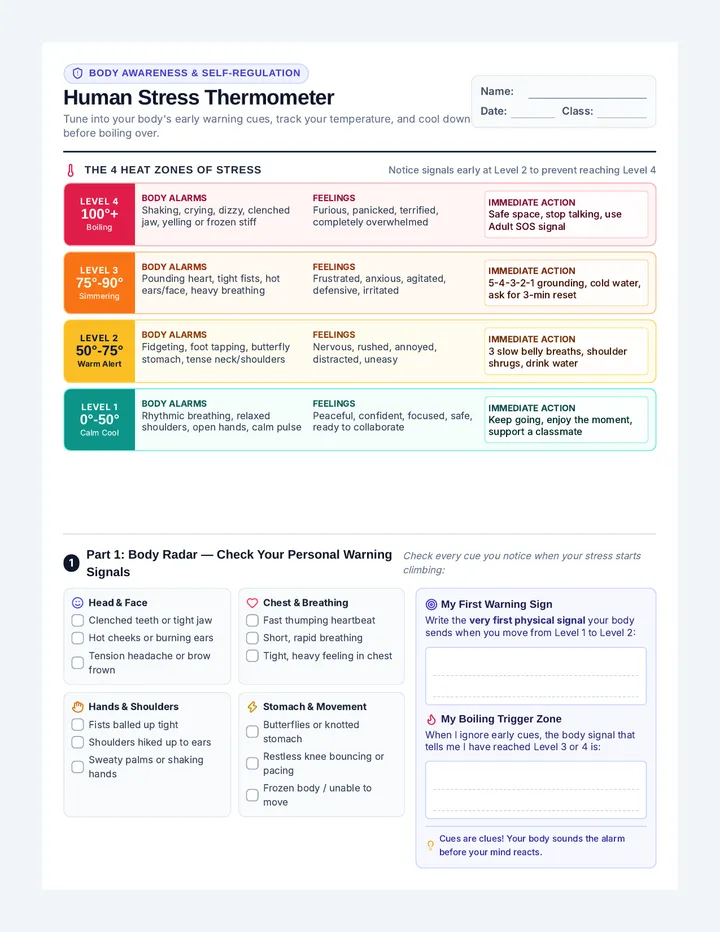
When your "Emotional Engine" hits the red-line, your "Executive CPU" shuts down.
The EF Hijack
Stress floods the brain with cortisol, which physically blocks your ability to plan, organize, and maintain focus.
Engine Trouble Log
The Volcano
Quick frustration, physical tension, snapping at others.
The Freeze
Numbness, staring at screen, unable to decide.
The Whirlwind
Panic, racing thoughts, jumping between tasks.
Cooling Protocols
01
Box Breathing
4s Inhale // 4s Hold // 4s Exhale // 4s Hold. Manually reset the nervous system.
02
The Brain Dump
Write it all down. Move the whirlwind from RAM to storage.
03
Physical Shift
Change your physical state. Stand up, splash cold water, or walk away for 60s.
04
Diagnostics Audit
Replace "I'm stupid" with "This task is high-friction right now."
Cooling Plan
Open your Emergency Cooling Kit. We're going to build your personal reset protocol.
Stabilize System
Cooling Plan Handout The Cooling Kit
The Level Up Lab // Phase 06
Name:
Step 1: Diagnostics (Signs)
Hardware Signs (Body)
Tight shoulders / Jaw
Rapid heart rate
Tapping feet / Pacing
Software Signs (Thoughts)
"I'll never finish this."
"I'm stupid."
Panic / Numbness
Step 2: Reset Protocols
Select 3 protocols you will execute when the engine overheats.
01
02
03
Software Update: Re-Frame
Current Logic:
"I'm lazy and disorganized."
New Logic (Upgraded):
"This task is high-friction. I need a cooling protocol."
The Level Up Lab // Phase 06 // Regulation Protocol
Architects Guide Week 6 Facilitator Guide
Architects of Action // Week 06: Cooling the Engine
Duration
45 MIN
Session Objectives
Understand the biological link between stress (cortisol) and EF shutdown.
Identify personal "Engine Trouble" signs (Volcano, Freeze, Whirlwind).
Practice active cooling strategies: Box Breathing & The Brain Dump.
Master the "Architect's Re-frame" for compassionate self-talk.
Materials
Cooling Engine Slides
Emergency Kit Handouts
Stopwatch (for breathing)
Agenda & Scripting
Time Activity Key Concept 5m Pivot Check-in How did the curveballs go last week? Did anyone "Bendy" think? Connection to Flexibility. 10m The Hijack Metaphor Explain how stress "overheats" the prefrontal cortex. "You can't plan while you're panic-breathing." 20m Cooling Lab Workshop. Identifying triggers and building the Emergency Kit. Regulation = Initiation. 10m Processing & Reframing Practicing the self-talk shift and final questions. "Compassion is efficient."
End-of-Session Processing
1
When your engine red-lines, are you more likely to be a **"Volcano"** (frustration), a **"Freeze"** (numbness), or a **"Whirlwind"** (panic)?
2
Which strategy from your **Cooling Kit** feels easiest to use right in the middle of class or while studying at home?
3
How does the **"Brain Dump"** help clear up your "Internal RAM" when your thoughts start racing?
4
Why is it important to replace "I'm stupid/lazy" with **"This task is high-friction right now"**? How does that change your "engine temperature"?
Lead Architect Tips
Normalize Resistance
Some students may feel that "breathing" is silly. Explain the science: you are manually hacking your Vagus Nerve to tell the brain there is no physical threat.
Watch for the Freeze
The "Freeze" response is often mistaken for lack of interest. Encourage the "Tiny Start" from Week 4 as a specific cooling strategy for those who freeze.
Knowledge Architects Slides Knowledge Lab
The Science of Retention
Phase 07: The Level Up Lab
Stop Passive Review
System Trap
• Rereading notes
• Passive highlighting
• Passive video watching
"This feels easy, so I must know it."
The Upgrade
Learning is Retrieval. If it feels too easy, you aren't upgrading your long-term storage.
Desirable Difficulty
Active Recall
Force your brain to pull data OUT, don't just put it IN.
Blurting (Recall dump)
Practice Testing
Peer Teaching
RETRIEVAL Pull the Data
Lab Optimization
We're going to use the Study Strategy Menu to patch your current learning protocols.
Execute Lab
Study Strategy Menu Handout The Study Strategy Menu
The Level Up Lab // Phase 07
Name:
Part 1: Retrieval Protocols
Active Recall (Pull Data)
"Blurting" (Write all you know)
Flashcards / Testing Apps
Teaching to a Peer
Structuring (Format Data)
Mind Mapping (Visual link)
Cornell Notes (Recall side)
Spaced Pomodoro (3x15m)
Part 2: Execution Plan
Target System (Subject):
Lab Duration (min):
Initial Brain Dump (2 Min)
Active Recall Strategy (20-30 Min)
Retention Tracker
24 Hours 3 Days 1 Week Final Prep
|
|
|
The Level Up Lab // Phase 07 // Retrieval Diagnostics
Launch Day Slides LAUNCH DAY
Reflect // Sustain // Celebrate
Architects of Action Graduation
The Progress Report
Week 01 Profile
"I lose everything, I'm always late, and I have no idea how to start projects."
Week 08 Profile
"I have a Launchpad, I use the 5-Minute Rule, and I know how to Cool my Engine."
SKILL SHIFT
The Maintenance Plan
Keeping the structure standing requires constant care.
NON-NEGOTIABLES
The 1-2 systems you will NEVER stop using.
THE RE-UP
What happens when you fail? How do you reset?
COMMUNITY
Who is your anchor or "Body Double"?
Official Launch
Open your Final Blueprint Handout. We are going to finalize your Maintenance Plan and celebrate your progress.
You are the Architect of your own life.
MISSION
ACCOMPLISHED
CONGRATS ARCHITECTS!
The Lab Maintenance Log Handout The Maintenance Log
The Level Up Lab Graduation
System Upgrade
Which skill showed the most improvement during this lab?
The MVP Hack
Which tool (Checklist, Sunday Setup, 5-Min Rule) is your "Can't-Live-Without"?
Post-Lab Maintenance
1
When the system crashes, I will debug by...
2
To keep my Physical HQ organized, I will...
3
My commitment to myself is to... Lab Master Guide 2-8 Lab Master Guide
Weeks 02-08: Implementation & Discussion
Phase
BETA
Master Processing Guide
Wk 03 // Time
Clock Hackers
Where did you find the biggest "Time Gap" today between your guess and reality?
Does having a "Hard Edge" (like a job) make it easier or harder to stay organized?
Wk 04 // Start
Task Initiation
What "Error Code" (emotion) usually causes your brain to avoid starting work?
If you commit to the 5-Minute Rule tonight, what is the exact task you'll use it on?
Wk 05 // Pivot
Pivot Points
Are you naturally "Brittle" or "Bendy" when plans change? What's your physical reaction?
Name one subject shift you have to make today. How will you "Pause" first?
Wk 06 // Heat
Engine Cooling
When your engine red-lines, are you a "Volcano" (anger) or a "Freeze" (numb)?
Which strategy (breathing, dump, shift) feels most doable in the heat of the moment?
Wk 07 // Memory
Study Strategy Lab
Rereading feels easy. Active recall feels hard. Why is "hard" better for learning?
If you had to teach one hack from this lab to a 5-year-old, which would you pick?
Wk 08 // Launch
Launch Day
Look at your Phase 1 Profile. What is the single biggest system upgrade you've noticed?
When the system crashes in 3 months, how will you debug it?
The Level Up Lab // Master Processing // Evidence-Based Implementation
The Lab Retention Activity Handout The Lab Cornerstone
Week 08 // Retention Activity
The Physical Reminder
Today, every member will create a **Retention Token** to carry with them. This is a physical anchor for the skills built in this lab.
System Anchor
My Top Level-Up Skill:
The Level Up Lab
System Anchor
My Top Level-Up Skill:
The Level Up Lab
System Anchor
My Top Level-Up Skill:
The Level Up Lab
System Anchor
My Top Level-Up Skill:
The Level Up Lab
Retention Protocol Active // Carry the Skills