Recipe Shredder Slides RECIPE SHREDDER
Deconstructing Multi-Step Tasks
Independent Living Series Step Success
The "Disaster Chef"
"Wait, was I supposed to add the eggs before or after the milk? I think I missed a step back there... oh no, is it burning?!"
What Went Wrong?
Trying to read the whole page at once.
Losing track of the current step.
Working memory "overflow."
The "Mental Scratchpad"
Working Memory is like a small desk. If you put too many papers on it at once, things start falling off the edge.
The Rule of One:
ONE TASK = ONE FOCUS
Why Deconstruct?
Stops "scanning ahead" (cheating!).
Creates a clear finish line for every step.
Reduces anxiety by making things small.
Our Strategy: Cut & Reveal
1
SHRED
Cut your recipe into individual strips. Each strip is ONE action.
2
STOW
Put all the strips into an envelope or a stack where you can't see them.
3
SHOW
Pull out ONE strip. Finish that task. Do not look at the next strip until the first is DONE.
GOAL: Focus on the DOING, not the PLANNING.
Recipe Shredder Worksheet THE RECIPE SHREDDER
Single-Step Execution Workshop
Name:
Date:
How to Shred:
Read the messy paragraph below. It's full of distracting information.
Identify each individual action step (the "verbs").
In the Shred Zone below, rewrite each step into its own separate strip.
Cut out the strips and place them in an envelope. Reveal only ONE at a time!
The Messy Recipe: "Quick Microwave Mac"
"To make this easy mac, you're going to want to grab a microwave-safe mug first. Once you have that, pour in 1/2 cup of macaroni pasta and then add 1/2 cup of water, making sure it's covered. You'll need to microwave it for about 2 minutes, but halfway through, you should stop and stir it so it doesn't clump together. After the timer goes off, if the pasta is tender, drain any extra water that's left over. Finally, stir in 1/4 cup of shredded cheddar cheese and a splash of milk until it's all creamy and melted, then you're ready to eat!"
The Shred Zone
Cut along the dotted lines after writing
1
2
3
4
5
6
Focus Reflection
Think about the difference between reading the messy paragraph and seeing your isolated strips.
1. Which part of the original paragraph was the most confusing or distracting?
2. How does seeing only ONE strip at a time change how you feel about cooking this?
Masking Technique Slides THE MASKING TECHNIQUE
Blocking the Noise to Find the Signal
Visual Overload
Imagine trying to read a single line of text while lights are flashing and people are waving their hands around the page.
This is what it feels like when your brain tries to process a complex form or a wall of text .
FORM DATE NAME SSN ADDRESS EMAIL ZIP
FOCUS HERE
The Power of the "Mask"
The Concept:
If you can't see the distraction, it doesn't exist for your working memory.
<-- DISTRACTION -->
CURRENT STEP
The Tools:
Forms: The Memory Killer
Job applications and government forms are scary because they show you 100 questions at once.
Without Masking
Scanning ahead
Skipping lines by accident
Heart rate increases
With Masking
One box at a time
Focus on small details
Feeling of control
Today, we build our own Window Tools.
Masking Master Form THE MASKING MASTER
Lesson 2: Form Focus Workshop
Student: __________________________ Date: ___________________________
Step 1: Build Your "Window Tool"
At the bottom of this page, you will find a thick black rectangle. Carefully cut it out. Then, cut out the smaller inner white rectangle to create a "window." This is your mask.
Mock Job Application: City Logistics Center
Legal First Name
M.I.
Legal Last Name
Primary Phone (Include Area Code)
Secondary Email Address
Current Residential Address (No P.O. Boxes)
City
State
Zip Code
Check all that apply:
Work Weekends
Overtime OK
Lift 50+ lbs
Driver's License
Previous Employer Name & City
Start Date (MM/YY)
End Date (MM/YY)
Professional Reference #1 (Name & Contact)
✂️ Cut along the outer edge and the inner white rectangle ✂️
Window Area
How to use: Place this tool over the form above. Slide it down until only ONE line or box is visible in the window. Fill that out, then slide down to the next one.
Audio Guidance Slides AUDIO CUES
Pacing and Execution in Real Time
The Power of the Voice
When we can't see what's coming next, we have to listen to the current instruction.
Think About:
A GPS telling you to turn. You don't turn 10 miles before. You wait for the voice to say "Turn Now."
Audio guides act as a Speed Limiter for our brain.
The "Pause & Do" Method
1
LISTEN
Hear the single step.
2
PAUSE
Wait! Stop the audio.
3
DO
Perform the task completely.
4
REPEAT
Resume for the next step.
Why Audio?
Eliminates "Visual Clutter"
You don't have to look at a list of 10 things. Your eyes are free to focus on the laundry or the dishes.
Forces Pacing
You can't "rush" past a step that hasn't been said yet. It keeps your hands and brain in sync.
Practice Goal
Record your own voice giving instructions. Then, try to follow yourself without skipping ahead.
Laundry Logic Audio Script LAUNDRY LOGIC
Lesson 3: Audio Script & Pacing Guide
Name:
Date:
Audio Recording Script
Record yourself reading these lines. Say the word "PAUSE" and wait 3 seconds before moving to the next line.
"Gather all the dirty clothes from the floor and put them in the hamper. [PAUSE] "
"Separate the light-colored clothes into one pile and the dark clothes into another. [PAUSE] "
"Check every pocket for loose change, tissues, or trash. [PAUSE] "
"Put the dark pile into the washing machine. [PAUSE] "
"Pour one capful of detergent into the dispenser. [PAUSE] "
"Close the lid and press the 'Start' button. [PAUSE] "
Self-Execution Tracker
Listen to your recording while performing the task. Mark each box after you complete the action.
Pacing
I waited for my voice to finish before I started the move.
Accuracy
I didn't skip any pockets or forget the detergent.
Focus
I did not get distracted by other things in the room.
Post-Task Reflection
What was the hardest part about waiting for the "PAUSE" in your recording?
How did the audio help you avoid "Visual Clutter" (looking at everything at once)?
Binary Choice Slides BINARY CHOICES
Defeating Decision Fatigue
The Sorting Trap
Why "Cleaning Up" is Hard:
When we see a pile of mess, our brain tries to decide 100 things at once:
- Where does this go?
- Do I still need this?
- Is this trash or recycling?
- Should I fix this first?
"Brain Freeze" occurs when there are too many options.
STOP THINKING.
START FILTERING.
The Power of "Yes or No"
The Binary Rule:
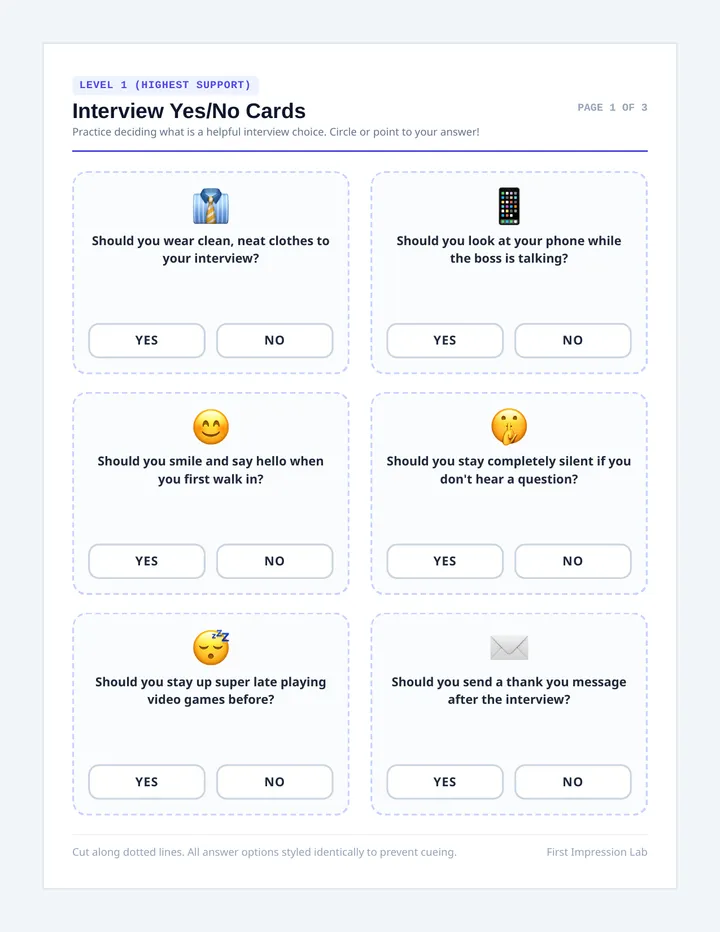
Reduce every decision to a single question with only two possible answers.
YES
NO
Example Filter:
Question: "Is this Trash?"
YES
Put in Bin
NO
Leave in Pile
Notice: We aren't deciding where it goes yet. We are ONLY deciding if it is trash.
The "Pass" System
Pass #1
Is it Trash?
Pass #2
Does it belong in this room?
Pass #3
Is it a piece of clothing?
ONE QUESTION PER PASS. ONE ITEM AT A TIME.
Binary Filter Worksheet THE BINARY FILTER
Lesson 4: Decision-Making Workshop
Operator:
Date:
Step 1: Define Your Single Question
Instead of "Organizing," pick one specific filter. Examples: "Is it Trash?" or "Is it a Shoe?" or "Is it Paper?"
My Binary Filter Question:
_________________________________________________?
YES
Action: ________________
NO
Action: ________________
Step 2: The Sorting Log
Go through the items below. For each one , ask your question. Do not skip any!
Empty Pizza Box
Yes
No
Science Textbook
Yes
No
Single Dirty Sock
Yes
No
Phone Charger Cable
Yes
No
Crumpled Candy Wrapper
Yes
No
Binary Review
1. How many items did you have to think about for more than 2 seconds?
2. If you do Pass #2 (a different question), does it feel easier now that Pass #1 is done?
Lab Mastery Slides THE INDEPENDENT LIVING LAB
Mastering the Single Step
Your Strategy Toolbox
The Shredder
Cutting paragraph instructions into physical strips.
BEST FOR: RECIPES
The Mask
Using a Window Tool to hide future steps.
BEST FOR: FORMS
Audio Cue
Recording your own voice with built-in pauses.
BEST FOR: CHORES
The Mission
1. PLAN
Pick a task (folding a shirt, sorting mail, making a sandwich) and choose your method.
2. EXECUTE
Perform the task using your aid. A peer will observe your focus.
Observer's Duty:
Watch for "Scanning Ahead"
Check for steady pacing
Confirm 100% completion
Step Success
Independence isn't doing everything perfectly without help. Independence is knowing which tools you need to get the job done.
You Are Ready.
Lab Mastery Rubric MASTERY LAB GUIDE
Lesson 5: Final Performance Task
Master:
Peer Observer:
Phase 1: Mission Planning
1. Selected Living Task:
Folding Laundry
Making a Meal
Sorting Mail
Other: ________
2. Strategy of Choice:
Shredder Strips
Masking Tool
Audio Cues
Task Breakdown (Draft 3 main steps):
Step 1: ____________________________________________________________________
Step 2: ____________________________________________________________________
Step 3: ____________________________________________________________________
Peer Observation Rubric
Skill Area Developing (1) Consistent (3) Mastery (5) Visual Focus Only looking at the current step aid.
|
|
|
|
| Pacing
Waiting for cues; not rushing ahead.
|
|
|
|
| Execution
Completing the task correctly without missed steps.
|
|
|
|
Mastery Reflection
Now that you've used these methods, which one would you use for a new job or task at home? Why?