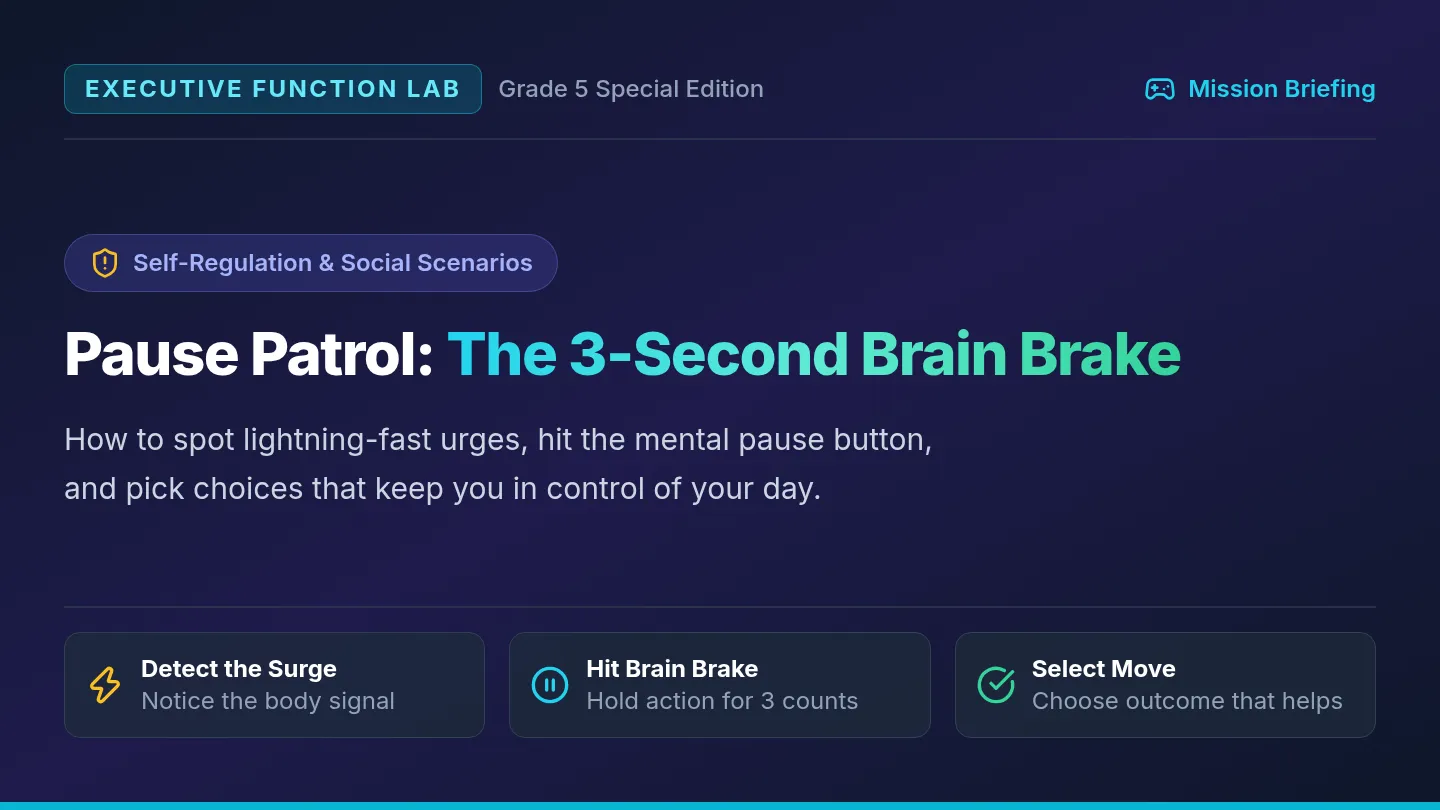
Supply Command Slides Mission Control EF • Lesson 1 Physical Organization
Target: Material Mastery
Flight Operations Manual
Supply Command
Tame messy backpacks, clear chaotic desks, and build a launchpad system so you never lose an assignment again.
The Black Hole Test
Diagnose backpack clutter
Zone Architecture
Give every tool a home
3-Minute Reset
Daily maintenance routine
The "Black Hole" Backpack Phenomenon
The Problem
What It Feels Like
• "I completed that worksheet at home, but now it vanished!"
• Crumpled papers stuffed at the bottom like loose paper towels.
• Spending 5 frantic minutes digging while the class moves ahead.
Warning: Clutter steals mental energy before you even start working.
The Truth About Brains
• Being disorganized is not being "lazy" or bad.
• Your brain is busy thinking about ideas, not paper storage.
• You don't need "more willpower"—you need an automatic system.
Core Rule: Systems beat willpower every single time.
Next: Setting up your three physical flight zones.
The 3-Zone Organization System
Strategy Map
01
Launch Zone
"Moving Today"
Front pocket or special folder. Holds homework due today and parent forms. Nothing stays here over 24 hours.
Examples: Signed slip, homework due today.
02
Tool Base
"Ready to Build"
Zippered supply pouch. Exactly 2 pencils, 1 eraser, 1 highlighter, and your ruler. No loose pens swimming free.
Rule: If it doesn't fit in the pouch, it leaves the desk.
03
Archive Vault
"Reference & Past"
Main binder or home folder. Graded work, unit study guides, and test notes. Cleared out every Friday.
Rule: Never mix "Active" with "Graded" work.
Question for Pilot: Where does an unfinished math worksheet belong right now? Answer: Launch Zone!
The 3-Minute Pre-Flight Reset
Execution Routine
Why Just 3 Minutes?
Huge cleaning sessions feel exhausting. But a timed 180-second reset before you pack up stops the mess before it starts.
Set a timer on the board. Race the clock!
60s
Step 1: Trash & Scrap Evacuation
Throw away snack wrappers, paper scraps, and pencil shavings.
60s
Step 2: File Loose Papers
Every single paper must go inside a labeled folder—zero loose sheets.
60s
Step 3: Stash Tools & Check Launch Zone
Pencils zipped in pouch; homework safely inside the front Launch pocket.
When you sit down tomorrow morning, your desk is clear and ready for flight!
Mission Checklist: Today's Action Plan
Hands-On Lab
On Your Audit Guide
Dump all backpack contents on your desk towel.
Sort items into: Keep, File, Trash, or Return.
Assign your color-coded folders for subjects.
Seal your Tool Base pouch with ready pencils.
Teacher Tip: Pair up with your Wingman partner to audit each other's packs!
Success Indicators
You can find any assignment in 10 seconds or less.
Zero loose papers tumbling around the backpack floor.
Desk surface is 100% clear at end-of-day bell.
"A pilot's cockpit is always ready for emergency takeoff."
Grab your Supply Command Audit Guide and dump your backpack! Timer: 10:00 Minutes
Supply Command Audit Guide Executive Function Intervention • Lesson 1
Supply Command: Physical Space Audit
Mission Control EF
Pilot Blueprint #01
Pilot Name:
Date:
Wingman (Partner):
A
Phase 1: Backpack & Desk Triage (Dump & Sort)
Dump out your backpack or desk completely onto your workspace. Count and log your items before putting anything back:
Trash & Crumbs Wrappers, scraps, broken bits
____ items
Loose Stray Papers Unfiled worksheets & notes
____ sheets
Wild Writing Tools Pens, markers with no caps
____ pens/pencils
Ancient Graded Work Work older than 2 weeks
____ papers
B
Phase 2: Establish Your 3 Flight Zones
Z-1
LAUNCH ZONE (Front Pocket / Front Folder) Purpose: Needs Action Today
What items will you keep here? (e.g., homework folder, agenda, permission slip)
Z-2
TOOL BASE (Zippered Pencil Pouch) Rule: Exactly 5 Essential Tools
Check off your 5 tools: [ ] 2 Pencils [ ] 1 Eraser [ ] 1 Highlighter [ ] 1 Ruler/Glue [ ] Pencil sharpener
Z-3
ARCHIVE VAULT (Main Binder / Deep Section) Purpose: Keep for Tests & Reference
Where will your graded study guides sleep until the test is over?
C
Subject Folder Color-Coding Directory
Subject
Assigned Folder Color
Notebook / Tool Pairing
Reading / ELA
Folder Color: _________________
Notebook: _________________
Math
Folder Color: _________________
Notebook: _________________
Science / Social Studies
Folder Color: _________________
Notebook: _________________
Mission Control EF • Lesson 1: Supply Command Turn page for the 3-Minute Reset Protocol & Extraction Test ➔
Daily Maintenance Protocol
The 3-Minute Pre-Flight Reset
Page 2 of 2
Standard Operating Procedure
The 180-Second Daily Dismissal Routine
Do this at the end of every school day when the teacher calls "3-Minute Reset!" Don't pack blindly—follow these exact 3 stages:
Minute 1 (0:00 - 1:00)
Evacuate & Trash
[ ] Toss wrappers & scraps
[ ] Recycle scratch paper
[ ] Empty pencil sharpener
Minute 2 (1:00 - 2:00)
File All Stray Papers
[ ] Pick up EVERY loose sheet
[ ] Homework -> Launch Zone
[ ] Notes -> Subject Folder
Minute 3 (2:00 - 3:00)
Zip & Secure Tools
[ ] Pencils in Tool Pouch
[ ] Zip main backpack shut
[ ] Desk surface totally clean
D
Wingman Speed Extraction Drill (The 10-Second Test)
Pair with your wingman. Your partner calls out an item. You have 10 seconds to locate and hold it up without digging blindly!
Trial 1: Math Folder & Sharpened Pencil
Partner records search time
Time: _____ sec Pass (≤10s)
Trial 2: Tonight's Homework Assignment
Should be right in your Launch Zone
Time: _____ sec Pass (≤10s)
Trial 3: Colored Highlighter / Eraser
Should be ready inside Tool Base
Time: _____ sec Pass (≤10s)
E
Pilot Flight Pledge: Commitment & Sign-Off
"I recognize that being organized gives me more free time and keeps my brain calm. I commit to running my 3-Minute Reset before leaving school each day. When in doubt, no loose paper goes unfiled."
Pilot Signature:
Mission Commander (Teacher / Coach) Signature:
Mission Control EF • Lesson 1: Supply Command Keep this blueprint inside your Launch Zone front cover.
Mission Control Teacher Guide Interventionist Manual • Grades 3–5
Mission Control: Teacher Facilitation Guide
Executive Function Unit
Tier 2 / Small Group & Tier 1
Instructional Philosophy: Reframe from Character to System
Upper elementary students with executive dysfunction frequently internalize labels like "messy," "lazy," or "careless." This curriculum uses the Mission Control / Flight Ops metaphor to depersonalize executive challenges. Emphasize that cognitive load is limited: when physical supplies and multi-step tasks are automated into external systems, the brain has full bandwidth for deep learning.
Unit Architecture & Pacing Schedule
Lesson 1: Supply Command Week 1
Physical organization of backpacks, desks, and supplies. Staging the Launch Zone and installing the 3-minute end-of-day reset.
Deliverable: Audit Guide & 10s Speed Extraction Drill.
Lesson 2: Task Chop Week 2
Cognitive chunking for multi-step projects. Action verbs, time prediction calibration, and the 2-minute micro-starter trick.
Deliverable: Task Chop Action Map on active classwork.
Lesson 3: Daily Launchpad Week 3
Prioritization (Must-Do vs May-Do), the Rule of 3, evening departure staging, and daily self-monitoring reflection logs.
Deliverable: 5-Day Launchpad Accountability Log.
Teacher Verbal Coaching Scripts
When student is frozen by a project:
"I see your brain is looking at the whole boulder right now. Let's run a Task Chop. What is the single easiest physical move you can make in the next 120 seconds? Just write your name and underline step one."
When student's backpack is stuffed with crumpled papers:
"Black Hole alert! Let's do a 60-second trash dump, then find your Launch Zone folder. No paper goes loose—every sheet gets a bedroom."
When student is doing easy low-priority tasks to avoid hard work:
"Sharpening all your pencils is a great May-Do! But what is your Priority #1 Must-Do on your flight plan today? Let's knock that out first so you fly clear."
Neurodiversity Accommodations (ADHD, Working Memory, Dysgraphia)
ADHD / Hyperactivity:
Use a physical sand timer or visual digital clock for the 3-minute reset. Allow standing or clipboard work during audits.
Working Memory Deficits:
Tape the 3-Zone directory directly inside their desk lid or binder cover. Never rely on verbal reminders alone.
Perfectionism / Anxiety:
Validate the 'Sloppy Copy' rule on Step 3 of Task Chop. Remind students that revision belongs strictly on Step 4.
Mission Control EF • Teacher Facilitation Guide Turn page for the Progress Monitoring Rubric & Fading Plan ➔
Interventionist Manual • Page 2
Progress Monitoring & Prompt Fading Protocol
Assessment & Fidelity
Standardized Rubric
The 4-Week Prompt Fading System
The goal is student self-generation of routines. Systematically fade adult cues over a 4-week window:
Week 1: Direct Model
Teacher leads 3-min countdown step-by-step; checks backpacks alongside student.
Week 2: Visual Prompt
Timer rings; student follows desk checklist independently. Teacher conducts spot-check.
Week 3: Wingman Check
Peer partners audit each other's Launch Zones and Top 3 lists. Teacher acts as referee.
Week 4: Independent
Student initiates routine upon end-of-day bell. Self-logs stars on weekly tracker.
Executive Functioning Skill Rubric (Pre / Post Intervention)
Skill Domain
Emerging (Level 1)
Developing (Level 2)
Mastery / Flight Ready (Level 3)
1. Physical Space
Papers crumpled in pack bottom; takes >30s to find tools.
Uses folders when reminded; occasional loose sheets.
10-second extraction test passed; Launch Zone always active.
2. Task Initiation
Paralyzed by multi-step prompts; avoids starting for >10m.
Can break down tasks with 1:1 adult scaffolding.
Identifies 2-minute starter independently; initiates under 2m.
3. Prioritization
Focuses on low-value May-Dos; forgets due dates.
Identifies Must-Dos with guidance; occasionally distracted.
Consistently executes Top 3 Must-Dos before May-Do activities.
4. Follow-Through
Completes homework at home but forgets to turn it in.
Submits work 3 out of 5 days without adult prompt.
Submits work on time 5/5 days via Launch Zone staging.
Home-School Communication Brief
Send a copy of the Daily Launchpad Tracker home to parents/guardians with this short note:
"Your student is learning the 'Mission Control' executive functioning system at school. At home, you can support them by asking: 'What are your Top 3 Must-Dos tonight?' and establishing an '8:00 PM Launchpad' spot by the front door where their zipped backpack and charged Chromebook sleep."
Mission Control EF • Teacher Facilitation Guide Unit Complete • File with Tier 2 Intervention Records
Task Chop Slides Mission Control EF • Lesson 2 Task & Step Management
Strategy: Chunking Method
Cognitive Strategy Protocol
Task Chop
How to take a giant, scary assignment and slice it into bite-sized steps that feel easy to start and finish.
Task Paralysis
Why big tasks freeze us
The 4-Slice Rule
Step-by-step breakdown
2-Minute Starter
Beating procrastination
Why Does "Write a Book Report" Freeze Your Brain?
Brain Science
The "Boulder" Effect
When a teacher says: "Build a science display board by next Friday," your brain sees one gigantic, immovable boulder.
• You don't know where to touch it first.
• It feels like it will take 100 hours.
• Result: You put it off until Thursday night!
Fact: Brains freeze when the first step isn't crystal clear.
The "Pebbles" Solution
Nobody can lift a two-ton boulder all at once. But anyone can carry a pocket full of small pebbles.
• Slice the assignment into 4-6 distinct micro-actions.
• Each step takes between 5 and 15 minutes.
• You only focus on one pebble at a time.
The Secret: Small steps eliminate fear and overwhelm.
Next: The 4-step formula to chop any assignment into pebbles.
The 4-Step "Task Chop" Formula
The Framework
01
Define Finish
"What does done look like?"
Picture the exact finished product. Is it 1 page? A poster? A 5-sentence paragraph?
Example: 3 paragraphs written in blue ink.
02
Slice Steps
"What are the mini-jobs?"
Write down 3 to 5 action verbs in order: Choose topic, gather 3 facts, draft, proofread.
Rule: Every step starts with an action verb!
03
Predict Clock
"How many minutes?"
Guess realistically. Double it if you tend to get distracted. Most steps take 10-15 min.
Secret: Don't guess hours—guess minutes.
04
First Spark
"The 2-Minute Push"
Make Step 1 so ridiculously tiny you can't say no. Write your name and open the book!
Power trick: Momentum starts with movement.
A giant project is just 4 small steps standing in a line!
Case Study: "State Travel Brochure"
Model In Action
Unchopped (Overwhelming)
Teacher Prompt:
"Make a colorful 3-panel travel brochure on Oregon with facts, geography, and illustrations."
Student reaction: "I don't even have paper! This will take all weekend. I'll just play video games instead."
Status: Procrastination triggered. Zero progress made.
Task Chopped (Doable!)
Step 1: Fold paper into 3 panels 2 min
Step 2: Find 3 state facts online 10 min
Step 3: Write headings on panels 5 min
Step 4: Draw 1 state landmark 10 min
Total time: 27 minutes. Completed over two short work sessions!
Notice how each step is an easy, physical action you can picture in your head.
Mission Lab: Chop Your Assignment Today
Action Protocol
1. Select Target
Pick one real assignment you have right now: math worksheet, writing draft, or science reading.
Write it on top of your Action Map.
2. Slice It Up
Break it into 4 numbered steps. Write the estimated minutes beside each one. Check with your partner.
Does Step 1 take under 3 minutes?
3. Ignite Step 1
Start the timer. Execute Step 1 immediately. Once you start, your brain naturally wants to finish!
Check off Step 1 with a marker!
Open your Task Chop Action Map on your desk. Ready to Chop!
Task Chop Action Map Executive Function Intervention • Lesson 2
Task Chop: Assignment Deconstruction Map
Mission Control EF
Pilot Blueprint #02
Pilot Name:
Date:
Target Assignment:
1
Picture the Finished Product ("What Does Done Look Like?")
Final format required: (e.g., 1 written page, poster board, 10 math problems)
Due date & time: (When will you hand this to the teacher?)
Supplies needed before starting:
2
The 4-Slice Action Ladder (Break Down into Micro-Steps)
Every step must begin with an action verb (e.g., Open, Read, Write, Sketch, Highlight, Solve ). Estimate minutes realistically:
01
Micro-Step 1 (The 2-Minute Spark Starter):
Est. Time
__ min
02
Micro-Step 2 (Gather & Organize):
Est. Time
__ min
03
Micro-Step 3 (Draft / Build Core):
Est. Time
__ min
04
Micro-Step 4 (Review & File in Launch Zone):
Est. Time
__ min
The Brain Friction Rule: Make Step 1 Absurdly Easy!
If you feel like putting it off, Step 1 is still too big. Cut it in half! Instead of "Write the paragraph," make Step 1: "Write title on page and sharpen pencil." Once you move for 2 minutes, momentum kicks in!
Mission Control EF • Lesson 2: Task Chop Turn page for the Emergency Unstuck Protocol & Time Debrief ➔
Self-Regulation & Execution
Emergency Unstuck & Time Debrief
Page 2 of 2
Execution Toolkit
3
Emergency Unstuck Protocol (What To Do When You Freeze)
If you find yourself staring at the wall or clicking random tabs, check your roadblock and choose your rescue move:
"I Don't Understand"
You read the question but have no clue what it's asking.
Rescue Move: Underline the main question words. Ask partner: "In your words, what do we have to do first?"
"My Brain is Out of Gas"
You feel sluggish, tired, or fidgety and want to quit.
Rescue Move: Take 3 deep belly breaths. Drink water. Stand up and do 5 wall pushups, then sit right back down.
"It's Not Good Enough"
You keep erasing every sentence because it's not "perfect."
Rescue Move: Write a "sloppy copy" first! Perfection is the enemy of done. Fix spelling only on Step 4.
4
Time Wizard vs. Reality Check (Calibration Table)
Track how long your steps actually took compared to what you predicted. This trains your brain to conquer "time blindness":
Micro-Step
Predicted Time
Actual Time
Surprise Factor
Step 1 (First Spark)
____ min
____ min
[ ] Faster [ ] Slower [ ] Exact
Step 2 (Gathering)
____ min
____ min
[ ] Faster [ ] Slower [ ] Exact
Step 3 (Building Core)
____ min
____ min
[ ] Faster [ ] Slower [ ] Exact
Step 4 (Check & File)
____ min
____ min
[ ] Faster [ ] Slower [ ] Exact
5
Mission Debrief & Reward Unlocked
How did chopping the task feel compared to before?
Reward I earned after finishing (e.g., 10 min break, snack):
Coach / Teacher Confirmation: __________________________ Task Chopped! ★
Mission Control EF • Lesson 2: Task Chop File completed map in your Launch Zone or Archive Binder.
Daily Launchpad Slides Mission Control EF • Lesson 3 Prioritizing & Checklists
Focus: Daily Launchpad
Navigation & Execution Protocol
Daily Launchpad
Learn to sort Must-Dos from May-Dos, build a daily 3-item flight plan, and take off with zero forgotten homework.
To-Do Trap
Why giant lists fail
Must vs. May
The Power of 3 rule
Pre-Flight Check
Evening launch routine
The Danger of the 15-Item Checklist
The Mistake
What Happens When Lists Are Too Long
Writing down 12 different chores and assignments on one piece of paper creates cognitive overload.
• Your eyes jump back and forth without starting anything.
• You do the easiest fun tasks first and skip the urgent work.
• At bedtime, the main homework is still completely untouched!
Truth: If everything is important, then nothing is important.
The Flight Commander's Rule of 3
Astronauts never look at 50 dials at once. They focus on their Top 3 Mission Targets for the flight window.
• Pick maximum 3 Must-Do tasks per afternoon.
• Number them: 1 (Urgent), 2 (Core), 3 (Quick Win).
• Lock away all "May-Dos" until the Top 3 are 100% checked.
The Rule: Win the day by finishing your Top 3. Everything else is a bonus!
Next: How to separate Must-Do tasks from May-Do distractions.
The Priority Sorter: Must-Do vs. May-Do
Decision Tool
MUST-DO TASKS
Non-Negotiable Flights
Has a deadline within 24 hours OR carries a major consequence if skipped:
Math worksheet due tomorrow morning
Signed field trip permission slip
Study 10 vocab words for Friday quiz
Time Slot: Done first, right after after-school snack!
MAY-DO TASKS
Bonus Orbit Flights
Helpful or fun, but nobody is penalized if it waits until tomorrow:
Organizing colored marker collection
Coloring extra cover artwork on notebook
Looking up fun science facts for next month
Time Slot: Reward activities after your Top 3 Must-Dos are filed!
Test question: Is sharpening 20 colored pencils a Must-Do or May-Do? (It's a May-Do!)
The Evening "Landing & Launchpad" Routine
Night Routine
Stage at Night
Mornings are rushed and chaotic. A smart pilot never packs their spacecraft 5 minutes before blastoff.
Stage your backpack by the front door at 8:00 PM!
01
Homework into Launch Zone
As soon as it's finished, slide it directly into your front Launch folder.
02
Check the Charging Dock
Plug in your school Chromebook/tablet so it's at 100% battery.
03
Place at Launch Position
Backpack zipped and sitting by your shoes or the door. Ready to grab!
Morning result: Zero screaming, zero tears, zero forgotten assignments!
Mission Lab: Build Your Daily Launchpad
Flight Plan
1. Write Top 3
Open your Daily Tracker. List your 3 Must-Do tasks for today. No more than three!
Order them by urgency.
2. Time Budget
Estimate the minutes for each Must-Do. Total them up. Is it under 45 minutes total?
Keep it realistic!
3. Departure Scan
Run your 3-Minute Reset before dismissal and run your Launchpad check before sleeping.
Earn your Daily Flight Badge!
Turn to your Daily Launchpad Tracker document. Systems Go for Launch!
Daily Launchpad Tracker Executive Function Intervention • Lesson 3
Daily Launchpad: Flight Plan & Priority Dashboard
Mission Control EF
Pilot Blueprint #03
Pilot Name:
Today's Date:
Flight Window:
After School / Evening
1
Top 3 Must-Do Targets (Non-Negotiable Flights)
Finish These Before Screen Time!
Only write tasks with upcoming deadlines or major importance. Once all 3 are checked, your primary mission is accomplished:
PRIORITY 1 Top Urgent Target (Due Tomorrow):
Est. Time:
__ min
PRIORITY 2 Core Assignment (Reading / Study):
Est. Time:
__ min
PRIORITY 3 Fast Action / Form (Signed Slip, Bag Pack):
Est. Time:
__ min
2
May-Do Holding Bay (Bonus Activities)
Do only after Top 3 are checked!
3
Flight Time Budget Check
Total Must-Do Minutes:
____ Minutes
Target Start Time:
____ : ____ PM
Target Bedtime / Finish:
____ : ____ PM
Mission Control EF • Lesson 3: Daily Launchpad Turn page for the Weekly Launch & Landing Tracker ➔
Routine Accountability
Weekly Flight Log & Evening Launch Checklist
Page 2 of 2
Flight Log #03
4
5-Day Mission Accountability Log
Check off each flight checkpoint daily
Day
3-Min Reset (School)
Top 3 Done
Bag at Door
Focus Rating
Monday
★ ★ ★ ★ ★
Tuesday
★ ★ ★ ★ ★
Wednesday
★ ★ ★ ★ ★
Thursday
★ ★ ★ ★ ★
Friday
★ ★ ★ ★ ★
5
The 8:00 PM Evening Launch Routine (Final Scan)
1. Homework Sealed
Every completed paper is inside the Launch Zone folder. Nothing on the kitchen counter!
2. Tech on Dock
Chromebook or tablet plugged in. Green charging light confirmed. Cord safely placed.
3. Bag at Staging Spot
Backpack zipped shut and sitting next to your shoes or the door. Ready for grab-and-go.
6
Weekly Commander Debrief & Sign-Off
Biggest win this week (something I remembered or finished on time):
One system tweak for next week (e.g., better start time, neater folder):
Pilot Signature:
Coach / Parent Signature:
Mission Control EF • Lesson 3: Daily Launchpad Hang this log on your fridge or inside your binder!