Code Bridge Slides
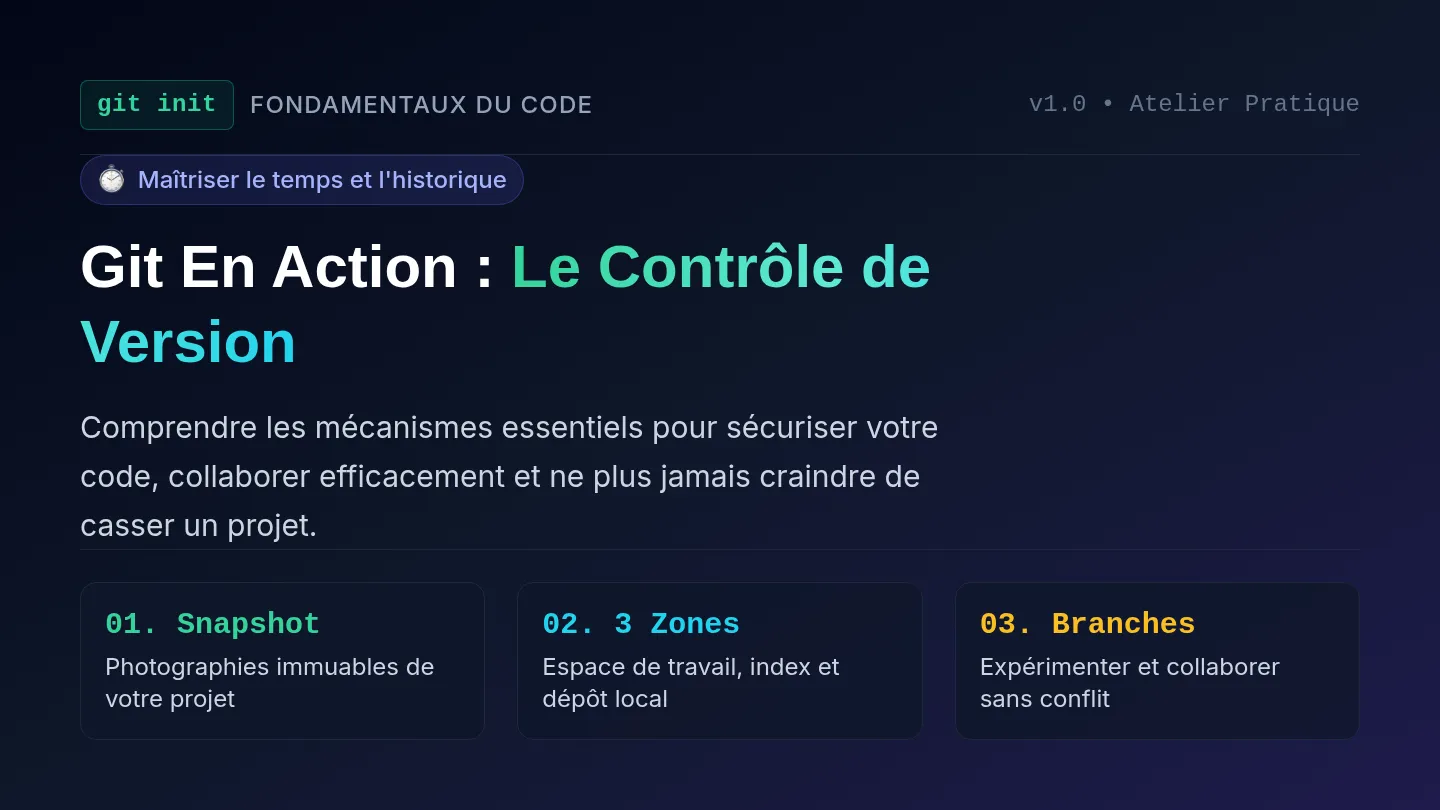
CS101 // LESSON 1 FROM LOGIC TO CODE
python_bridge.py
From Algorithms to Python
How human problem-solving instructions transform into instructions a computer can execute.
Essential Question
How does algorithmic thinking turn into computer code?
Today's Target
Connect human-language instructions to simple, working Python lines.
BELL RINGER 01 // INDEPENDENT RECALL
⏱️ 0 - 7 MIN
Rebuild the Vocabulary
Write what you remember about each term on your worksheet. (It is okay if you only recall part of it!)
Algorithm
What is it?
Sequence
What is it?
Selection
What is it?
Iteration
What is it?
Decompose
What is it?
Prediction Question: Which of these 5 building blocks do you think will matter most when we start programming in Python?
DEFINITIONS REVEAL 02 // THE 5 PILLARS
⏱️ 7 - 15 MIN
Check Your Recall
How close was your memory? Here are the official definitions:
ALGORITHM
A set of ordered steps used to solve a problem or complete a task.
The step-by-step recipe
SEQUENCE
Steps happen strictly in order, from first to last.
Step 1 → Step 2 → Step 3
SELECTION
A decision changes what happens next based on a condition.
IF condition → THEN / ELSE
ITERATION
A step or group of steps repeats until a condition is met.
REPEAT until finished
DECOMPOSITION
Breaking a giant problem into smaller, bite-sized tasks.
Big problem → small tasks
DEBUGGING
Finding and fixing errors when instructions misbehave.
Find bug → fix logic
THE BIG CONNECTION 03 // THE BRIDGE
⏱️ 15 - 25 MIN
Remember This Golden Rule
“An algorithm tells us what the computer should do.
Code tells the computer exactly how to do it.”
HUMAN ALGORITHM
- Ask the user for their name.
- Store the answer safely.
- Greet the user with their name.
PYTHON CODE Python 3
name = input("What is your name? ")
print("Hello,", name)
You already understand the logic. Syntax is simply learning Python's specific punctuation!
SYNTAX INTRO 04 // 3 PYTHON TOOLS
CORE TOOLS
Three Building Blocks for Today
Python gives us precise commands for the 3 most common tasks:
OUTPUT
Display Information
Shows text or data on the computer screen.
print("Welcome!")
STORAGE
Store Information
Stores a value inside a labeled memory box (variable).
score = 10
INPUT
Ask the User
Prompts the human for information and captures their response.
color = input("Color? ")
Takeaway: Python is not a foreign realm of magic. It is just precise instructions written in structured English.
GUIDED ACTIVITY 05 // TRANSLATION LAB
⏱️ 25 - 38 MIN
Translate the Algorithm: Part A & B
Let's solve these together on your worksheet:
CHALLENGE A
Human Instruction:
“Display the words 'Game Over.'”
Option 1: score = 10
Option 2: print("Game Over")
Option 3: input("Game Over")
CHALLENGE B
Analyze This Code Line:
name = input("What is your name? ")
What is this line doing?
1. Displays a final message
2. Stores a fixed number
3. Asks a question AND stores the answer
Look closely: input() asks the question, and name = catches and saves the response!
GUIDED ACTIVITY 05 // PART C BUILD
FILL IN THE STRUCTURE
Build from the Algorithm
Convert this multi-step human algorithm into Python code:
THE ALGORITHM
1
Ask user for their name.
2
Ask user for their favorite food.
3
Display a sentence combining both pieces of information.
Notice the order: Input → Input → Output
PYTHON TEMPLATE
name = input("What is your name? ")
food = input("Favorite food? ")
print(name, "loves to eat", food)
Comma , separates items inside print()!
You didn't have to invent the code from scratch—the algorithm told you every step!
HANDS ON 06 // RUN & REMIX
⏱️ 38 - 43 MIN
Your First Tiny Program
Write it. Run it. Modify it. See it change!
first_program.py
1
name = input("What is your name? ")
2
print("Hello world,my name is", name)
3 Remix Missions to Try:
🎯
Remix 1: Change the question prompt.
💬
Remix 2: Change the greeting message.
➕
Remix 3: Add a 2nd print statement at the end!
“I wrote code. It ran. I changed it. It ran again.” — Day 1 Win! 🎉
WRAP-UP 07 // EXIT TICKET
⏱️ 43 - 45 MIN
Check for Understanding
Complete the 3 exit ticket prompts at the bottom of your worksheet:
1
Algorithm vs. Code
What is the key relationship between an algorithm and computer code?
2
The print() Function
In plain English, what does print() do?
3
Code Decomposition
Look at this line: favorite_game = input("What game do you like? ")
What two things are happening at the exact same time?
TOMORROW PREVIEW: Variables, Types & Storing Data 🚀 TURN IN WORKSHEET BEFORE LEAVING
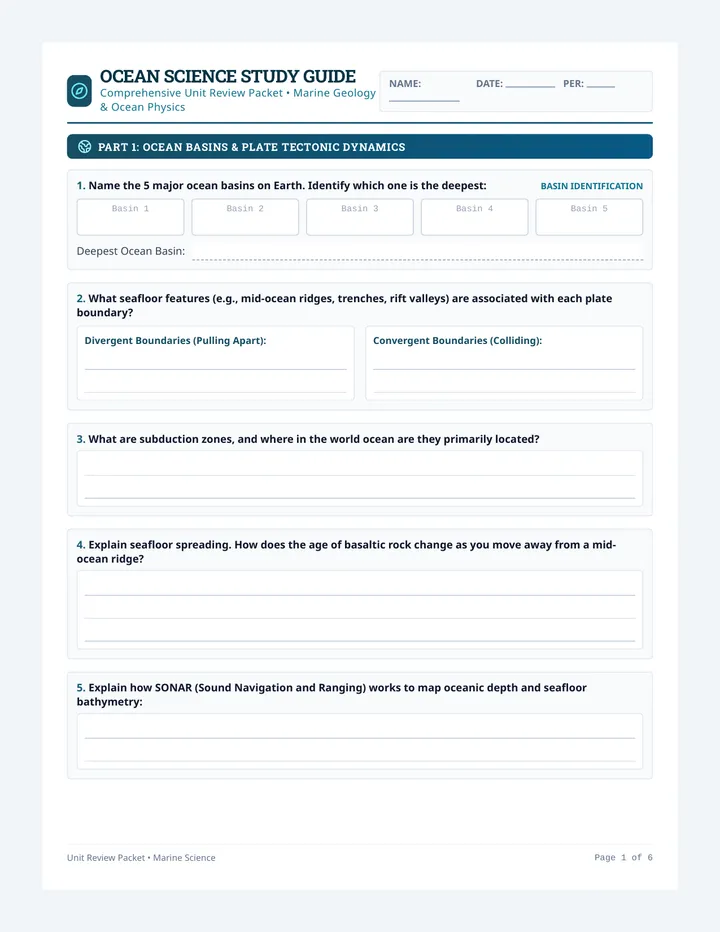
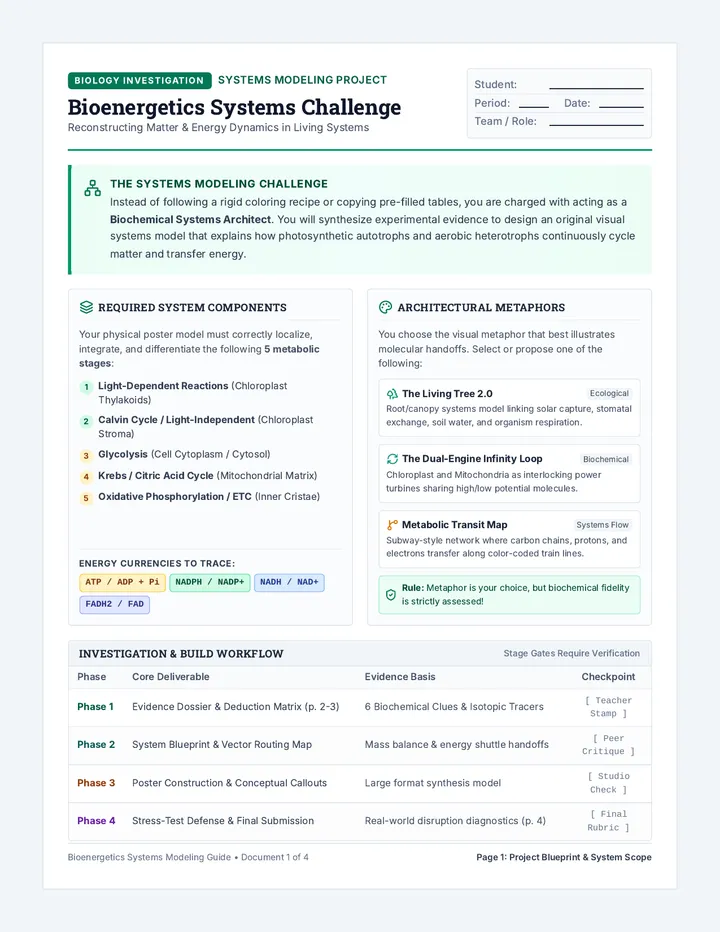
Code Bridge Worksheet
CS101 Foundations of Programming
From Algorithms to Python
Name:
Date:
Period:
Essential Question: How does algorithmic thinking turn into computer code?
45 MIN LAB
1
Bell Ringer: Rebuild the Vocabulary
0–7 MIN // MEMORY RECALL
Write what you remember about each term. (It is completely okay if you only recall part of the definition!)
Algorithm:
Sequence:
Selection:
Iteration:
Decomposition:
★ Which of these 5 terms do you predict will matter most when we write real code? Why?
2
Notebook Reference: The Bridge
CORE ANCHOR
“An algorithm tells us what the computer should do. Code tells the computer exactly how to do it.”
1. print()
Action: Output
Displays words, numbers, or saved data onto screen.
print("Hi!")
2. var = value
Action: Storage
Saves a piece of information inside a named container.
score = 10
3. input()
Action: Input
Prompts the human user and captures their reply.
ans = input("?")
3
Deconstruct the Syntax
GUIDED OBSERVATION
Study this 2-line Python script. Then answer the identification questions below:
1 name = input("What is your name? ")
2 print("Hello,", name)
A. Which line asks the user a question?
B. Which variable stores the user's answer?
C. Which line produces visible output?
CODE BRIDGE • LESSON 1 PAGE 1 OF 2 • CONTINUE ON BACK →
PAGE 2 Guided Activity & First Program
Name:
4
Guided Activity: Translate the Algorithm
25–38 MIN
Task A: Match Instruction
Human: “Display the words 'Game Over.'”
score = 10
print("Game Over")
input("Game Over")
Task B: Identify Purpose
name = input("What is your name? ")
Displays a final message only
Stores a fixed number value
Asks a question & stores response
Task C: Build from the Algorithm
Human Algorithm Steps:
- Ask user for their name.