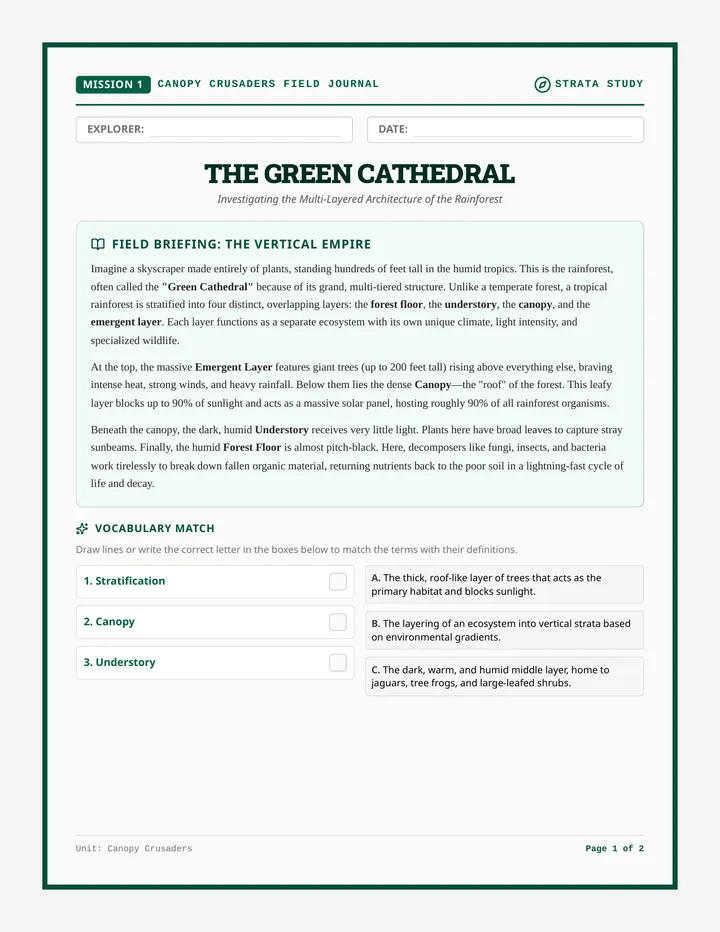
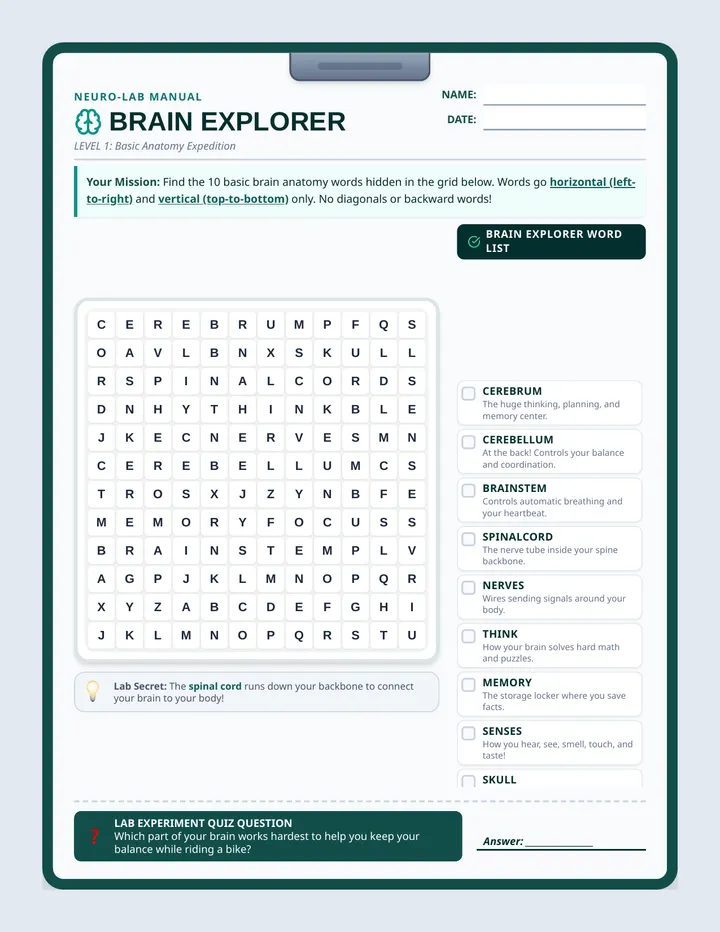
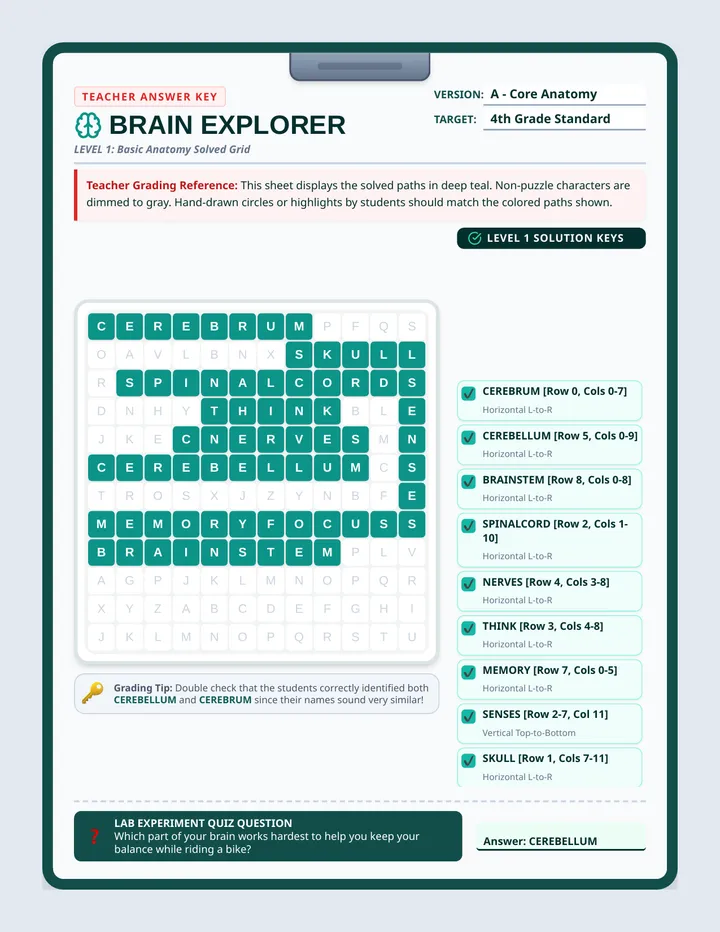
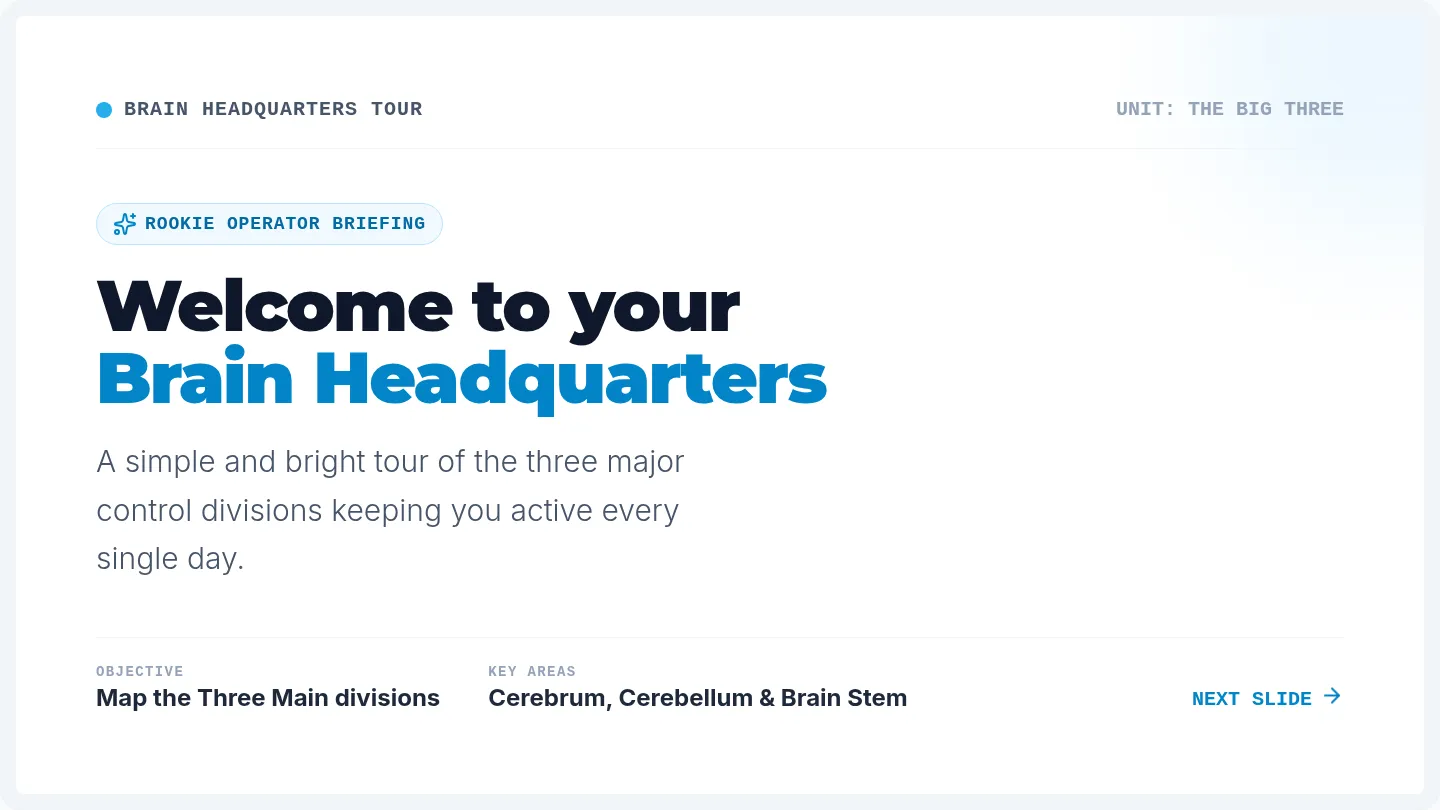
A comprehensive teacher facilitation guide for the Whale Shark lesson, including learning objectives, a timed breakdown of instructional steps, key vocabulary definitions, and a quiz answer key.
Dynamic slides for Lesson 27, teaching students how to sort, filter, and apply conditional formatting to identify market segments. Includes the 'Needle Test' hook and visual logic demonstrations. Fixed tracking and contrast issues.
A professional student reference sheet for sorting, filtering, and identifying market trends. Includes visual examples of conditional formatting and a step-by-step segment search guide. Fixed exit ticket placeholder.
Detailed teacher guide for Lesson 27, teaching students how to sort, filter, and apply conditional formatting to survey data to identify market trends.
Dynamic slides for Lesson 26, exploring the power of spreadsheet formulas. Covers the equals sign, cell referencing vs. static numbers, and the Big Three functions (=SUM, =AVERAGE, =COUNT). Fixed minor typographical and contrast issues.
A high-quality technical reference sheet for spreadsheet formulas (=SUM, =AVERAGE, =COUNT). Includes visual guides for cell referencing and the fill handle.
Comprehensive teacher guide for Lesson 26, focusing on introductory spreadsheet formulas (=SUM, =AVERAGE, =COUNT) and the concept of cell referencing. Fixed minor spacing issues in pacing list.
Dynamic slides for Lesson 25, explaining real-time data syncing between forms and sheets, the importance of file organization, and the technical steps for freezing header rows. Fixed tracking and spacing issues in headers and action items.
A student technical reference for Lesson 25, explaining the automated link between forms and spreadsheets, the concept of the 'database chain', and a checklist for the Data Sprint activity.
A detailed teacher facilitation guide for Lesson 25, focusing on linking forms to spreadsheets, the concept of real-time syncing, and the technical skill of freezing rows for data management.
Dynamic slides for Lesson 24, featuring the biased question hook, definitions of quantitative and qualitative data, and technical setup for survey deployment. Fixed tracking, layout spacing, and checklist completeness.
A student reference sheet and checklist for professional survey design. Covers quantitative vs. qualitative data, how to avoid bias, and the 5-question framework for market research. Optimized for a single page.
A detailed teacher facilitation guide for Lesson 24, focusing on survey design principles, avoiding bias, and the technical setup of market research forms. Fixed placeholder text and redundant labels.
Dynamic slides for Lesson 23, introducing the 'Data Grid' concept with the Jellybean Challenge, Battleship navigation, and technical instruction for resizing and fill colors. Fixed tracking, contrast, and diagram alignment.
A professional student reference sheet for Lesson 23, explaining the 'Battleship' address system, column/row orientation, and essential formatting shortcuts for Google Sheets and Excel. Optimized for a single-page print.
A detailed teacher facilitation guide for Lesson 23, introducing spreadsheet software via the Jellybean Challenge, Battleship navigation analogies, and basic table formatting.
Dynamic slides for Lesson 22, featuring the shoe-based hook, pillar definitions (Demographics/Psychographics), and User Persona activity instructions.
A structured data-themed student worksheet for building a User Persona. Includes sections for demographics, psychographics, brand alignment defense, and the anti-customer profile.
A comprehensive teacher facilitation guide for Lesson 22, introducing Unit 3: The Market Analyst. Focuses on the difference between demographics and psychographics with shoe-based hooks and persona building instructions.
Polished final slides for Lesson 21, including 'The Boardroom' hook, Glow and Grow feedback framework, Gallery Walk protocol, and final refinement instructions.
A structured student feedback card for the Gallery Walk, providing space for students to record 'Glows' and 'Grows' for five classmates and a final self-reflection on their refinements. Revised for 5 stations with larger font sizes.
Comprehensive teacher facilitation guide for Lesson 21, focusing on the professional design critique, the Glow and Grow feedback method, and final portfolio refinement.
Dynamic slides for Lesson 20, featuring the 'Read This First' hook, the Rule of Three for size and weight, the 'Tidy Up' Canva skill, and the 3-second rule for testing visual hierarchy. Fixed tracking and contrast issues.
A student planning sheet for Lesson 20, focusing on the principles of visual hierarchy (Size, Emphasis, Tidy Up) and providing a layout blueprint for the Brand One-Pager activity.
Comprehensive teacher facilitation guide for Lesson 20, focusing on visual hierarchy, the 'Rule of Three', and the creation of a Brand One-Pager in Canva.
Polished slides for Lesson 19, featuring the Disney vs. Tesla brand persona hook, a photography style overview with visual examples, and final instructions for the Style Guide PDF export. Fixed visual incompleteness flagged in review.
A student planning sheet for Lesson 19, focusing on brand keywords, photography standards, and the final checklist for the Style Guide PDF export.
Comprehensive teacher facilitation guide for Lesson 19, focusing on visual voice, photography standards, and the final assembly of the Brand Style Guide.
High-impact slides for Lesson 18, featuring 'The Brand Police' hook, a breakdown of style guide components (Typography, Color, Clear Space), and instructions for building a framework in Canva. Fixed height consistency and contrast issues.
A professional student reference sheet for Lesson 18, detailing the components of a style guide (Clear Space, Palette, Typography) and providing an assembly checklist for the Canva activity.
A comprehensive teacher facilitation guide for Lesson 18, detailing the components of a Brand Style Guide, the 'Brand Police' hook, and Canva technical skills like Rulers and Guides.
Dynamic slides for Lesson 17. Fixed overlapping text, tracking issues, and slide layouts for better classroom visibility. Updated underline offset and contrast for the Exit Ticket.
A professional student cheat sheet for Lesson 17, mapping the Canva interface, explaining key layout tools like Frames and Locking, and providing an assembly checklist for the Brand Mood Board.
Comprehensive teacher facilitation guide for Lesson 17, focusing on the transition to Canva, the assembly of a Brand Mood Board, and the concept of breaking templates to maintain brand originality. Fixed missing exit ticket section.
Dynamic slides for Lesson 16, exploring simplicity through Apple's logo evolution, negative space principles, software format options, and technical export file types.
Student refinement checklist and export guide for Lesson 16, covering iteration principles, software power-ups like drop shadows, and the technical defense of file formats (PNG vs. PDF).
Detailed teacher facilitation guide for Lesson 16, focusing on negative space, contrast testing, format options in Google Drawing, and professional file exporting. Optimized layout for vertical balance and fixed typos.
Dynamic slides for Lesson 15, featuring the 60-second sketch challenge, the anatomy of a brand logo, alignment guide instruction, and the 'Squint Test' for simplicity. Fixed tracking and contrast.
A professional student planning sheet for Lesson 15, providing a workspace for thumbnail sketches, a breakdown of logo anatomy, and a visual guide to alignment and balance. Fixed page overflow and contrast.
A comprehensive teacher facilitation guide for Lesson 15, detailing the logo construction process, alignment techniques, and the 'Squint Test' for design clarity. Fixed header spacing and typos.
Dynamic slides for Lesson 14, featuring a zoom-in comparison of pixels and vectors, a guide to line weights for emphasis, and instructions for the abstract icon sprint. Fixed tracking and visual contrast.
A high-quality student reference sheet for Lesson 14, contrasting Polyline and Curve tools, demonstrating line weights, and providing a workspace for abstract icon planning. Updated with a visual representation of PNG transparency and improved contrast.
Detailed teacher facilitation guide for Lesson 14, focusing on Polyline and Curve tools, the importance of line weight for emphasis, and the technical difference between JPEG and PNG. Optimized layout for vertical balance.
Dynamic slides for Lesson 13, featuring the Tangram hook, the concept of "building" vs. "drawing," and technical guides for the Shift key, grouping, and layering in Google Drawing. Fixed tracking and visual contrast.
Student reference sheet for Lesson 13, explaining vector art principles, Shift key shortcuts, grouping, and layering. Includes a refined logo construction planning area. Fixed page break issues.
Detailed teacher facilitation guide for Lesson 13, focusing on vector art principles, Google Drawing tools, and the Logo Re-Construction activity. Fixed pacing list layout.
Dynamic slides for Lesson 12. Fixed overlapping text, tracking issues, and slide layouts for better classroom visibility. Updated the Font Swap hook with more distinct "horror" and "cute" typeface styles.
Student reference sheet for Lesson 12, defining Serif vs. Sans Serif and providing a workspace for planning. Fixed page breaks and tracking layout.
Comprehensive teacher guide for Lesson 12, focusing on typography, font families (Serif vs. Sans Serif), and the 'Rule of Two' for font pairing. Fixed page breaks and font sizes.
Enhanced slide deck for Lesson 11 with larger visuals, stylized logo representations for the hook, and improved contrast for classroom projection.
A final one-page student cheat sheet with full Hex Code examples, high-contrast text, and a streamlined layout to fit all content on a single page.