Glitch Detective Slides GLITCH DETECTIVES
Identifying AI Hallucinations & Logic Errors
Lesson 01 // Vibe Coding
The AI Calculator Fail
The Prompt
"Build me a calculator app that is super cool and never gets anything wrong."
The Result
2 + 2 = 5
Wait... that's not right. The AI "vibe" was cool, but the logic was broken.
Hallucination: When an AI confidently produces an incorrect or nonsensical answer.
"Why did the AI think this was okay?"
Types of "Bugs"
Syntax Error
The code is broken . It's like a sentence with no verb or a math problem missing a number.
print("Hello world?
Error: Expected closing quote
Logic Error
The code runs , but it does the wrong thing . It follows instructions perfectly, but the instructions were bad.
def add(a, b): return a * b
Result: 2 + 2 = 4 (Wait... it's multiplying!)
Case Study: The Weather Wizard
Prompt:
"Create a weather app that tells people to wear a coat if it's cold outside."
The Hallucination:
The AI wrote code that checks if the temperature is less than 100 degrees to suggest a coat.
Detective Moment
Is this a Syntax Error or a Logic Error? Why did the AI choose 100 degrees?
Misinterpretation Vague Prompting
BECOME A DETECTIVE
On your worksheet, you'll find three scripts generated by a very "vibrant" but confused AI. Your mission: find the logic errors before they cause a digital disaster.
01 Find Error
02 Classify It
03 Fix the Vibe
Glitch Detective Worksheet Glitch Detective
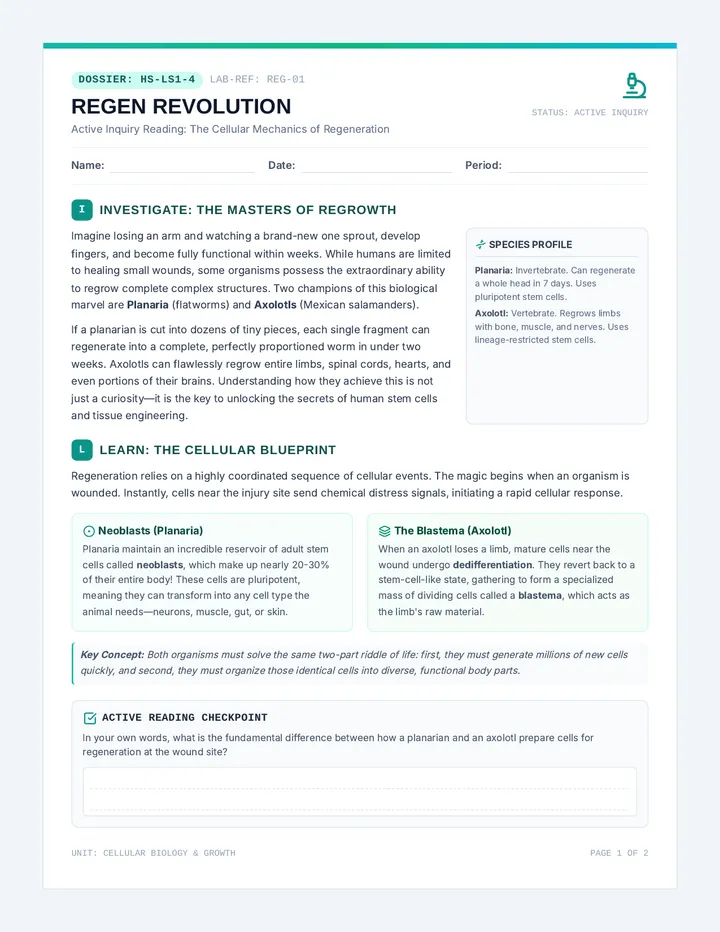
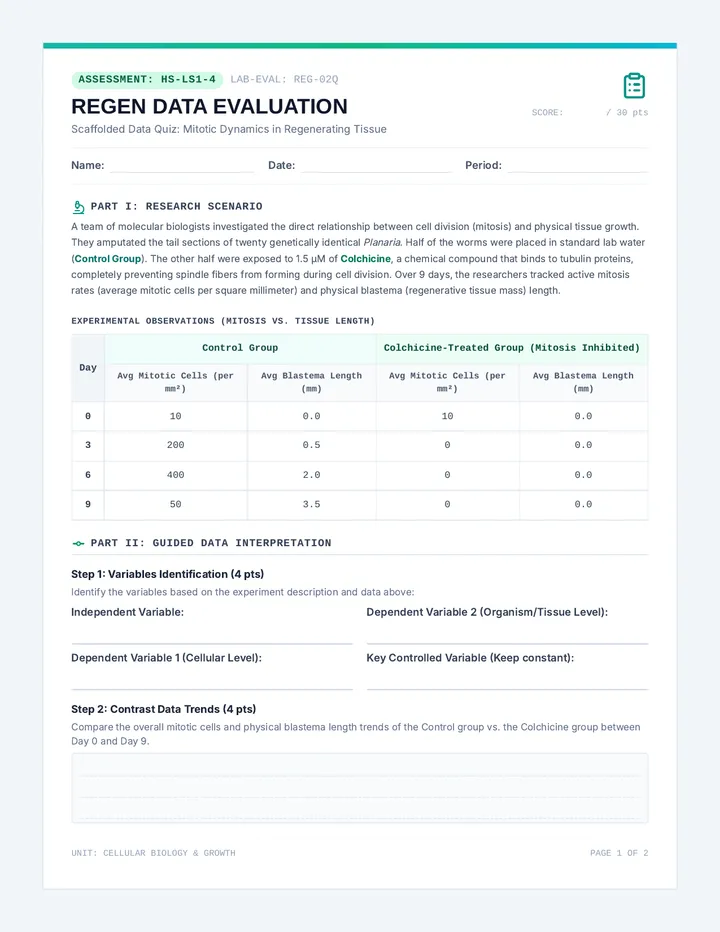
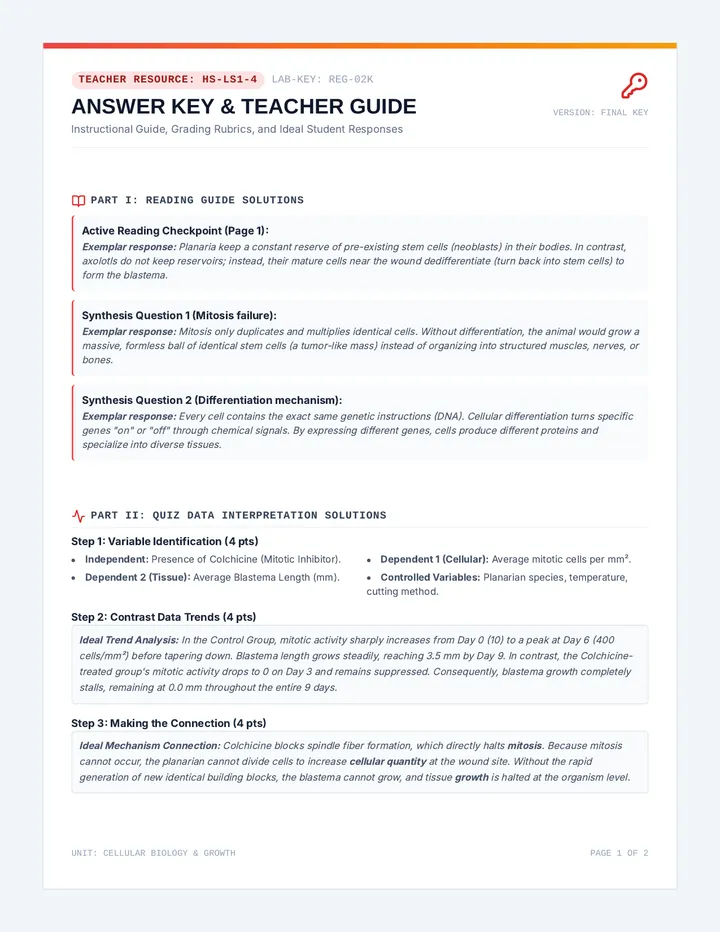
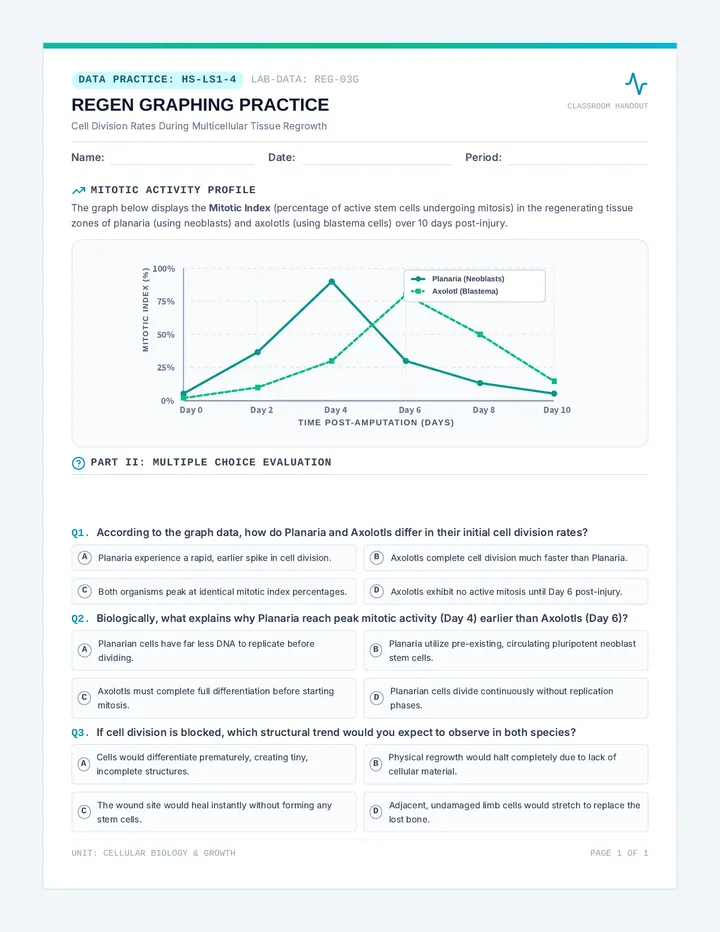
LOGIC REFINEMENT LAB // CASE #001
Detective Name
Date
Mission Briefing
A local startup used an AI to build three simple features for their new app. The AI had "great vibes" but clearly didn't check its work. Your task is to analyze the code snippets below, identify if the error is Syntax (the code won't run) or Logic (the code runs but gives the wrong result), and suggest a fix.
CASE_01: The Over-Excited Chatbot
PYTHON
1
def greet_user(name):
2
message = "Hello, " + name
3
return message + message
4
print(greet_user("Alex"))
Expected: "Hello, Alex"
Actual: "Hello, AlexHello, Alex"
Error Type
Syntax Error
Logic Error / Hallucination
Detective's Notes (What went wrong?)
The Fix
CASE_02: The Broken Buy Button
JAVASCRIPT
1
let price = 10;
2
let quantity = 2;
3
if (price * quantity > 15) {
4
console.log("Total is: " total);
5
}
Result: The program crashes immediately. It won't even start.
Error Type
Syntax Error
Logic Error / Hallucination
Detective's Notes (What went wrong?)
The Fix
CASE_03: The Age Checker
PYTHON
1
age = 12
2
if age > 13:
3
print("Welcome to the app!")
4
else:
5
print("Welcome to the app!")
Prompt: "Make an app that only lets kids 13 or older join."
Actual: Everyone gets in.
Error Type
Syntax Error
Logic Error / Hallucination
Detective's Notes (What went wrong?)
The Fix
Closing Statement
Why do you think an AI might give you code that has a logic error instead of just telling you it doesn't know what to do?
Vibe Detective Teacher Guide Teacher Guide // Lesson 01
The Glitch Detectives
Identifying Hallucinations and Logic Errors
Duration
45-60 Minutes
Key Concept
Syntax vs. Logic Errors
Prep
Print Glitch Worksheet
Instructional Steps
1
The "Vibe" Hook (10 mins)
Use the slides to introduce the concept of "Vibe Coding." Ask students: "If I ask an AI for a 'vibrant website' and it gives me a site that doesn't load, is that good code?" Explain that AI prioritizes the "vibe" or the pattern over literal logic sometimes.
2
Syntax vs. Logic Demo (10 mins)
Show the difference between a crash (syntax) and a "silent fail" (logic). A logic error is more dangerous because the user might not know something is wrong until it's too late (like the 2+2=5 example).
3
Worksheet Lab (25 mins)
Hand out the Glitch Detective worksheet. Have students work in pairs to "investigate" the code. Encourage them to read the code out loud to each other.
Answer Key & Facilitation Notes
CASE 01: The Over-Excited Chatbot
Type: Logic Error / Hallucination
Why: The AI interpreted "never gets anything wrong" as "repeat it twice just to be sure" or simply hallucinated a concatenation loop. Line 3 returns message + message.
Fix: Change line 3 to return message.
CASE 02: The Broken Buy Button
Type: Syntax Error
Why: The code is missing a "+" sign to combine the string and the variable. Also, "total" is never defined (it should probably be price * quantity).
Fix: Add the variable definition or change line 4 to use a comma or plus sign.
CASE 03: The Age Checker
Type: Logic Error / Hallucination
Why: Both the if and the else branches do the exact same thing (print "Welcome!"). The AI satisfied the "vibe" of making an age checker but failed the logic of blocking users.
Fix: Change the else print statement to "Access Denied."
Discussion Starters
"Why is a logic error harder for a human to find than a syntax error?" (Syntax errors usually give you a big red error message; logic errors look like they're working.)
"If the AI builds something that looks perfect but does the wrong thing, whose fault is it?" (The 'Director' – the human who didn't verify!)
Iterative Refinement Slides DIRECTOR NOTES
The Art of Iterative Refinement
Lesson 02 // The Feedback Loop
Director vs. Actor
YOU
THE DIRECTOR
You have the vision. You know what the final "movie" should look like. You give feedback.
THE AI
THE ACTOR
The AI performs the work. It takes your script and tries to act it out. It needs your notes to get it right.
The Feedback Loop
1
PROMPT
Give an instruction
2
REVIEW
Look at the result
3
NOTES
Give follow-up feedback
"Don't try to get it perfect on the first try. Get it 'mostly right,' then polish."
Quality Notes = Quality Code
The Bad Note: "It's broken, fix it."
The AI doesn't know what is broken or what you want to change.
The Good Note: "The button is too small and is green. Change it to blue and make it twice as large."
Specific feedback gives the AI a clear path to follow.
DIRECTOR'S WORKSHOP
We're going to start with a very basic piece of code. Your job is to give "Director Notes" to the AI to evolve it into a masterpiece.
LOG YOUR NOTES // TRACK YOUR CHANGES
Director Notes Activity Director's Notes Log
REFINING CODE THROUGH ITERATION
Session ID
L02-ACT
Director
Date
The Script (Initial Prompt)
Write your starting prompt here. Keep it relatively simple (e.g., "Build a timer," "Create a landing page," "Write a quiz about dogs").
Take Director's Notes (What to change?) Result / Observations 01
|
Instructions for the Actor
|
How did the AI perform?
|
|
02
|
Instructions for the Actor
|
How did the AI perform?
|
|
03
|
Instructions for the Actor
|
How did the AI perform?
|
The Final Cut
Describe the most important piece of feedback you gave that made the biggest difference in the final product.
Director's Review
Did you ever have to go backwards? Did a fix ever break something else?
Debugging Companion Slides DEBUGGING PARTNER
Turn Error Messages into Solutions
Lesson 03 // Technical Workflow
The Dreaded Red Text
Traceback (most recent call last): File "main.py", line 14, in <module> result = total / count ZeroDivisionError: division by zero
Don't Panic. Read.
Most coders see red text and immediately close the window. But this is the AI's "Cry for Help." It's telling you exactly what went wrong.
Rule #1 of Debugging:
The error message is your best friend. Copy it.
The Debugging Loop
1
RUN
Try to execute your code.
2
COPY
Highlight and copy the error message.
3
PASTE
Ask the AI: "I got this error. Why?"
4
FIX
Verify the fix and try again.
Asking Smarter Fixes
Weak Prompt:
"The code you gave me is broken. Help."
Power Prompt:
"I ran the code and got this error: ZeroDivisionError: division by zero. How should I update line 14 to prevent this?"
Why Context Matters?
The AI might forget what it wrote three prompts ago. Giving it the Exact Error and the Exact Line Number reminds it of its previous mistakes.
This is how pros code with AI.
BUG BOUNTY
You will be given three broken apps. Your goal isn't to fix them yourself. Your goal is to use the Debugging Loop to make the AI fix them for you.
No Error Left Behind
Bug Bounty Workflow Handout Bug Bounty Workflow
AI Debugging Reference // v1.3
1
RUN
Launch the app. Wait for the crash.
2
COPY
Select the entire error message.
3
PASTE
Send the message to your AI Partner.
4
VERIFY
Update code and re-run. Still red? Repeat.
Power Prompt Templates
Template: The Literal Error
"I ran the code you generated and received the following error message: [PASTE ERROR HERE]. Can you explain why this happened and provide a corrected snippet for the broken section?"
Template: The Logic Check
"The code runs without error, but it is not doing [WHAT YOU WANTED]. Instead, it is doing [WHAT IS HAPPENING]. How can we adjust the logic to match the original goal?"
Detective Checklist
Did I copy the entire error (including the line number)?
Did I tell the AI which file is broken?
Did I check for "silent errors" (logic) even if there is no red text?
The "Goldfish" Warning
AI has a "context window." It's like a goldfish—it eventually forgets the start of the conversation.
Pro Tip: If the AI gets confused, start a fresh chat and paste the latest version of your code plus the error message.
Edge Case Guardrails Slides APP CHAOS
Building Guardrails for Edge Cases
Lesson 04 // Defensive Design
What is an Edge Case?
An Edge Case is a problem or situation that only happens at the extreme operating parameters.
Example: A Birthday App
User enters "January 1" (Normal)
User enters "February 30" (Edge Case!)
User enters "-5" as their age (Edge Case!)
Break It to Build It
AI usually writes code for the Happy Path (everything going right).
Humans must think of the Chaos Path.
Installing Guardrails
Input Validation
Checking if the user's answer is even a real thing before trying to use it.
Error Catching
Planning for a "crash" so the app shows a helpful message instead of dying.
Boundary Limits
Setting a "Max" or "Min" value so users don't break the physics of your app.
// AI Prompting Tip
"Rewrite the code to include guardrails that prevent users from entering negative numbers."
THE CHAOS CHALLENGE
Step 1
Trade apps with a partner.
Step 2
Try to break it with weird inputs.
Step 3
Add guardrails to fix the holes.
"A great app is one that is impossible to break."
Chaos Test Challenge Activity Chaos Test Challenge
Defensive Design & Guardrail Implementation
Lead Designer
The Target App
App Name / Function
Primary Input (What do users type?)
Chaos Brainstorm: What could go wrong?
The "Impossible" Input
Example: User enters a negative age or a letter where a number should be.
The "Boundary" Break
Example: User enters "999,999,999" for a quantity or a date in the year 3000.
The "Vague" Void
Example: User leaves the input blank and just hits "Submit."
Guardrail Implementation Log
Prompt: How did you ask the AI for protection?
"Please update the code to..."
Result: How does the app handle the chaos now?
Example: It shows an alert saying...
Prompt: How did you ask the AI for protection?
Result: How does the app handle the chaos now?
Peer Review Checklist
[ ] App handles empty inputs [ ] App handles letters in number fields [ ] App handles extreme numbers
Code Explanation Slides 01010101100101010101011001010101010110010101010101100101010101011001010101010110010101
FUNCTION_INIT(AI_VIBE) => VERIFY_LOGIC_STATUS: TRUE;
CODE DECODERS
Mastering Code Literacy & Documentation
Lesson 05 // Final Verification
The Mystery Script
ENCRYPTED_LOGIC
import hashlib def process(val): h = hashlib.sha256() h.update(val.encode()) return h.hexdigest() # Is this script safe? # What does it even do?
"Don't just run it. Read it."
In Vibe Coding, it's easy to copy/paste code without knowing what it does. But a true master uses the AI to decode and document the logic.
Vibe Coding Rule #5:
You are responsible for every line of code the AI writes.
The Decoding Workflow
Explain
Ask the AI: "Explain this code line-by-line as if I am a beginner."
Comment
Ask the AI: "Add comments to this code explaining the logic of each block."
Verify
Ask the AI: "Are there any security risks or infinite loops in this script?"
Documentation = Future-Proofing
"Six months from now, you won't remember why you (or the AI) wrote this code. Comments are notes to your future self."
Senior Developer Wisdom
1
Naming variables clearly
2
Writing "Docstrings" for functions
3
Explaining the "Why" not just the "How"
THE VERIFICATION CHECK
To finish the unit, you must take your refined app and create a "Code Decoder" report. You'll explain the complex parts in plain English so anyone can understand your vision.
Logic: Verified // Vibe: Excellent
Code Decoder Worksheet Protocol // Verification
Code Decoder
Decoder Identity
USER_NAME_HERE
"True mastery isn't just getting the code to run—it's knowing why it runs." Use this sheet to document one complex feature of your app.
Step 1: The Raw Logic
Paste a snippet of your most "complex" code here (5–10 lines). This could be a function, a loop, or a guardrail you built.
Step 2: AI Translation
Prompt the AI: "Explain this code to me line-by-line." Summarize its explanation in the box below.
Step 3: Human Summary
Now, in your OWN words (no AI help!), explain what this code does to someone who has never coded before.
Final Code Audit
Efficiency
Is there a way the AI could have written this more simply?
Safety
What happens if the user tries to break this specific block?
Growth
What's one thing you learned about coding by reading this?
End of Sequence // Vibe Coding Logic Refinement // Verified 2026