A comprehensive lesson on Java ArrayLists focusing on object collection, iteration, and searching for extremum (min/max) values within lists of objects.
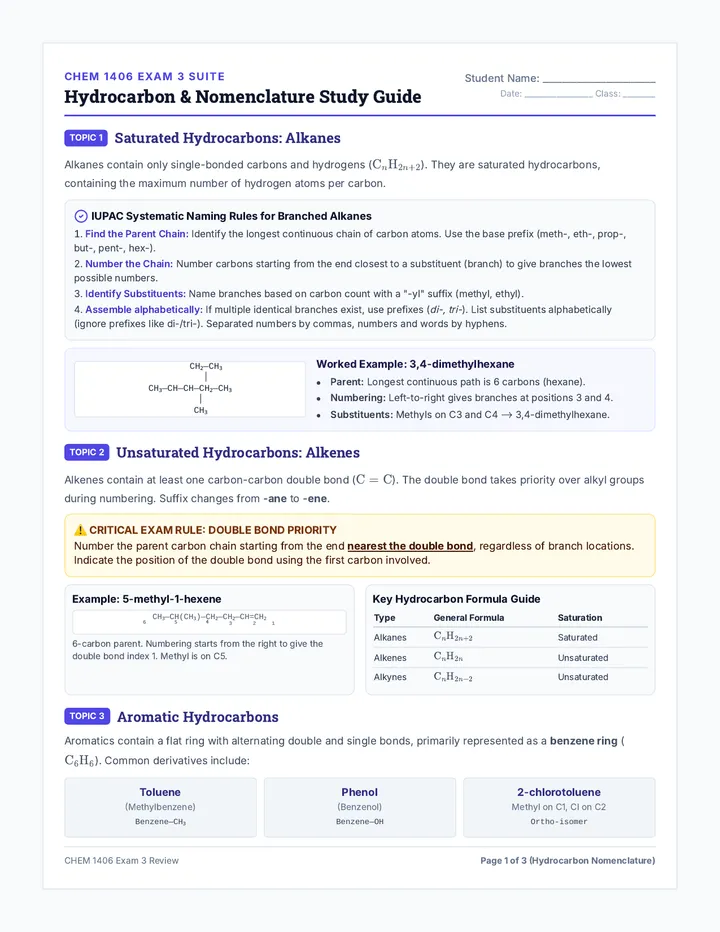
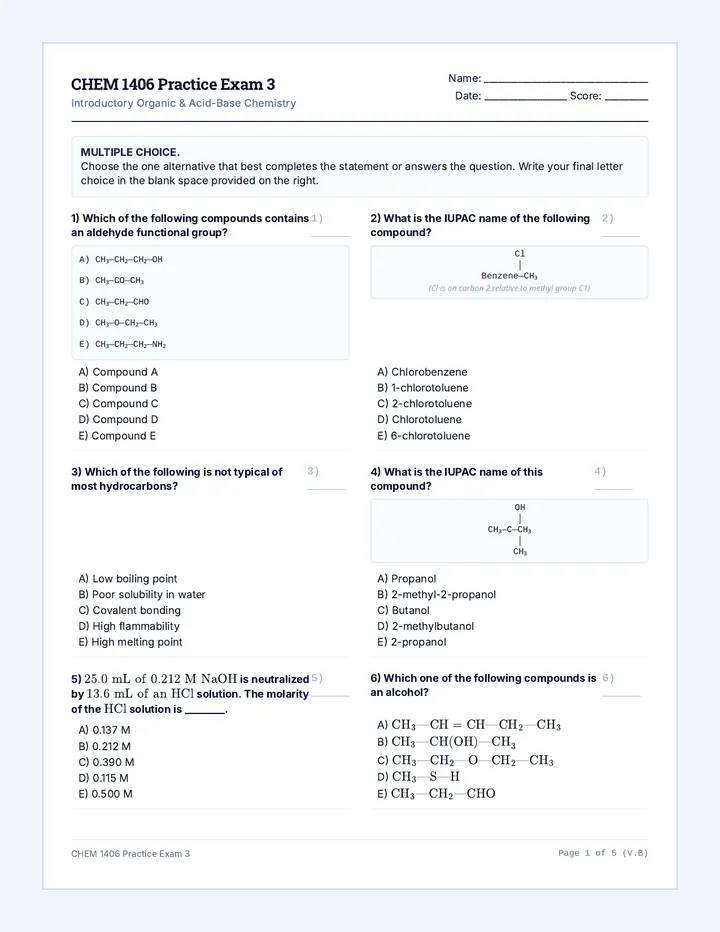
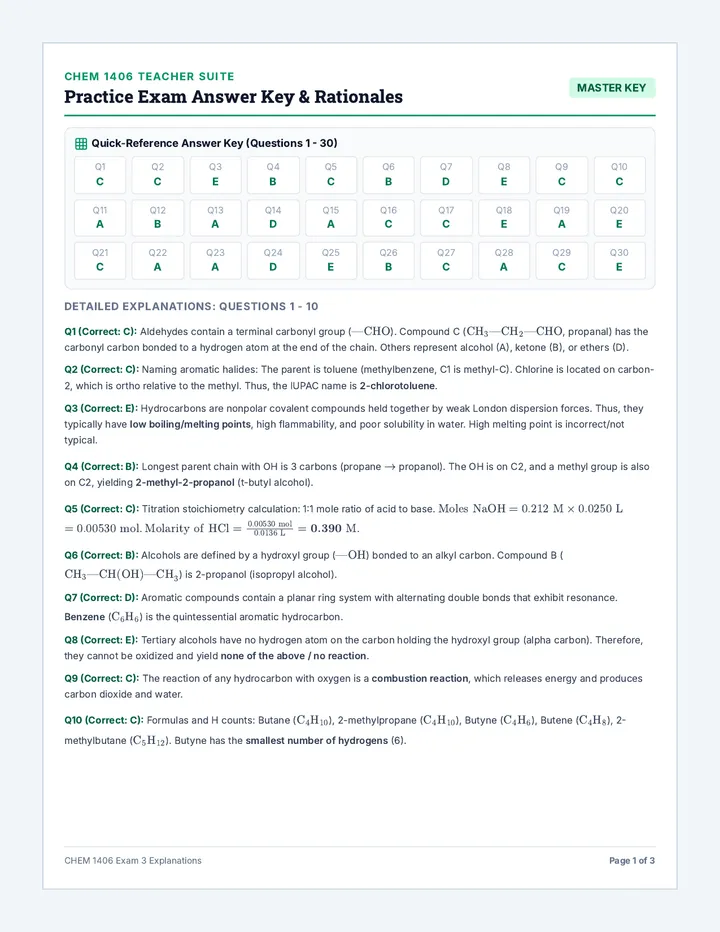
A comprehensive study and exam preparation sequence covering introductory organic chemistry (hydrocarbons, functional groups, reactions) and aqueous acid-base equilibria (pH, neutralization, buffers) designed for college-level introductory chemistry.
A beginner-to-intermediate lesson introducing Jupyter Notebooks and Object-Oriented Programming (OOP) in Python. Students learn to navigate the Jupyter interface and design structured classes and objects block-by-block.
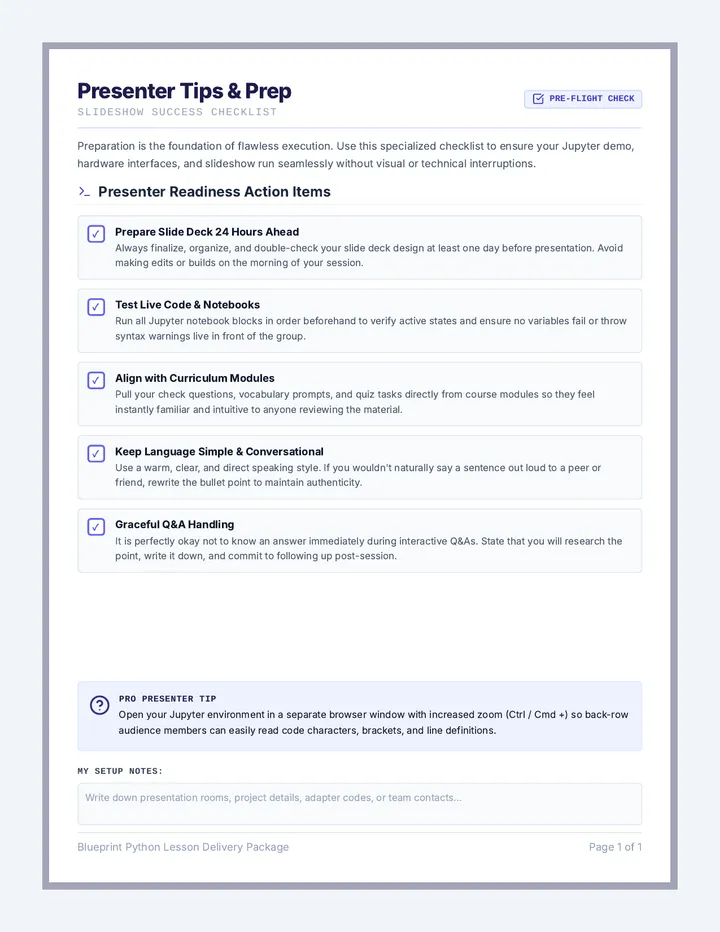
A quick-reference presenter's guide and preparation checklist designed to ensure a seamless classroom slideshow. Integrates session setup milestones, hardware checks, live-demo rules, and prompt cards for Q&A sessions.
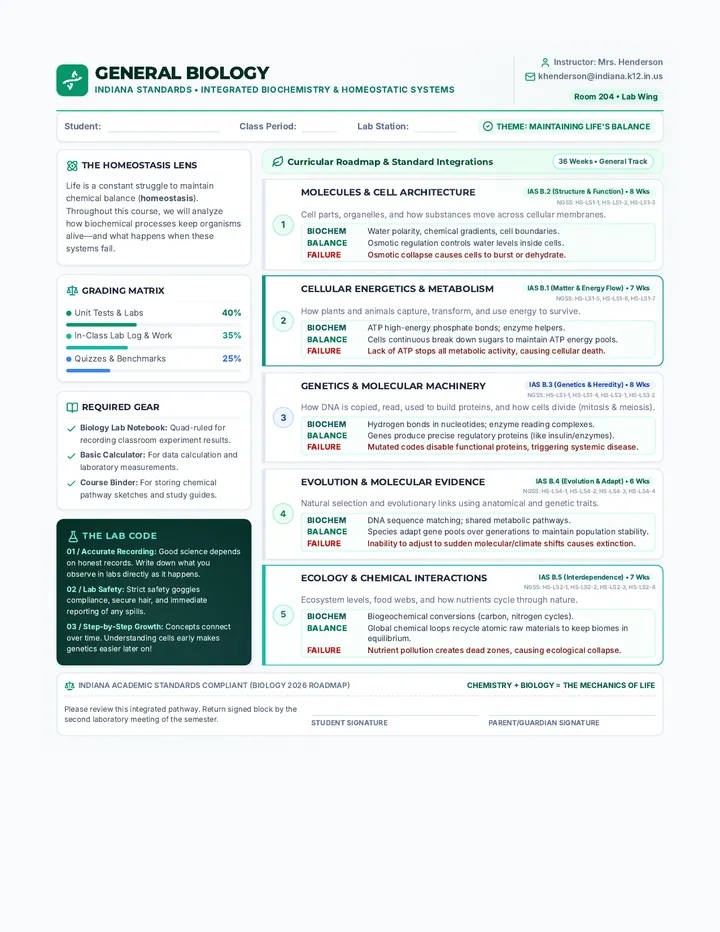
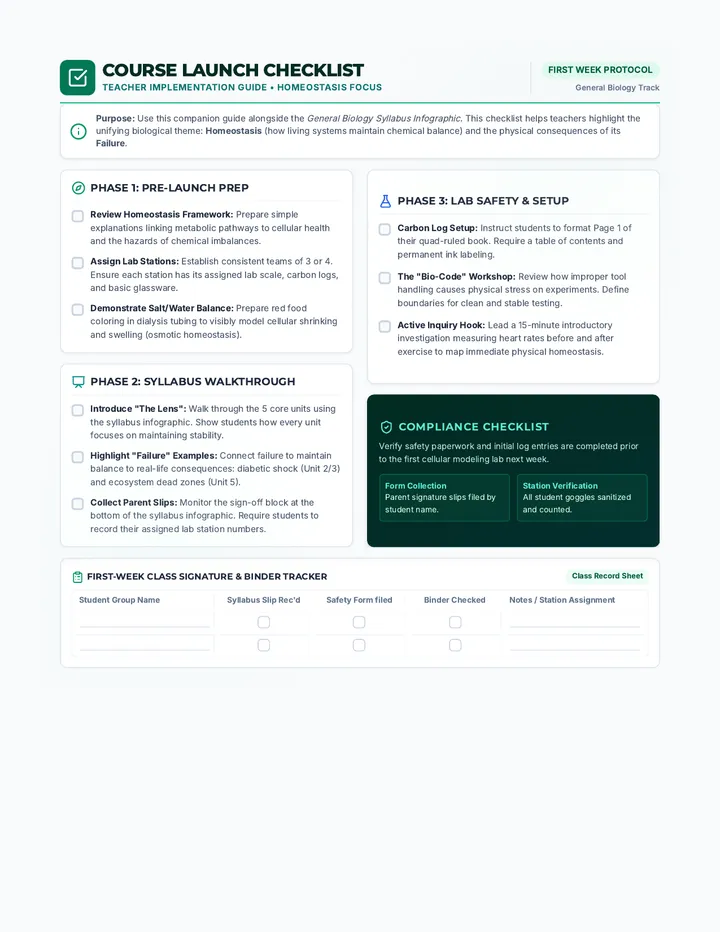
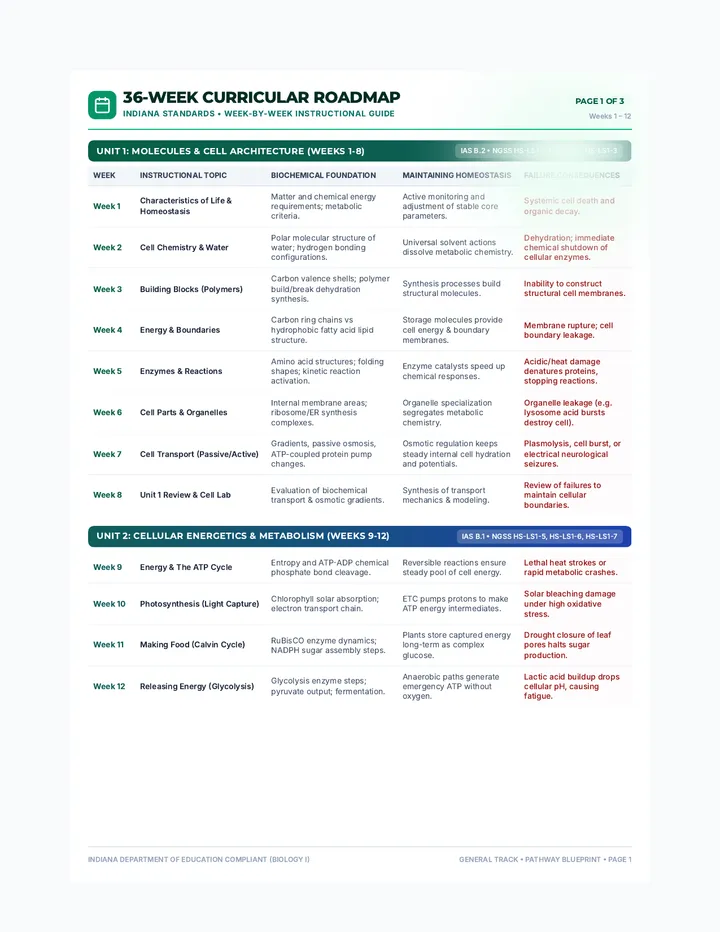
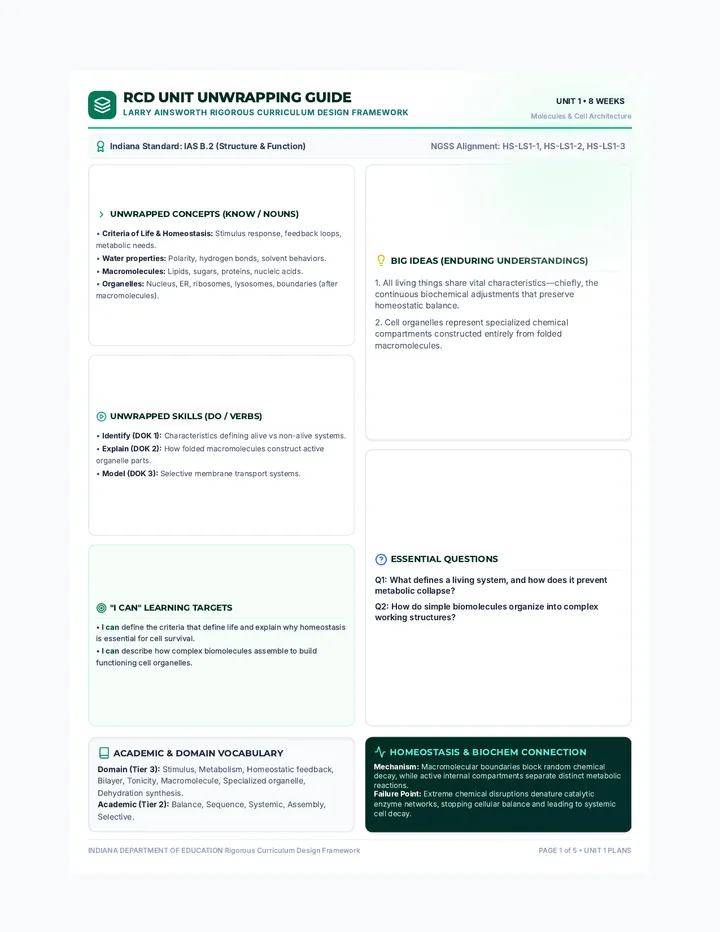
A comprehensive, 36-week General Biology curriculum aligned with Indiana Academic Standards, emphasizing the integration of biochemical foundations and metabolic homeostasis across all units.
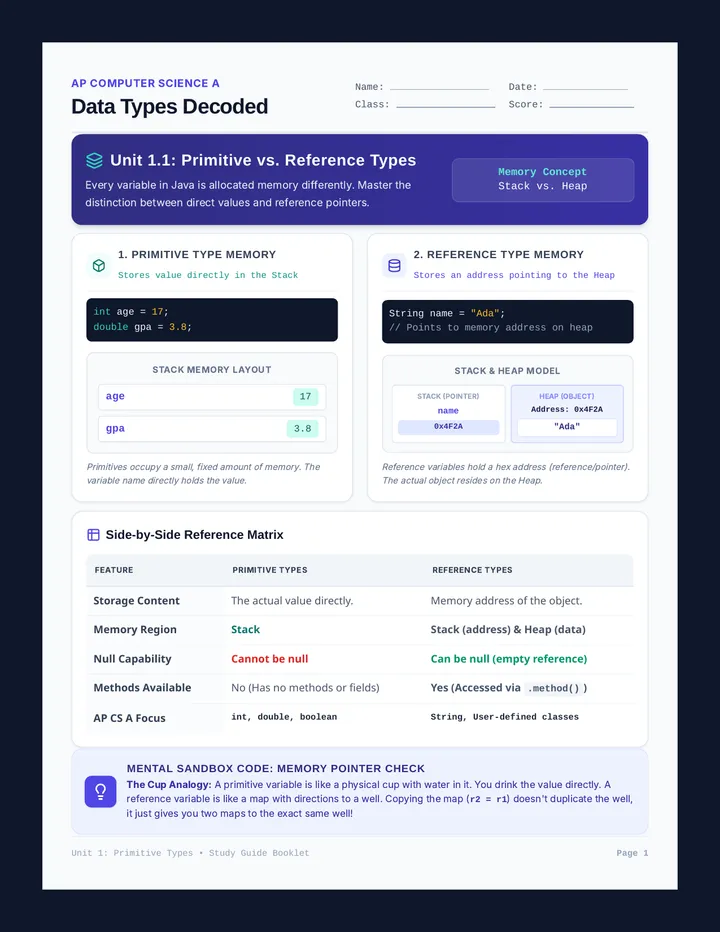
An AP Computer Science A lesson focusing on the differences between primitive and reference data types. It covers memory allocation, stack/heap models, and vocabulary using differentiated approaches for visual, scaffolded, and English Language learners.
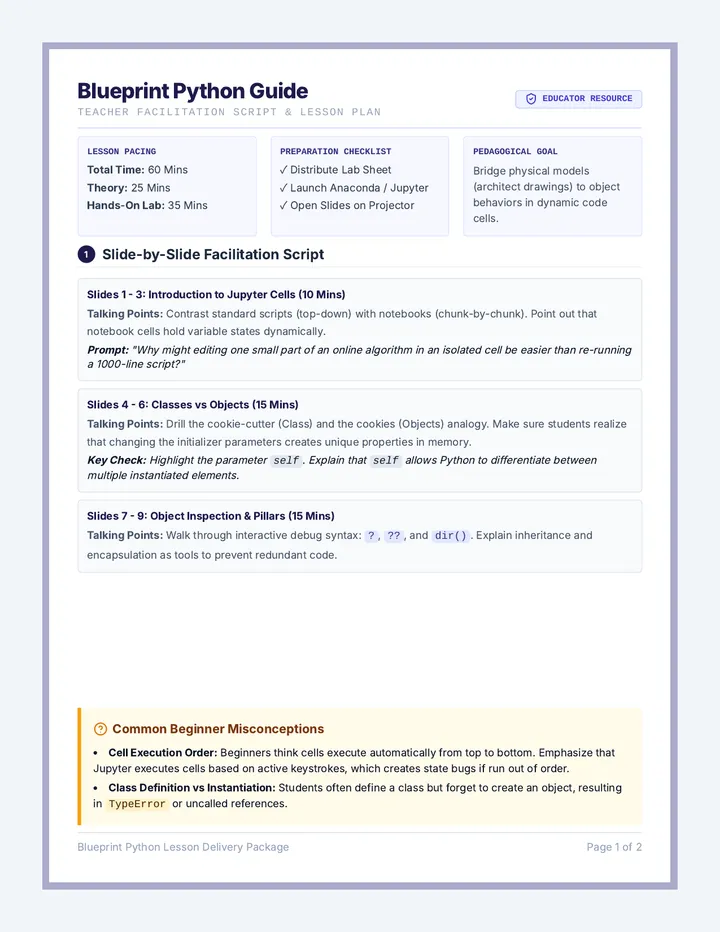
An educator's facilitation guide and lesson plan featuring slide-by-slide teaching scripts, discussion prompts, classroom activities, common student misconceptions, and the full answer keys to the student lab sheet.
A 12-week structured curriculum for college students tracking Python competency. Spans four progressive modules from basic logical foundations to functional programming, OOP, and exploratory data science. Each module contains an interactive slide deck tailored for live warm-ups and checks.
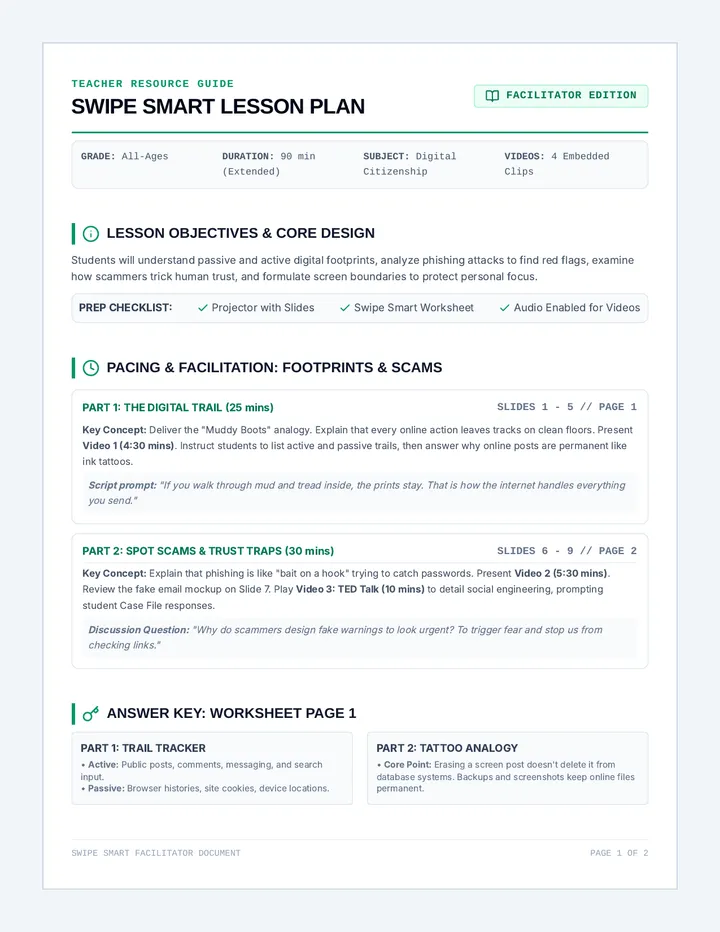
A comprehensive online safety curriculum combining key digital citizenship concepts: managing digital footprints, identifying online scams and phishing, and establishing healthy screen time habits.
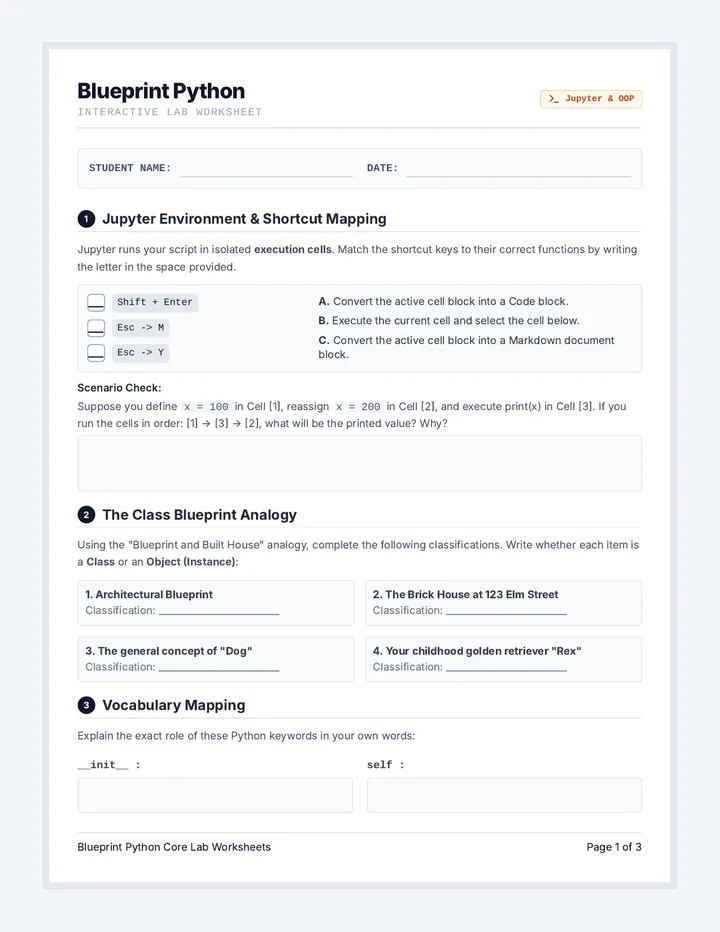
A structured, print-ready student lab worksheet designed as a hands-on companion to the OOP and Jupyter lessons. Includes keyboard shortcut mappings, concept checks, and code schema drafting spaces.
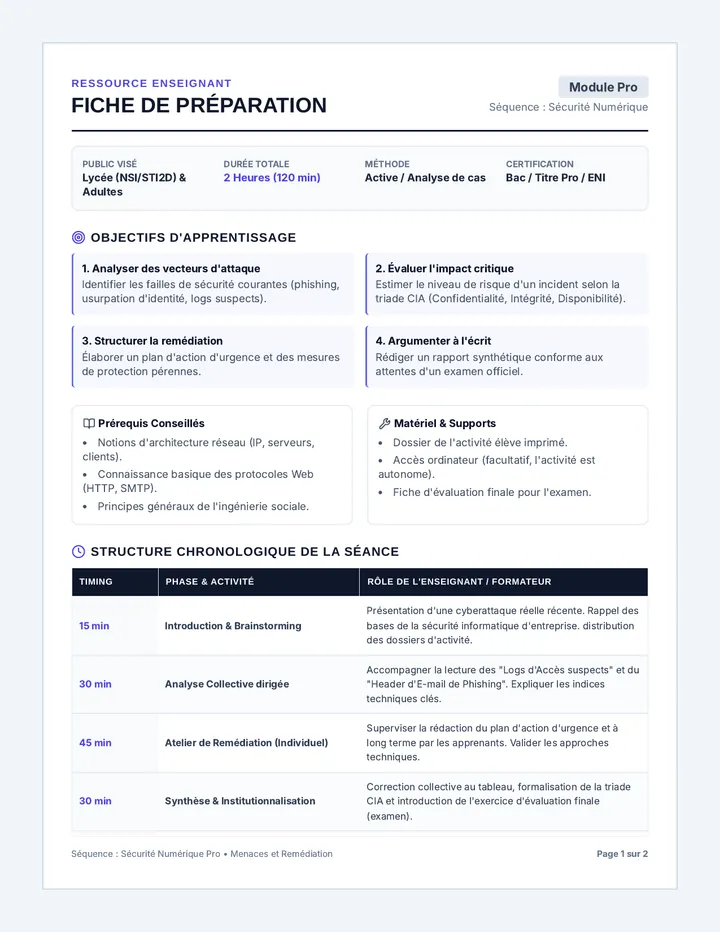
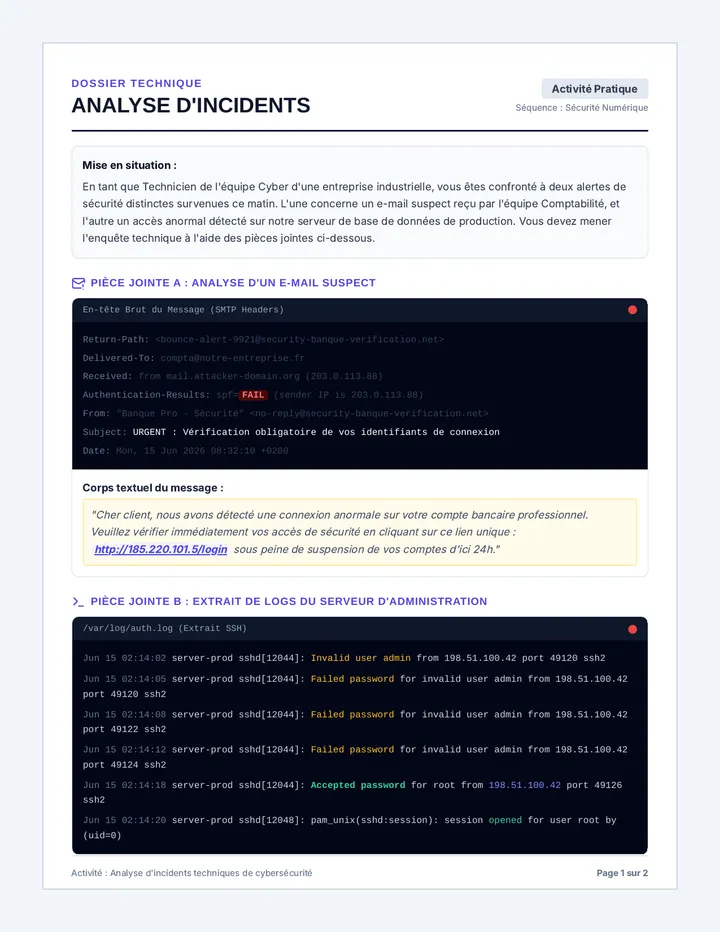
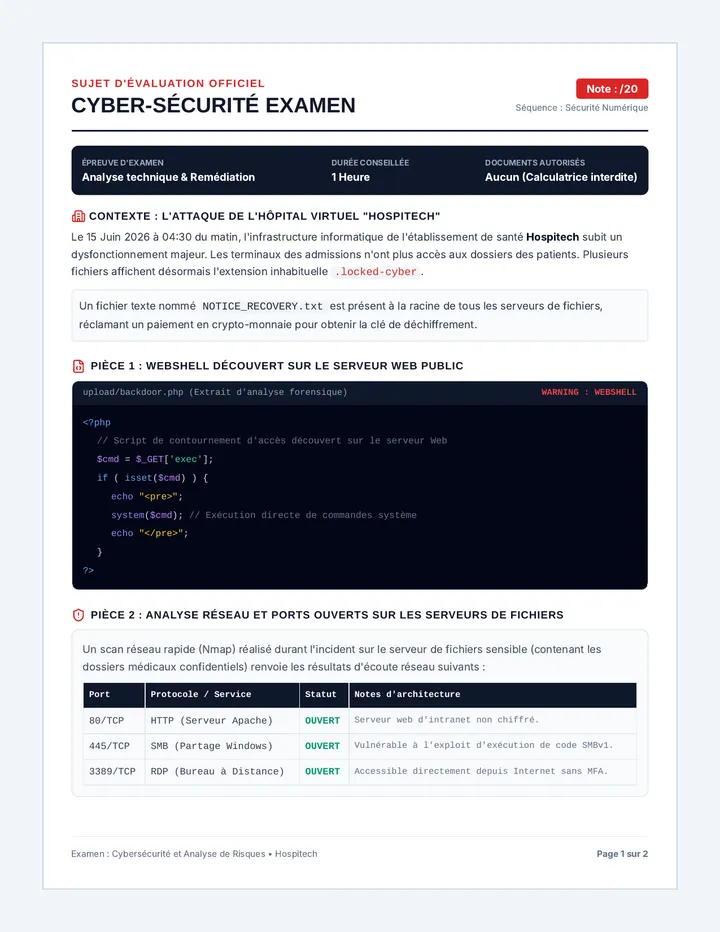
Séquence pédagogique complète sur la cybersécurité en entreprise, axée sur l'analyse technique des risques, la remédiation des failles de sécurité et la préparation aux épreuves d'examen ou de certification.
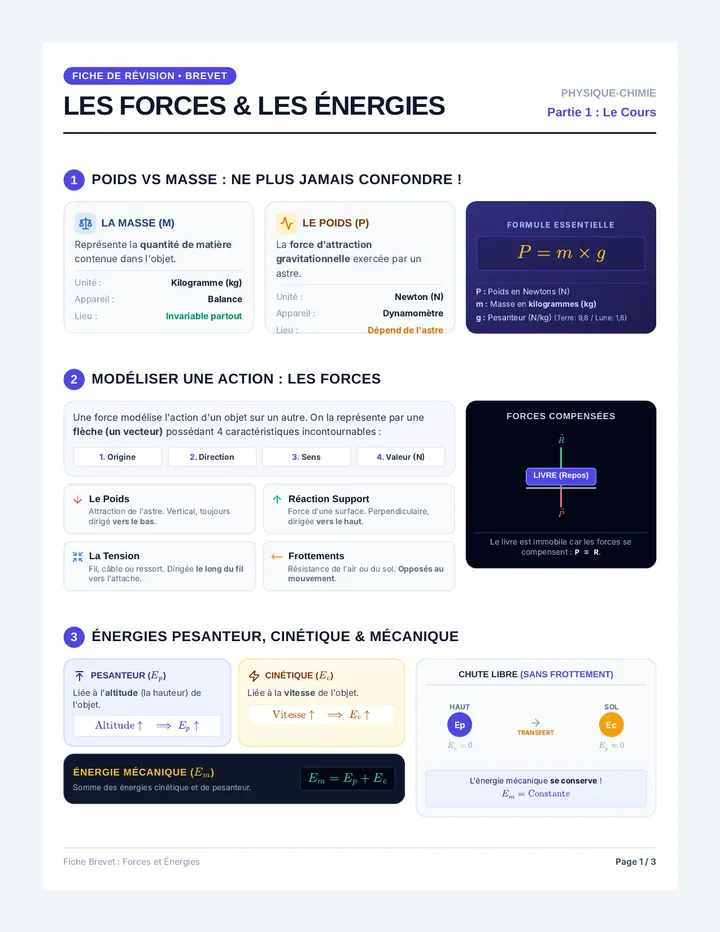
Fiches de révision et exercices corrigés pour préparer l'épreuve de Physique-Chimie du Brevet des Collèges. Ce cours couvre les forces, la relation poids-masse et la conservation de l'énergie mécanique.
An engaging and comprehensive slide deck introducing Jupyter Notebooks and Object-Oriented Programming (OOP) in Python. Ideal for beginners to intermediates, it balances interactive sandbox tips with OOP conceptual pillars like encapsulation, inheritance, and polymorphism.