Brain to Mic Slides BRAIN TO MIC
Cognitive Strategies for Verbal Drafting
LESSON 01
The Rapid Fire Challenge
"Try to dictate a formal paragraph about Climate Change without pausing for a single second. No thinking allowed—just speak."
What happened?
Endless "umms" and "likes"
Run-on sentences
Lost train of thought
The Problem
"Speech is conversational. Writing is architectural. Dictation is bridging the two."
The Cognitive Gap
Standard Writing
Your fingers move slower than your brain. This creates a "buffer" that gives you time to think of the next word while you type the current one.
Dictation Drafting
Speech is instant. Your brain must work ahead of your mouth to avoid the "verbal garbage" (filler words) that ruins academic drafts.
Strategy: The Artificial Buffer
The "Speak-to-Write" Cycle
PAUSE
Formulate the full sentence in your mind first.
EXECUTE
Speak the sentence clearly in one burst.
VERIFY
Check the screen for accuracy immediately.
Swapping Registers
Dictation often sounds like a text message. We need it to sound like a textbook.
Avoid (Conversational)
"So I think that Gatsby was like, really obsessed with the past because he couldn't let go of Daisy."
Aim For (Academic)
"Jay Gatsby’s fixation on the past stems from a refusal to accept the finality of his separation from Daisy."
Pro-Tip: Dictate your punctuation explicitly. "Period," "Comma," "New Line."
Brain to Mic Teacher Guide Brain to Mic
Teacher Facilitation Guide
Lesson 1: Strategy
Learning Objectives
• Students will identify the cognitive differences between conversational speech and academic dictation.
• Students will practice the "Speak-to-Write" strategy (Pause, Execute, Verify) to reduce filler words.
Essential Tech
- Google Docs Voice Typing
- MS Word Dictate
- Noise-canceling mics (opt)
The Hook: "The Rapid Fire Fail" (5-7 mins)
Challenge students to dictate a paragraph on a complex topic (e.g., The Impact of Social Media on Mental Health) without stopping. They must hit "record" and keep talking until they've produced 100 words.
Look for: Anxiety, laughter, frustration, and documents filled with "uh," "um," and "wait no."
Key Debrief Question: "Why is it harder to speak a paper than to talk to a friend?"
Instructional Blocks
1
Defining the "Buffer"
Explain that typing is slow, which creates a natural thinking time. Voice dictation removes that time. We must manually re-insert it by pausing . Contrast "thinking as you speak" with "thinking before you speak."
2
Modeling the "Speak-to-Write" Cycle
Live-model the cycle for the class:
Pause: Stare at the ceiling/outline for 5 seconds.
Execute: "However, the primary cause of the Great Depression remains a subject of intense historical debate. Period."
Verify: Quickly glance at the screen to ensure the STT captured the word "intense" correctly.
Differentiation & Support
For High Cognitive Load:
Allow students to dictate in their "natural voice" first, then highlight sentences to "re-dictate" into academic register. This splits the drafting into two smaller mental tasks.
For Motor/Verbal Challenges:
Provide "Command Cards" with visual reminders for punctuation and formatting (e.g., a card with a "." that says "Say 'Period'").
Pause and Produce Worksheet PAUSE AND PRODUCE
Dictation Strategy Workshop
Student Name:
Date:
Part 1: The Filler Hunt
Read the dictated paragraph below. Underline every filler word, conversational phrase, or punctuation error that makes it "un-academic."
So basically I think that the way characters interact in this play is like totally influenced by their social status... um... for example you have the servants who talk differently than the nobles and that just shows how they are divided and stuff period and it's also like really obvious in the scene where they meet at the party.
Total "Verbal Garbage" Count:
Part 2: The Mental Buffer Practice
CHALLENGE 01
Topic: Why is it important for students to have a voice in school policy?
Pause for 10 seconds. Formulate a sentence with the word "Advocacy" .
Dictate it. (Include "Period" at the end).
Write or paste your dictated sentence here for verification
CHALLENGE 02
Topic: Describe the visual imagery of a storm without using the word "raining."
Pause for 15 seconds. Use precise adjectives (e.g., turbulent, cascading).
Dictate 2 sentences in one burst.
Write or paste your dictated sentences here for verification
Self-Reflection
Which was harder: coming up with the idea or waiting 15 seconds to say it? Why?
Sound Maps Slides Sound Maps
Outlining for Voice Dictation
Lesson 02
Blind vs. Mapped
The "Blank Slate"
Trying to think of WHAT to say and HOW to say it at the same time.
Result: Brain Overload
The "Sound Map"
The content is already decided. Your only job is the verbal performance.
Result: Academic Flow
Chunking Your Argument
A standard outline is for eyes. A Sound Map is for breath.
Phase 1: Concepts
List the raw data, quotes, and keywords you MUST include in the paragraph.
Phase 2: Transitions
Choose your verbal "anchors" (e.g., "Conversely," "Furthermore").
Phase 3: The Run
Dictate the entire "chunk" in one focused session using the map as a guide.
The Split-Screen Setup
The Map (Left Side)
The Draft (Right Side)
REC
Eye-Tracking: Keep your eyes on the MAP while your ears listen to your VOICE.
Window Management: Windows Key + Left/Right Arrow is your best friend.
Your Turn
You are going to take a messy "Blank Slate" paragraph and rebuild it using a Sound Map.
Goal: High-Density Academic Draft
Voice Map Organizer Sound Map
Structural Blueprint for Dictation
Voice Active
Speaker:
Draft Date:
Concept Bank
List raw data, key quotes, and "must-say" terms here.
Transition Anchors
"Consequently..." "Furthermore..."
Flow Architecture
Map the logical sequence of your speech. Think "Point → Evidence → Analysis."
Burst 1: Topic Sentence / Thesis Link
Burst 2: Integration of Evidence (Reference the Concept Bank)
Burst 3: Analysis & Syntheses
REMEMBER: Use your eye to follow this path as you dictate. DON'T LOOK AT THE TEXT PRODUCED.
Sound Maps Teacher Guide Sound Maps
Teacher Facilitation Guide
Lesson 2: Organization
Learning Objectives
• Students will translate standard writing outlines into "Sound Maps" optimized for verbal delivery.
• Students will master split-screen digital workspace management to reduce cognitive switching.
Skills focus
- Eye-Voice Coordination
- Chunking Strategy
- Window Management
The Hook: "The Navigator's Test" (5 mins)
Teacher models dictating the same paragraph twice. 12th graders are highly sensitive to "flow" and "efficiency"—use this to your advantage.
Round 1: Blind
Start dictating a complex analysis of a text with NO notes. Deliberately stumble, use "um," and lose the thesis. Show the "mess" on the projector.
Round 2: Mapped
Show a simple Sound Map on screen. Dictate the same topic, following the map with a laser pointer. Result: Clean, high-register prose.
Technical Workshop: The Workspace
The Golden Rule: Stop Watching the Cursor.
Watching the words appear on screen as you speak creates a "lag" in the brain. Students try to edit mid-sentence, which causes vocal stutters. Instruct students to stare at the MAP and let the cursor work in their peripheral vision.
Strategy: Burst Training
Concept Bank vs. Map
The Concept Bank on the organizer is for facts/data. The Flow Architecture is for the "Logical Path." Students should physically draw arrows between the two before dictating.
The "Transition Anchor"
Encourage students to pre-select transitions. If they know they are using "In contrast," their brain prepares the verbal shift before the breath.
Common Pitfalls
- The "Eye-Drift": Students start looking at the text instead of the map. FIX: Have them physically cover the right side of the screen with a piece of paper for the first few tries.
- Mapping Too Much: If the map has full sentences, they are just reading. FIX: Limit map entries to 3 words max.
Citation Command Slides (Smith, 2024) [Enter] Reference: Jones, A. (2023). Voice and Vision. New York: Academic Press. (Smith, 2024) [Enter] Reference: Jones, A. (2023). Voice and Vision. New York: Academic Press. (Smith, 2024) [Enter] Reference: Jones, A. (2023). Voice and Vision. New York: Academic Press.
Citation Command
Mastering Academic Integrity via Voice
Lesson 03
The Barrier
"Dictating a story is easy. Dictating a research paper with Parenthetical Citations and Works Cited entries is like playing 3D chess."
The Problem
Punctuation, parentheses, capitalization, and formatting commands often disrupt the "flow" of your argument.
The Solution
Voice Command Fluency. You treat formatting commands as a second language that you speak alongside your paper.
The Dictation Vocabulary
Structural Commands
"New Paragraph" → [Enter x2]
"Open Parenthesis" → (
"Close Parenthesis" → )
"Capitalize [Word]" → Word
The "Citation Burst"
Don't pause during the name. Treat the citation as one continuous command string.
"Open parenthesis Smith comma 2024 close parenthesis period"
Result: (Smith, 2024).
Building the Bibliography
Method A: The Live Dictate
Dictating letter-by-letter for complex names. Best for short lists.
"G as in George... A as in Alpha..."
Method B: The Placeholder
Dictate a placeholder term like "MISSING SOURCE" and keep going. Fill them in later using a citation generator.
WHICH IS FASTER?
We will test both in today's challenge.
Reference Race
You have 5 minutes to dictate as many Perfect APA References as possible using only voice commands.
Accuracy Counts
No Keyboards
Voice Only
Voice Command Reference Sheet Terminal Command Reference
Academic Citation Mastery
Basic Punctuation
Vocal Command Result "Period" . "Comma" , "Question Mark" ? "Colon" : "Semicolon" ; "Dash" — "Open Quotes" / "Close Quotes" " "
Formatting
<table class="w-full text-sm font-mono"><tbody class="text-slate-300"><tr><td class="py-3 border-b border-slate-700/50">"New Paragraph"</td><td class="text-right font-bold text-amber-400">[Return x2]</td></tr><tr><td class="py-3 border-b border-slate-700/50">"Caps On / Caps Off"</td><td class="text-right font-bold text-amber-400">ABC / abc</td></tr><tr><td class="py-3 border-b border-slate-700/50">"Bold [Text]"</td><td class="text-right font-bold text-amber-400"><b>Text</b></td></tr><tr><td class="py-3">"Italicize [Text]"</td><td class="text-right font-bold text-amber-400"><i>Text</i></td></tr></tbody></table>
Citation Syntax
The "APA Burst" Pattern
Practice saying this as a single breath:
"According to Miller open parenthesis 2022 close parenthesis comma students benefit from..."
Common References
Parenthetical:
"Open parenthesis Doe comma 2021 close parenthesis period"
Page Numbers:
"Doe comma 2021 comma p period 42"
The "Safe Word"
If the computer starts messing up a citation, say "Scratch that" to delete the last phrase. Don't panic—just delete and re-breath the burst.
ACADEMIC INTEGRITY VOICE DECK v1.0 DO NOT USE KEYBOARD FOR FORMATTING
Citation Race Worksheet Reference Race
Level 3 Technical Challenge
Status:
NO KEYBOARDS
The Mission
Dictate the following citation entries into your document. You must use only voice commands for punctuation, names, and numbers. No typing allowed.
Entry 01: The Simple Parenthetical Value: 10 Points
"According to a study by Johnson (2023), speech recognition improves writing speed."
Parentheses included
Date formatting correct
Entry 02: The Multi-Author Block Value: 25 Points
"Research suggests that cognitive load remains high during initial dictation training (Adams, Brown, & Clarke, 2021)."
Ampersand or "and" used
Correct use of comma placement
Entry 03: The Bibliography Boss Value: 50 Points
Rodriguez, P. M., & Chen, L. (2020). Digital Voice in Education. Journal of Assistive Technology , 14(2), 112-125.
Commands Needed:
"Italicize on/off"
"Caps on/off"
"Initial P Period"
Total Score:
/ 85
"Scratch That" Counter:
--
Teacher Signature for Verification:
Echo Edit Slides Echo Edit
Revision through the Auditory Loop
Lesson 04
The Ear vs. The Eye
Reading Silently
Your brain "auto-corrects" mistakes. You see what you intended to write, not what's actually on the screen.
Hearing Aloud (TTS)
Text-to-Speech (TTS) is honest. If a sentence is awkward, it sounds robotic. If a word is missing, the rhythm breaks.
Strategy: Listen for the "Clunk." If the computer trips, your sentence needs a fix.
The Auditory Loop
LISTEN
Run Text-to-Speech on your draft.
FLAG
Stop when you hear something "off."
RE-DICTATE
Use voice commands to rewrite the phrase.
Editing Without a Mouse
Finding Your Place
"Find [Word]"
"Go to end of sentence"
"Select [Paragraph/Sentence]"
The Swap
"Replace [Word] with [Word]"
"Insert [Word] after [Word]"
"Delete previous sentence"
Mastering these commands allows you to shape your paper like clay—with just your voice.
The Listener's Lens
Today, you aren't just reading your peer's paper. You are listening to it.
Goal: Identify Flow & Clarity Issues
The Listener's Lens Checklist The Listener's Lens
Auditory Peer Review Guide
Reviewer (The Listener):
Author (The Speaker):
The Review Protocol
1
Initialization: Sit with the author. Have the author play their paper using Text-to-Speech. Don't look at the screen—just listen.
2
The Flag: Shout "FLAG" or tap the author's shoulder whenever you hear a sentence that sounds "clunky," too long, or loses its meaning.
Auditory Observations
Rhythm & Flow
Where did the computer voice sound confused? Where were there too many pauses or "run-on" moments?
Author's sentences are too similar in length (monotone).
Transitions are missing between paragraphs.
The "Speak-to-Write" Register
Did it sound like they were talking to a friend or writing a formal paper?
Found conversational filler ("um", "so", "basically").
Vocabulary is too casual for a 12th-grade paper.
Listener's Verdict
Record one specific high-level revision the author needs to make via voice command.
Example: "Replace the entire 3rd sentence of para 2 with a clearer thesis link."
Echo Edit Teacher Guide Echo Edit
Teacher Facilitation Guide
Lesson 4: Revision
Learning Objectives
• Students will use Text-to-Speech (TTS) as a diagnostic tool for rhythm and academic register.
• Students will execute complex revisions (selection, deletion, replacement) using voice-only commands.
Pedagogy
"The Auditory Feedback Loop: Moving from speech-as-output to speech-as-input."
The Hook: "The Robotic Reveal" (5-7 mins)
Paste a paragraph of text into a TTS engine that has hidden errors (missing words, doubled adjectives, or very long run-ons). Have the students close their eyes and listen.
"I was the really really excited to go to the store because because I needed to get milk and and also I needed bread for the the sandwich I was making later for my friends at the party which was starting at seven."
Ask: "What did your eyes skip that your ears caught instantly?"
Peer Review: The Listening Pairs
The Environment
Revision-via-voice is NOISY. If possible, utilize a media center or provide noise-canceling headsets. Alternatively, use a "Whisper Protocol" where students use small mics close to their mouths.
The Revision Script
Encourage authors NOT to touch the keyboard when a peer finds an error. They MUST use the commands on the "Echo Edit" slides to make the fix. This builds muscle memory for Lesson 5's challenge.
Support Strategies
Auditory Overload:
For students who struggle to process TTS voices, adjust the speed to 0.75x or choose a more "human-like" neural voice (e.g., NaturalReader or high-end Google voices).
Visual Mapping:
Have students underline "flow errors" on a physical copy of their paper as they listen, then go back and fix them all at once via voice.
Silent Keyboard Slides Silent Keyboard
The Keyboardless Capstone
Final Lesson
The Keyboardless Hour
"From this moment until the end of class, the keyboard is off-limits. Research, drafting, citation, and final formatting must be executed entirely by voice."
Sync Your Maps
Use your split-screen Sound Maps to guide your drafting.
Command Flow
Dictate every period, comma, and parenthetical citation live.
Echo Review
Listen to your final draft before submitting.
The Dictation Arsenal
01
Mental Buffering
The 10-second pause before the 20-second burst. No fillers allowed.
02
Eye-Voice Sync
Staring at the outline, not the cursor. Trusting the technology.
03
Syntax Control
Mastering "Open Parenthesis" and "Italicize Word" commands.
04
Auditory Polish
Hearing the robotic "clunk" and fixing it with a voice swap.
The Final Project
The Requirements
2-3 Pages of Academic Prose
Min. 4 Scholarly Sources
All Citations Dictated Live
Auditory Proofreading Log
Pro-Tip
"Don't fight the software. If it misinterprets a word, use 'Scratch That' and say it again with a different inflection. You are the conductor, the computer is the orchestra."
Keyboardless Manifesto
You are now a master of Verbal Composition. Go produce something rigorous.
Start Challenge
Keyboardless Manifesto Guide Keyboardless Manifesto
Capstone Research Project Guide
The Mission
Synthesize your research into a formal academic paper using 100% voice-to-text. Your goal is to prove that voice-based drafting can produce the same (or higher) level of rigor as traditional typing.
Drafting Protocol
1
Visual Roadmap Check
Is your Sound Map open on the left side of the screen?
2
Mental Buffer Warm-up
Have you practiced your first 3 sentences mentally before recording?
3
Live Punctuation & Citations
Are you speaking every comma and "Open Parenthesis" in the burst?
4
The Auditory Pass
Have you run TTS on the full draft to catch "robotic clunks"?
Required Deliverables
The Document
Standard MLA/APA Formatting
1000-1500 Words
Minimum 5 In-Text Citations
The Metadata
Your original Sound Map
A "Revision Log" of voice commands used
Personal Performance Reflection
What was the hardest moment of the 'Keyboardless Hour'? How did you solve it using voice-only commands?
Keyboardless Drafting Certification v1.0 • Grade 12
Dictation Mastery Rubric Dictation Mastery
Summative Assessment Rubric
/ 100
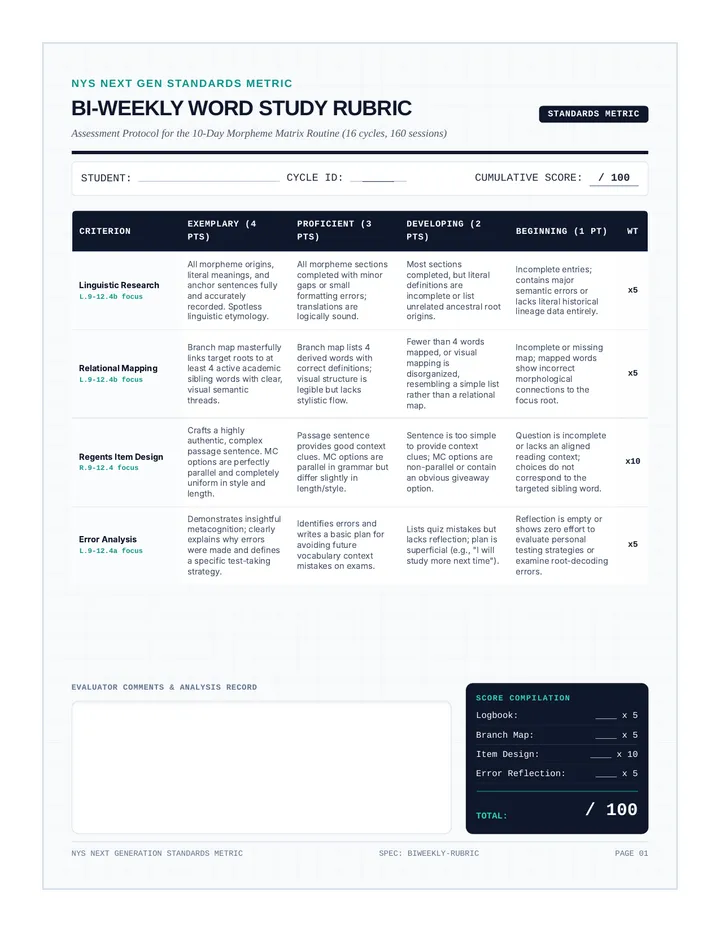
Criterion Expert (4) Proficient (3) Developing (2) Cognitive Fluency (Mental Buffer) Virtually zero filler words; clear "burst" delivery; formal academic register maintained throughout. Occasional filler words; mostly formal register; consistent pauses for thought. Frequent filler words; conversational tone; fragments and false starts present. Technical Command (Formatting) All punctuation, paragraphing, and citations executed perfectly via voice commands. Most formatting is correct; 1-2 minor errors in citation syntax; good use of caps/bold. Formatting is inconsistent; citations are messy or missing punctuation; frequent keyboard intervention. Structural Fidelity (Sound Mapping) Final text perfectly reflects the logic of the Sound Map; clear transitions and evidence integration. Sound Map logic is evident but occasionally drifts; basic transitions used. Paper lacks clear structure; no evidence of using the Sound Map for organization. Auditory Revision (Echo Edit) Final draft is polished; evidence of significant improvements made after hearing TTS feedback. Draft is readable; minor flow issues remain but major errors caught by TTS were fixed. Numerous awkward phrases and robotic "clunks" remain; TTS not used effectively for revision.
Scoring Logic
Expert 90 - 100%
Proficient 80 - 89%
Developing 70 - 79%
The Penalty
Every time a student used the keyboard for drafting (outside of initial technical setup), 5 points are deducted from the Technical Command score.
Observations & Next Steps