Misconception Briefing Slides Misconception Diagnosis
FRACTION INTERVENTION LAB | MODULE 01
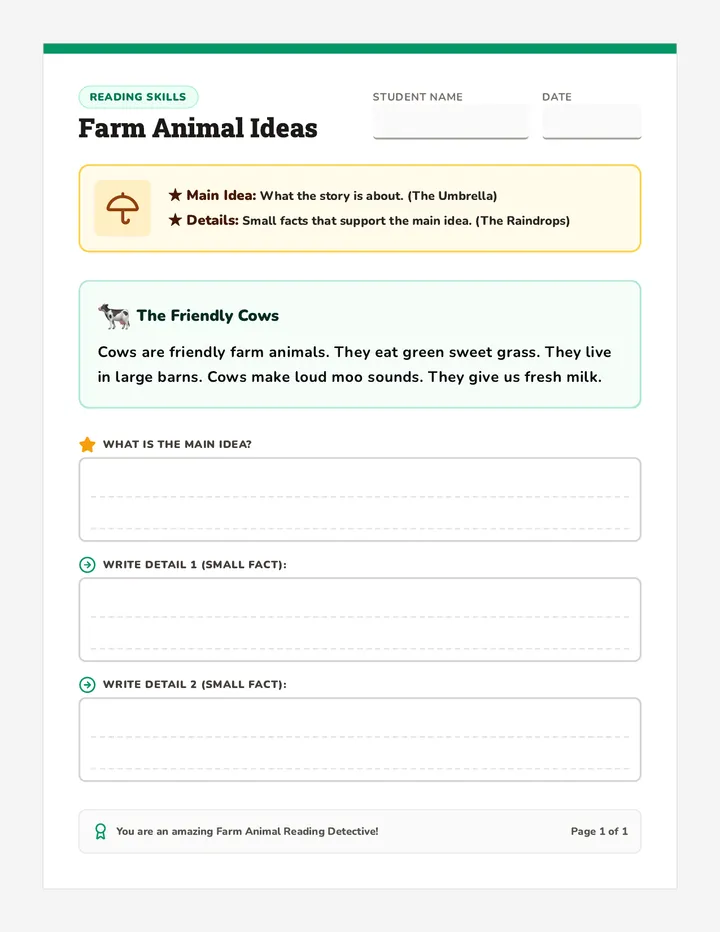
Case Study: The "Bigger is Bigger" Trap
Student Profile: Marcus (Grade 5)
"I'd rather have 1/4 of the pizza than 1/2 of the pizza. Because 4 is much bigger than 2, so the slice will be much bigger."
IEP: Specific LD Working Memory Deficit
1
What is the underlying logic Marcus is using?
2
Why doesn't a verbal explanation ("No, 1/4 is smaller") stick?
3
How could a physical tool bridge this gap?
Cognitive Load & Fractions
Working Memory
Students must hold the numerator, the denominator, and the relationship between them simultaneously.
Whole Number Bias
The ingrained belief that larger digits always represent larger quantities (e.g., 8 > 3, so 1/8 > 1/3).
Executive Function
Difficulty following multi-step procedures (like finding common denominators) without visual supports.
"Manipulatives aren't just for 'fun'—they are external working memory buffers."
Top 3 Error Patterns
A
Additive Denominators
Adding across the top AND bottom: \( \frac{1}{2} + \frac{1}{3} = \frac{2}{5} \)
B
Inconsistent Partitioning
Drawing unequal parts (e.g., a "pizza" with 3 big slices and 1 tiny slice).
C
Operation Interference
Applying multiplication rules to addition (e.g., not finding a common denominator).
Diagnostic Challenge
Open your **Error Analysis Lab** worksheet. You will analyze three samples of student work to determine the cognitive "root cause" of their struggle.
Analyze
Diagnose
Remediate
Error Analysis Lab Worksheet Error Analysis Lab
Fraction Intervention Lab | Module 01
Name:
Date:
Lab Instructions
Analyze the student work samples below. For each sample, identify the procedural error , diagnose the potential cognitive barrier (Working Memory, Whole Number Bias, or Executive Function), and suggest a physical manipulative to address the misconception.
Sample A
The Additive Denominator
Student Work
\[ \frac{1}{4} + \frac{2}{4} = \frac{3}{8} \]
What is the procedural error?
Likely Cognitive Barrier
Recommended Physical Tool
Sample B
The Inequality Paradox
Student Work
"Circle the larger fraction:"
\( \frac{1}{6} \) \( \frac{1}{3} \)
Student notes: "6 is double 3 so it's way more."
What is the procedural error?
Likely Cognitive Barrier
Recommended Physical Tool
Sample C
The Partitioning Problem
Student Work
"Draw 1/4"
Student note: "There are 4 parts."
What is the procedural error?
Likely Cognitive Barrier
Recommended Physical Tool
Synthesis & Reflection
Why is it critical for special education teachers to look beyond the 'wrong answer' and diagnose the cognitive cause?
Linear Logic Slides Linear Logic Workshop
FRACTION INTERVENTION LAB | MODULE 02
The Model Showdown
The Area Model
Cognitive Risks:
Difficult to partition accurately by hand
Misleads students to focus on "number of pieces" rather than "amount of area"
Harder to visualize "improper" fractions (>1)
The Linear Model
LD Advantages:
Reinforces fraction as a single number (magnitude)
Directly relates to measurement (real-world skill)
Easily extends beyond 1 on a number line
The Power of Strips
1
Strips provide a **physical length** that cannot be disputed by "Whole Number Bias."
2
They allow for **direct comparison** via alignment (Magnitude Checking).
1 WHOLE
1/2
1/2
1/3
1/3
1/3
Visual Evidence of Equivalence
The Flexible Number Line
0
1/4
1/2
3/4
1
Connects fractions to **whole numbers** on the same continuum.
Vital for **rounding** and **estimation** skills.
Hands-On Workshop
FRACTION WAR
Using your physical strips, you will play a round of magnitude war. Every card played must be **visually proven** using your linear models before a winner is declared.
Battle
Prove
Reflect
Fraction War Scorecard Fraction War Scorecard
Workshop: Linear Magnitude & Evidence-Based Comparison
Lesson 02: Linear Logic
Player 1:
Player 2:
The Rules of Engagement
Flip your cards. Record the fractions in the table below.
Build both fractions using your physical fraction strips (Linear Model).
Compare the physical lengths. Circle the winner.
In the "Visual Evidence" column, sketch a quick linear model to prove why the larger fraction won.
Round Player 1 Fraction Player 2 Fraction Visual Evidence (Sketch the Linear Model) 1 2 3 4
Post-Game Analysis
Identify a round where a student with Whole Number Bias would have likely guessed wrong (e.g., \( \frac{1}{2} \) vs \( \frac{1}{8} \)). How did the physical length of the fraction strip dismantle that bias?
Digital Tool Audit Rubric Digital Tool Audit Rubric
Evaluating Virtual Manipulatives for Learners with Disabilities
Assessor:
Tool Name:
Objective: Critically evaluate a virtual fraction tool from the perspective of a student with a learning disability or physical impairment. Assign a score of 1 (Poor) to 4 (Exemplary) for each criterion.
Category Criteria & Guiding Questions Rating (1-4) Accessibility & Motor Needs
Does the tool require precise "drag-and-drop" or does it offer "tap-to-place" options?
Is it navigable via keyboard (Tab/Enter) or only by mouse/touch?
Is there sufficient color contrast and adjustable text sizes?
|
|
| Cognitive Load Management |
Is the interface clean or cluttered with distracting animations/ads?
Does the tool offer "snapping" features to help align pieces automatically?
Are there clear visual prompts to guide the student to the next step?
|
|
| Immediate Feedback |
Does the tool provide visual corrections (e.g., pieces overlapping or not fitting)?
Are equivalent fractions visually highlighted when they match?
Is the feedback constructive and linked to the concept, not just "Try Again"?
|
|
| Representation Versatility |
Can the student switch between linear, area, and set models within the tool?
Can the tool display fractions greater than 1?
Does it allow for custom denominators, or is it limited to standard sets?
|
|
Major Strength for LD Students
Identify one feature that significantly reduces cognitive load...
Major Accessibility Barrier
Identify one feature that would frustrate a student with motor or sensory needs...
Final Verdict: Recommended Use Case
For which specific student profile or concept (e.g., magnitude, equivalence) is this tool best suited?
Module 03 | Virtual Manipulatives Evaluation Score: ____ / 16
Digital Tool Audit Slides Digital Tool Audit
FRACTION INTERVENTION LAB | MODULE 03
Beyond the "Cool" Factor
Just because an app is "interactive" doesn't mean it's accessible .
The Inclusion Question:
"Can a student with a tremor, a visual impairment, or severe ADHD use this tool to learn, or is the tool itself the barrier?"
Motor: Precise dragging required?
Cognitive: Cluttered UI/Ads?
Sensory: Meaningless sound effects?
The 5-Minute Audit
You will explore 3 different virtual fraction sites. For each site, you will use our **Audit Rubric** to determine its "LD-Friendliness" score.
1. Explore
Try to model \(\frac{2}{3} + \frac{1}{4}\) as if you were Maya.
2. Stress Test
Use only your keyboard or your non-dominant hand.
3. Rate
Score the tool based on feedback and cognitive load.
Physical vs. Virtual
Feature Physical Tiles Virtual App Feedback Human-led only Auto-equivalent highlighting Motor Load High (stacking/aligning) Low (tap-to-place) Conceptual Link Tactile connection Simulation/Visual "Explosion"
RUBRICS OUT
Time to audit. Remember: Look for features that empower , not just features that entertain .
Begin Digital Audit
Virtual Operations Slides Virtual Operations Lab
FRACTION INTERVENTION LAB | MODULE 04
Virtual Equivalence
The "Exploding" Feature
Digital tools allow students to visually **decompose** a unit without the frustration of cutting paper or drawing perfectly equal lines.
"Why do we multiply the top and bottom? Because we are splitting every existing piece into smaller, equal parts."
1/2
1/4
1/4
Digital Overlay Rendering
Snapping to Support Logic
Physical Barrier
Students with fine motor deficits struggle to align physical tiles, leading to "false" inequalities.
Digital Solution
**"Grid Snapping"** automatically aligns equivalent lengths, allowing the brain to focus on the CONCEPT, not the COORDINATION.
Instructional Goal
Use the snapping feature to "prove" that \(\frac{1}{2}\) and \(\frac{2}{4}\) are the exact same physical length.
The Bridge: Digital to Paper
How do we ensure learning doesn't stay "locked" in the iPad?
Screenshot Annotation
Students take a picture of their virtual model and label it with digital ink.
Drafting Templates
Using the **Digital Bridge Guide** to sketch what they built on screen.
Critical Pedagogy:
The most vulnerable students often lose concepts when moving between mediums. We must scaffold this "bridge" explicitly.
OPERATION: EQUIVALENCE
Log into the **National Library of Virtual Manipulatives**. Your goal: Model 3 addition problems with different denominators.
Model Digitally Record on Paper
Virtual Bridge Guide Virtual Bridge Guide
From Digital Simulation to Paper Representation
Name:
The "Bridge" Protocol
The transition from a dynamic virtual tool (where pieces "snap" or "explode") to a static paper representation is a major hurdle for students with learning disabilities. Use this protocol to scaffold the transfer:
1. MODEL & SNAP
2. DRAW & LABEL
3. ABSTRACT RULE
Challenge 1: Visualizing Equivalence
Task: Model \( \frac{1}{2} \) and find an equivalent in 8ths.
Virtual Tool Actions
Describe how you used the "snap" or "overlay" feature to prove equivalence...
Bridge Sketch (The "Snapshot")
Challenge 2: Different Denominators
Task: Model \( \frac{1}{3} + \frac{1}{6} \).
Virtual Tool Actions
How did the virtual "decomposition" (exploding) feature show you the common denominator?
Bridge Sketch (The "Snapshot")
Transfer Strategy Reflection
"Virtual manipulatives provide the logic, but paper provides the long-term memory trace." How would you explain the connection between the virtual "snap" and the abstract rule of finding a common denominator to a student who struggles with memory?
Hybrid Intervention Project Guide Hybrid Intervention Project
Fraction Intervention Lab | Culminating Assessment
Final Project
Project Mission
You are a Special Education Consultant. Your task is to design a 3-week hybrid intervention plan for a student with a specific learning disability in mathematics. Your plan must integrate Concrete-Representational-Abstract (CRA) stages, utilizing both physical and virtual manipulatives to dismantle the student's primary fraction misconceptions.
Case File: "The Disconnected Learner"
Student Name: Maya (Grade 4)
Primary Disability: Dyscalculia & Fine Motor Deficit
"Maya demonstrates significant Whole Number Bias. She consistently adds denominators and believes \( \frac{1}{10} \) is larger than \( \frac{1}{2} \) because 10 is bigger than 2. She becomes frustrated with physical fraction tiles because she accidentally knocks them over or struggles to align them perfectly, leading her to conclude that 'the math is broken'."
Required Components:
Weekly Scaffolding: Define one key concept per week.
CRA Alignment: Map specific tools to Concrete (physical), Representational (virtual), and Abstract (paper) stages.
Rationalization: Justify why a virtual tool is better than a physical one for Maya in specific moments.
Submission Deliverables
The Blueprint
The completed 3-week planning matrix (Template provided).
Pedagogical Rationale
A 1-page paper justifying tool selection based on learning theory.
Digital Tool Link
A link or screenshot of the primary virtual tool selected.
Grading Rubric
Criteria Exemplary (4) Proficient (3) Developing (2) CRA Integration Clear, logical progression from physical to digital to abstract. Stages are present but the transition is slightly abrupt. Only 1-2 stages are clearly defined. Misconception Target Directly dismantles Whole Number Bias and additive denominators. Addresses general fraction errors but less specific to case file. Misconception is identified but tools don't address it. Digital Scaffolding Uses virtual features (snapping/exploding) to mitigate motor barriers. Includes digital tools but doesn't utilize specific assistive features.
Hybrid Intervention Slides Hybrid Intervention Blueprint
FRACTION INTERVENTION LAB | MODULE 05
The Capstone Mission
You are moving from analysis to design .
1
Diagnose Maya's specific cognitive barriers.
2
Select a hybrid toolkit (Physical + Virtual).
3
Map the 3-week CRA progression.
Key Question:
"How can we blend the tactile feedback of physical tiles with the cognitive scaffolding of virtual tools to build a permanent mathematical bridge?"
The CRA Framework
CONCRETE
Physical Manipulation
Use physical strips to build magnitude sense and tackle "Whole Number Bias" through tactile comparison.
REPRESENTATIONAL
Virtual / Visual
Transition to virtual tools for "snapping" and "exploding" to handle fine motor deficits and complex operations.
ABSTRACT
Numbers & Rules
Use the "Bridge Guide" to transfer digital patterns into numerical rules (\(\frac{a}{b} \times \frac{c}{c}\)).
Case Spotlight: Maya
Cognitive & Motor Profile
Dyscalculia (Magnitude confusion)
Fine Motor Deficits (Alignment struggle)
High Frustration (Low self-efficacy)
Your Task:
Maya's tiles kept falling over, so she quit. How will you use **grid-snapping** in Week 2 to give her back her confidence?
Success Criteria:
"The intervention must feel like a single journey, not a collection of random activities."
DESIGN PHASE
Refer to your **Hybrid Intervention Project Guide**. Use the next 30 minutes to draft your 3-week matrix.
Plan
Justify
Review