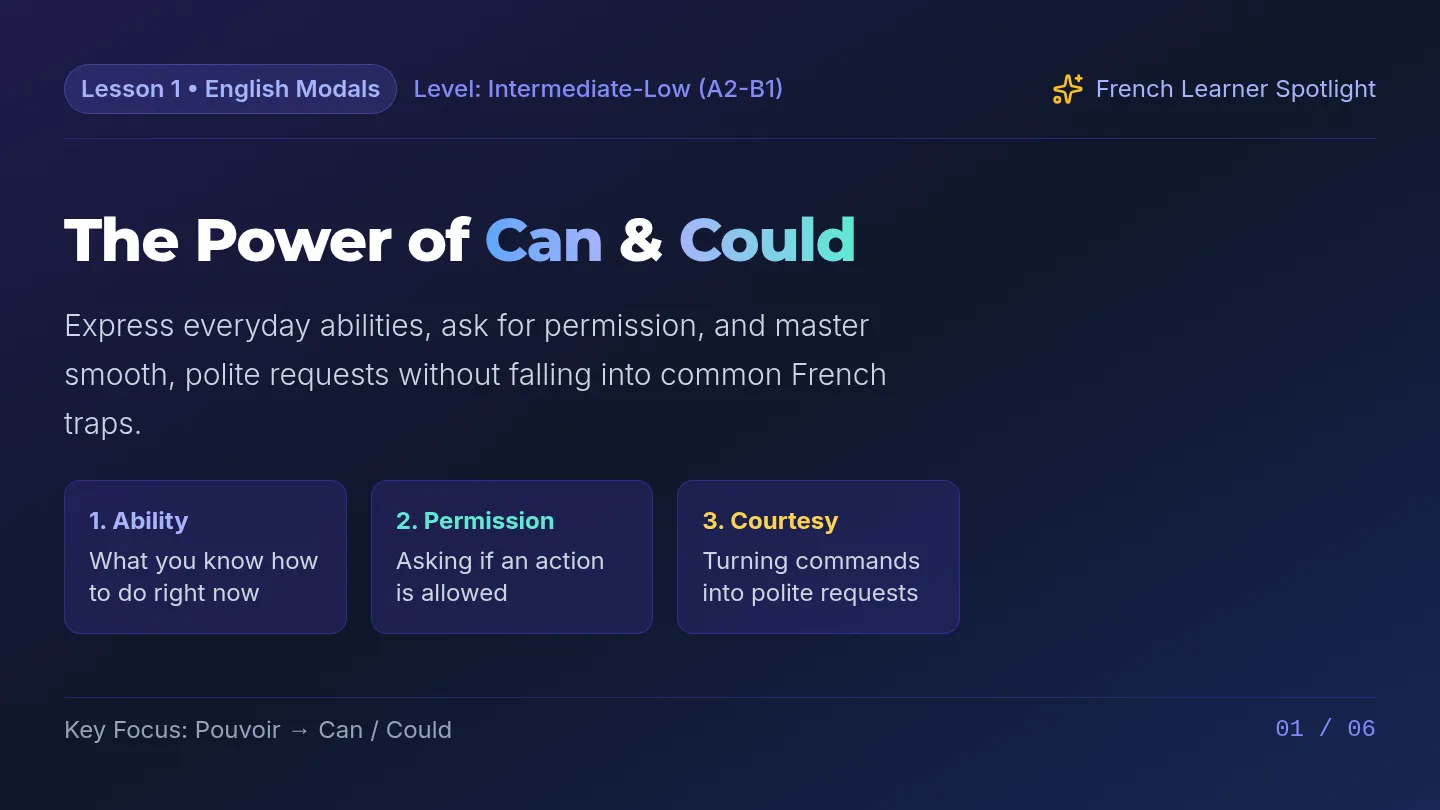
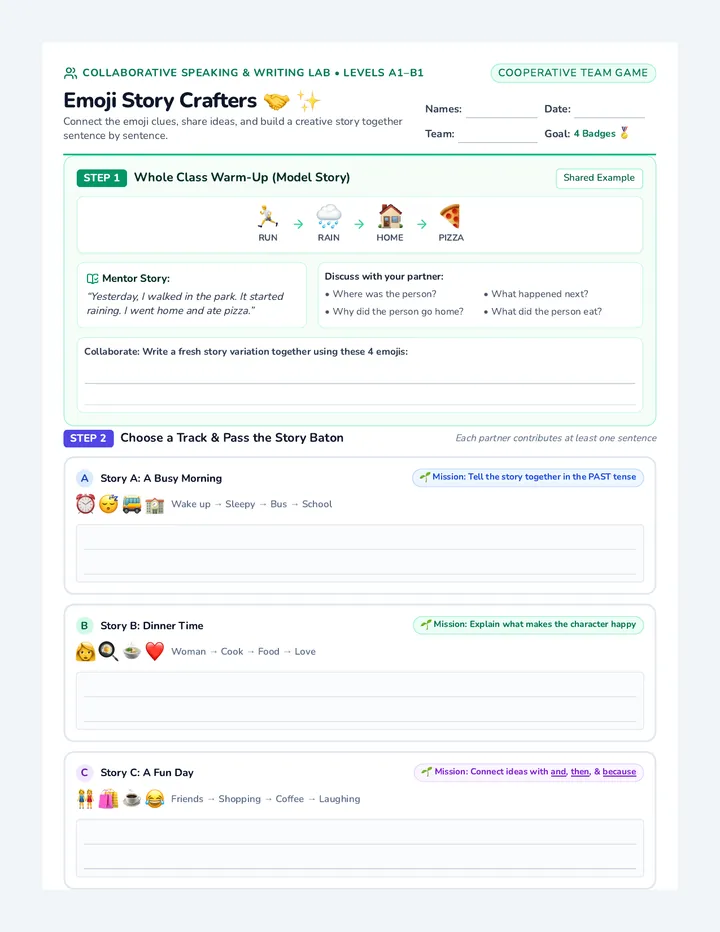
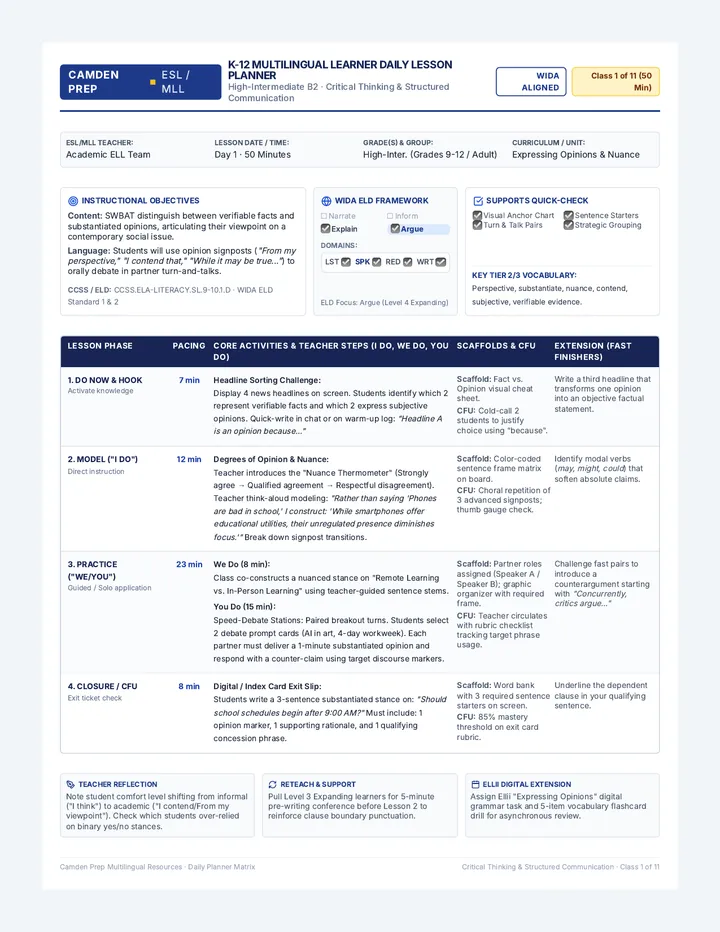
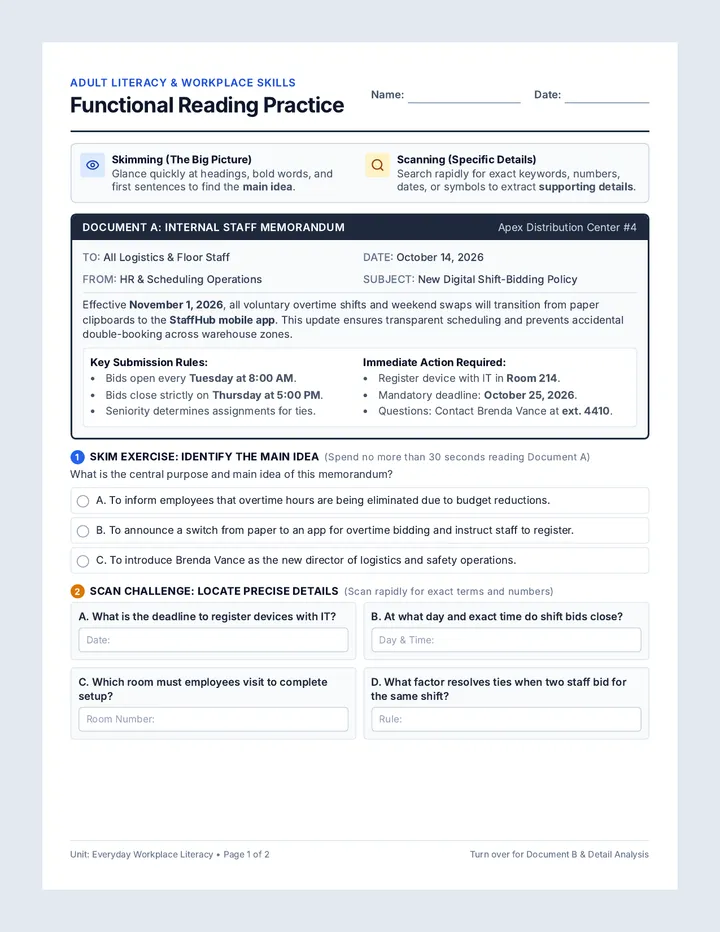
Reading Radar Slides Reading Skills Workshop CEFR B1 Intermediate
Functional Text Navigation
Real World Reading
Master Skimming, Scanning, and finding the Main Idea in timetables, flyers, emails, and announcements.
Speed & Gist
Skim in 30 seconds
Eagle Eye
Scan for exact facts
Core Message
Main idea + proof
Vocabulary Radar: Signal Words
Warm-Up Keys
Rules & Actions
Pre-registration
Signing up before the event starts.
Clue: "Reserve your seat"
Obligation
Mandatory
Required by rule; you must do it.
Clue: "Not optional"
Cost & Payment
Fee / Admission
The money paid to participate.
Clue: Look for "$"
Status & State
Offline
Temporarily not working or closed.
Clue: "Under repair"
Time Flow
Resume
To start again after a pause.
Clue: "Reopen at 8 AM"
Organization
Logistics
Where, when, and what to bring.
Clue: "Practical details"
Scanner Tip: Signal words guide your eyes straight to the right row or column!
Two Essential Superpowers
Strategy Focus
SKIMMING
Reading for the BIG PICTURE (Gist)
Read headlines, titles, and first sentences
Skip tiny details and unknown words
Answer: "What is this whole text about?"
Used for: News summaries, emails, article intros
SCANNING
Searching for SPECIFIC DETAILS
You know what word or number you need
Spot numbers, prices, dates, times, bold names
Move eyes rapidly across columns & rows
Used for: Bus timetables, price menus, event dates
Golden Rule: Do NOT read every single word from start to finish!
Main Idea vs. Supporting Details
Text Architecture
The Big Idea (Tabletop)
MAIN IDEA
The single most important message the author wants you to remember.
Supported by facts
Supported by reasons
Supported by examples
Detail 1: Facts & Dates
Exact times, locations, and requirements.
Detail 2: Reasons & Why
Why the event or change is happening.
Detail 3: Instructions
How to sign up, participate, or contact.
Test it: If you remove the Main Idea, the details make no sense!
Challenge 1: 30-Second Skim
Linear Notice
Official Announcement • Westside Campus
Library Technology Floor: Temporary Weekend Maintenance
The 3rd Floor Digital Media Lab will undergo mandatory electrical equipment upgrades this Saturday and Sunday. While 3D printers and sound booths will be offline, students can still access study desks on the 1st and 2nd floors. Normal hours resume on Monday morning at 8:00 AM.
Published: Friday, Oct 24 • Campus Facilities Team
What is the MAIN IDEA?
A. All university libraries are permanently closed.
B. The 3rd floor digital lab is closed for repairs this weekend only.
Skimming Trick: The headline and first sentence gave you 80% of the answer in under 10 seconds!
Focus: Main Idea Extraction Step 1 of 2 in Lesson Workflow
Challenge 2: Target Scan
Non-Linear Timetable
Greenwood Hub Workshop Schedule Saturday Sessions
Workshop
Time
Room
Fee
Robotics Basics
10:00 AM
Lab 2A
Free
Digital Drawing
1:00 PM
Studio 4
$15
Urban Gardening
2:30 PM
Roof Garden
Free
Audio Podcast 101
4:00 PM
Sound Lab B
$10
Rapid Scan Scavenger Hunt
Q1: Which room hosts Digital Drawing? ➔ Studio 4
Q2: How much does Audio Podcast cost? ➔ $10
Q3: Which session starts at 2:30 PM? ➔ Urban Gardening
Scanning Technique: Move your finger straight down the column until you hit the keyword!
Your Reading Strategy Toolkit
Quick Reference
1
Inspect Layout
Is it a timetable, an email, or a poster? Look at columns, headings, dates, and bullet points first.
➔ Understand the format
2
Check the Goal
Do you need the general topic (Skim ) or a specific piece of information (Scan )?
➔ Pick the right speed
3
Anchor Details
Check if each detail directly supports the main message or if it is extra background information.
➔ Connect detail to main idea
Next Step: Apply these tools to your Real World Reading Worksheet !
Ready to Practice
Real World Reading Worksheet Reading Skills Handout • CEFR B1 Low
Real World Reading
Name:
Date: Class:
Skim: Fast read for general gist
Scan: Spot numbers, names, times
Main Idea: Core message + proof
Text A • Non-Linear Schedule
Greenwood Community Hub • Saturday Program
Workshop Name
Time
Location
Target Age
Fee
Youth Coding & Game Design
09:30 - 11:00
Lab 204 (2nd Floor)
Ages 12-16
Free
Beginner Urban Gardening
11:15 - 12:45
Community Courtyard
All Ages
$5 (tools included)
Digital Photography & Editing
13:30 - 15:00
Media Suite B
Ages 14+
$10
Bicycle Repair & Safety Check
15:15 - 16:30
Outdoor Workshop Shed
Ages 10+
Free
* Pre-registration required for Lab 204. Bring your own bicycle for the repair shed. Help Desk: Room 101
1 Scanning Sprint: Target Facts
Scan Text A quickly. Write the exact answer.
1. In which room is the Coding & Game Design class?
2. How much does the Urban Gardening session cost?
3. What time does the Bicycle Repair workshop start?
4. Which workshop is open to participants of "All Ages"?
2 Skimming Challenge: General Purpose
Select the best answer based on the overall schedule.
5. What is the primary purpose of Text A?
A. To inform community members about Saturday workshops and their logistics.
B. To warn residents about room repairs and temporary building closures.
C. To sell expensive professional photography cameras to teenagers.
D. To hire new coding and computer science teachers for the summer.
Unit: Functional Reading Strategies Page 1 of 2 • Continue to Text B ➔
Part 2 • Linear Reading & Details Text B & Analysis
Student Copy
From: elena.rojas@greenwoodparks.org (Elena Rojas, Volunteer Coordinator)
To: All Youth Club Members & Families
Date: Thursday, October 23, 2026, 4:15 PM
Subject: Volunteer Day: Sunday Community Tree Planting Project!
Dear Youth Club Members,
We are excited to announce our Autumn Green Project this Sunday, October 26, from 9:00 AM to 12:30 PM at North Pine Park. Our goal is to plant 40 native trees and build three raised vegetable beds to improve our local green spaces. This project is a great opportunity to earn community service hours while learning hands-on environmental skills.
The Park Department will provide shovels, gloves, and organic fertilizer. However, all volunteers must wear sturdy closed-toe shoes and bring a refillable water bottle. A free healthy lunch will be served at 12:45 PM for everyone who registers by Friday at 5:00 PM.
Please reply to this email or visit Room 101 at the Community Hub to confirm your attendance. We hope to see you there!
3 Main Idea & Supporting Detail Hunt
Identify the main point and 3 supporting facts.
6. State the MAIN IDEA of the email in one clear sentence:
7. Find THREE specific supporting details from the email that support the main event:
Detail A: Equipment
What items must volunteers bring themselves?
Detail B: Target Work
Exactly how many trees will be planted?
Detail C: Deadline
When must volunteers register to receive lunch?
4 Synthesis & Real-World Application
Connect Text A and Text B.
8. A student wants to prepare for Sunday's planting project. Which Saturday workshop from Text A should they attend, and why?
Strategy Self-Check:
I skimmed for general gist I scanned for exact numbers/times I found supporting facts
Functional Literacy & Real-World Comprehension Page 2 of 2 • End of Worksheet
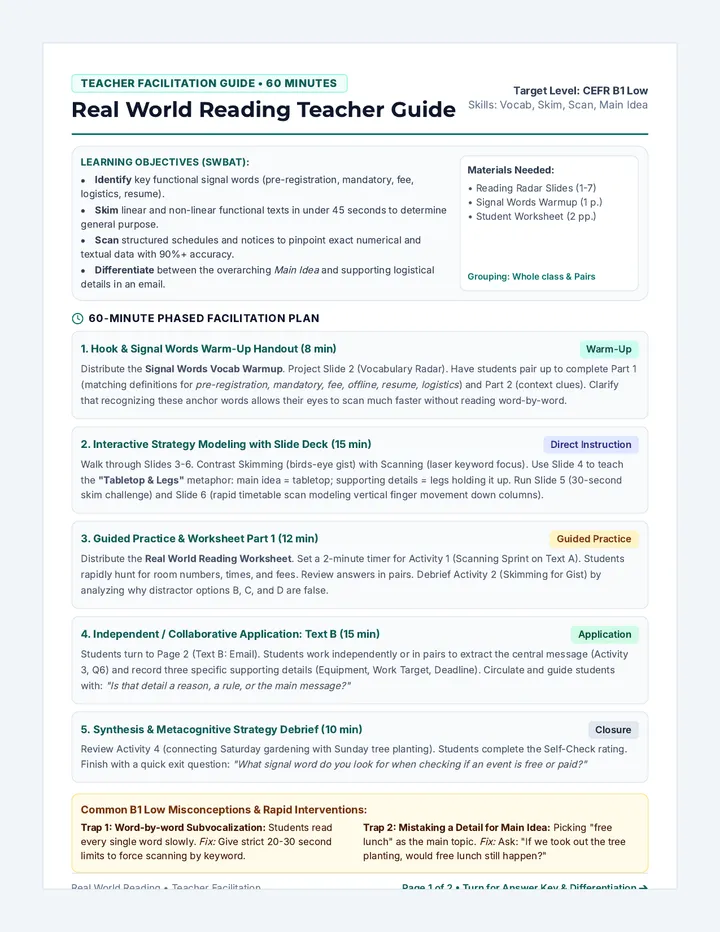
Real World Reading Teacher Guide Teacher Facilitation Guide • 60 Minutes
Real World Reading Teacher Guide
Target Level: CEFR B1 Low
Skills: Vocab, Skim, Scan, Main Idea
Learning Objectives (SWBAT):
Identify key functional signal words (pre-registration, mandatory, fee, logistics, resume).Skim linear and non-linear functional texts in under 45 seconds to determine general purpose.Scan structured schedules and notices to pinpoint exact numerical and textual data with 90%+ accuracy.Differentiate between the overarching Main Idea and supporting logistical details in an email.
Materials Needed:
• Reading Radar Slides (1-7)
• Signal Words Warmup (1 p.)
• Student Worksheet (2 pp.)
Grouping: Whole class & Pairs
60-Minute Phased Facilitation Plan
1. Hook & Signal Words Warm-Up Handout (8 min) Warm-Up
Distribute the Signal Words Vocab Warmup . Project Slide 2 (Vocabulary Radar). Have students pair up to complete Part 1 (matching definitions for pre-registration, mandatory, fee, offline, resume, logistics ) and Part 2 (context clues). Clarify that recognizing these anchor words allows their eyes to scan much faster without reading word-by-word.
2. Interactive Strategy Modeling with Slide Deck (15 min) Direct Instruction
Walk through Slides 3-6. Contrast Skimming (birds-eye gist) with Scanning (laser keyword focus). Use Slide 4 to teach the "Tabletop & Legs" metaphor: main idea = tabletop; supporting details = legs holding it up. Run Slide 5 (30-second skim challenge) and Slide 6 (rapid timetable scan modeling vertical finger movement down columns).
3. Guided Practice & Worksheet Part 1 (12 min) Guided Practice
Distribute the Real World Reading Worksheet . Set a 2-minute timer for Activity 1 (Scanning Sprint on Text A). Students rapidly hunt for room numbers, times, and fees. Review answers in pairs. Debrief Activity 2 (Skimming for Gist) by analyzing why distractor options B, C, and D are false.
4. Independent / Collaborative Application: Text B (15 min) Application
Students turn to Page 2 (Text B: Email). Students work independently or in pairs to extract the central message (Activity 3, Q6) and record three specific supporting details (Equipment, Work Target, Deadline). Circulate and guide students with: "Is that detail a reason, a rule, or the main message?"
5. Synthesis & Metacognitive Strategy Debrief (10 min) Closure
Review Activity 4 (connecting Saturday gardening with Sunday tree planting). Students complete the Self-Check rating. Finish with a quick exit question: "What signal word do you look for when checking if an event is free or paid?"
Common B1 Low Misconceptions & Rapid Interventions:
Trap 1: Word-by-word Subvocalization: Students read every single word slowly. Fix: Give strict 20-30 second limits to force scanning by keyword.
Trap 2: Mistaking a Detail for Main Idea: Picking "free lunch" as the main topic. Fix: Ask: "If we took out the tree planting, would free lunch still happen?"
Real World Reading • Teacher Facilitation Page 1 of 2 • Turn for Answer Key & Differentiation ➔
Teacher Reference • Answer Key & Differentiation
CEFR B1 Low Implementation
Differentiated Instructional Support
Scaffolds for Emerging B1 Readers:
Window Card: Use an index card to scan columns row-by-row.Color-Coding: Yellow for numbers/times; blue for first/last sentences.Sentence Starter: "The main reason Elena wrote this email is to..."
Extensions for Fast Finishers:
Notice Creation: Draft a 3-sentence announcement for a new workshop.Inference Challenge: "Why does Lab 204 need pre-registration?" Speed Coach: Fast finishers verify peer scanning answers and clues.
Complete Answer Key & Scoring Guide
Warm-Up Handout Keys (Signal Words Vocab)
Part 1 Match: 1-D, 2-B, 3-A, 4-F, 5-C, 6-E
Part 2 Snippets: A: Solid shoes; B: Local plants; C: Confirm attendance
Part 3 Radar: Location (Room, Lab, Floor, Shed)
Worksheet Part 1: Text A (Non-Linear Schedule)
Q1 (Room): Lab 204 (2nd Floor) Clue: Row 1, col 3.
Q2 (Fee): $5 (tools included) Clue: Row 2, col 5.
Q3 (Time): 15:15 (or 3:15 PM) Clue: Row 4, col 2.
Q4 (Age): Beginner Urban Gardening Clue: Column 4 "All Ages".
Q5 (Main Purpose - Skimming): Option A (Informs community of Saturday workshops & logistics). Options B, C, D describe closures, camera sales, or job vacancies not present.
Worksheet Part 2: Text B (Linear Email) & Synthesis
Q6 (Main Idea): Model: Invites youth members to volunteer for a tree planting & garden project this Sunday at North Pine Park.
Q7 (Supporting Details):
Detail A (Bring): Sturdy closed shoes & water bottle.
Detail B (Work): Plant 40 trees & 3 vegetable beds.
Detail C (Deadline): Friday at 5:00 PM for free lunch.
Q8 (Synthesis Application): Model: Beginner Urban Gardening (Sat 11:15-12:45) because it teaches planting skills directly needed for Sunday's garden and tree beds.
Formative Mastery Scale (B1 Standards):
Exceeding (Proficient)
Scans all 4 facts in <60s; writes clear main idea in own words; synthesizes both texts accurately.
Meeting (Target B1)
Scans 3-4 facts accurately; captures main purpose with minor guidance; isolates 2-3 supporting details.
Emerging (Needs Support)
Reads word-by-word; confuses supporting details (e.g. lunch) with main idea; needs sentence frames.
Curriculum: Real World Functional Literacy Page 2 of 2 • Teacher Guide Complete
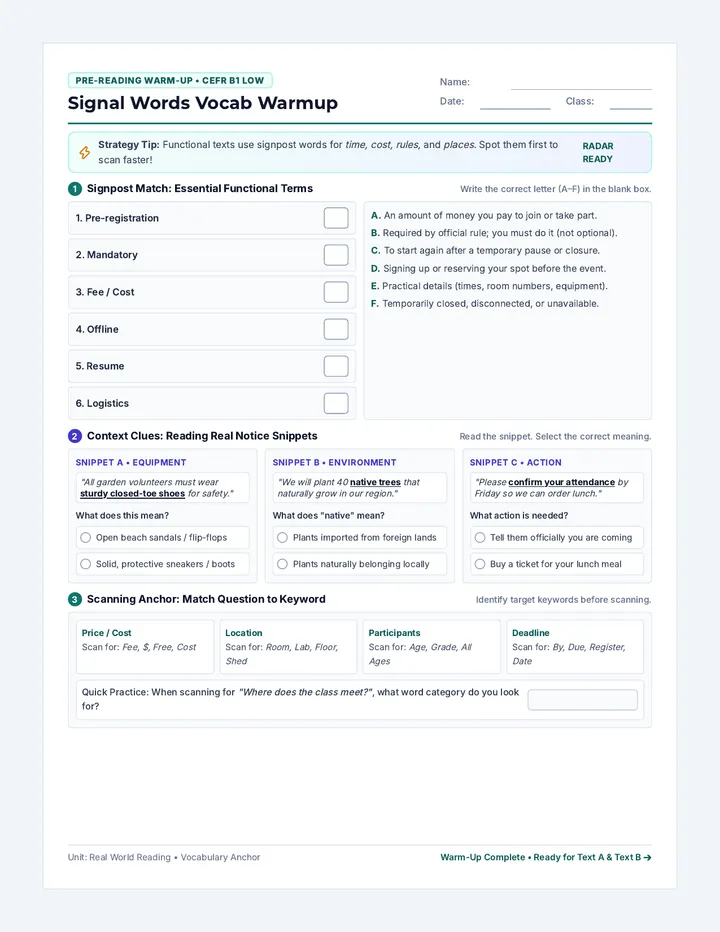
Signal Words Vocab Warmup Pre-Reading Warm-Up • CEFR B1 Low
Signal Words Vocab Warmup
Name:
Date: Class:
Strategy Tip: Functional texts use signpost words for time, cost, rules, and places . Spot them first to scan faster!
Radar Ready
1 Signpost Match: Essential Functional Terms
Write the correct letter (A–F) in the blank box.
1. Pre-registration
2. Mandatory
3. Fee / Cost
4. Offline
5. Resume
6. Logistics
A. An amount of money you pay to join or take part.
B. Required by official rule; you must do it (not optional).
C. To start again after a temporary pause or closure.
D. Signing up or reserving your spot before the event.
E. Practical details (times, room numbers, equipment).
F. Temporarily closed, disconnected, or unavailable.
2 Context Clues: Reading Real Notice Snippets
Read the snippet. Select the correct meaning.
Snippet A • Equipment
"All garden volunteers must wear sturdy closed-toe shoes for safety."
What does this mean?
Open beach sandals / flip-flops
Solid, protective sneakers / boots
Snippet B • Environment
"We will plant 40 native trees that naturally grow in our region."
What does "native" mean?
Plants imported from foreign lands
Plants naturally belonging locally
Snippet C • Action
"Please confirm your attendance by Friday so we can order lunch."
What action is needed?
Tell them officially you are coming
Buy a ticket for your lunch meal
3 Scanning Anchor: Match Question to Keyword
Identify target keywords before scanning.
Price / Cost
Scan for: Fee, $, Free, Cost
Location
Scan for: Room, Lab, Floor, Shed
Participants
Scan for: Age, Grade, All Ages
Deadline
Scan for: By, Due, Register, Date
Quick Practice: When scanning for "Where does the class meet?" , what word category do you look for?
Unit: Real World Reading • Vocabulary Anchor Warm-Up Complete • Ready for Text A & Text B ➔