Question Quest Slides Research Investigators: Mission 1
Question Quest
Turning Curiosity into Focused Questions
The Mystery Box
What is inside the box? To find out, you must ask focused questions.
Bad Question:
"Is it cool?"
Good Question:
"What color is it?"
?
The Investigator's Tools
Use these words to focus your research!
WHO
People or characters
WHAT
Things or actions
WHERE
Places or locations
WHEN
Time or dates
WHY
Reasons or causes
HOW
Process or way
The Bullseye
Too Wide
"Tell me about sharks."
This is a topic , not a question. It is too big to answer quickly!
Focused Question
"What do Great White Sharks eat?"
This is specific . We know exactly what to look for!
Investigator Speech
Practice saying these with a partner!
1
"I want to know who discovered..."
2
"My question is: Where does the..."
3
"I am curious about how animals..."
Question Quest Teacher Guide Teacher Guide
Mission 1: Question Quest
Grade 3 | ESL
Lesson Objective
Students will be able to formulate focused research questions using 5W+H question words and sentence frames to guide an inquiry on a specific topic.
Key Vocabulary
Research
Inquiry
Focused
Topic
Specific
Materials Needed
A physical "Mystery Box" with an object inside
Question Quest Slides
Focused Findings Worksheet
Sentence Frame Anchor Chart
Instructional Steps
1
The Hook: Mystery Box (10 mins)
Place a familiar but hidden object (e.g., a stapler, a toy dinosaur, a pinecone) in the box. Tell students they are detectives. Explain that they cannot ask "Is it a...?" yet. They must ask questions that describe its features first.
Teacher Tip: If an ESL student struggles, point to the 5W+H chart on Slide 3 to help them select a starting word.
2
Modeling: Wide vs. Focused (15 mins)
Use Slide 4 to show the difference between a "Big Topic" and a "Focused Question." Model thinking: "If I want to learn about penguins, 'Penguins' is too big. I could spend a year reading about them! But if I ask 'What do penguins eat?', I can find that answer in one book."
3
Guided Practice: Sentence Frames (15 mins)
Have students work in pairs. Assign each pair a broad topic (e.g., Soccer, The Moon, Rain). Using the sentence frames on Slide 5, have them say their focused question aloud to their partner before writing it down.
ESL Differentiation
Support (Emerging)
Provide pictorial 5W+H cards. Allow students to point to a question word and then draw what they want to know.
Extension (Expanding)
Challenge students to write three DIFFERENT questions for the same topic using three different question words.
Focused Findings Worksheet Focused Findings
Research Investigator Activity
NAME
DATE
1. My Question Tools
Write a question word in each box below to help you remember your tools.
Who
What
Where
When
Why
How
2. Focused or Wide?
Read the sentences. Circle "Focused" or "Wide".
"Dogs."
Focused Wide
"What do dogs eat?"
Focused Wide
3. Mission: Create a Question
My Topic is:
ANIMALS
Choose one animal. Write a Focused Question about it using a question word.
My Sentence Frame:
"I am curious about..."
Keyword Keys Slides Mission 2
Keyword Keys
Unlock the Search Bar with Important Words
The Search Race
1
The Full Sentence
"Can you please tell me what kind of food tigers like to eat in the wild?"
TOO SLOW!
2
The Keyword Key
Tiger Food Wild
FAST & EASY!
Tiger Food Wild
SEARCH
What are Keywords?
They are the most important words in your question. Usually, they are Nouns and Verbs .
Use These!
Nouns (Animals, Places, Things)
Verbs (Actions, Processes)
Throw Away!
The Can You Please Is Of And
The Stripping Tool
THE QUESTION:
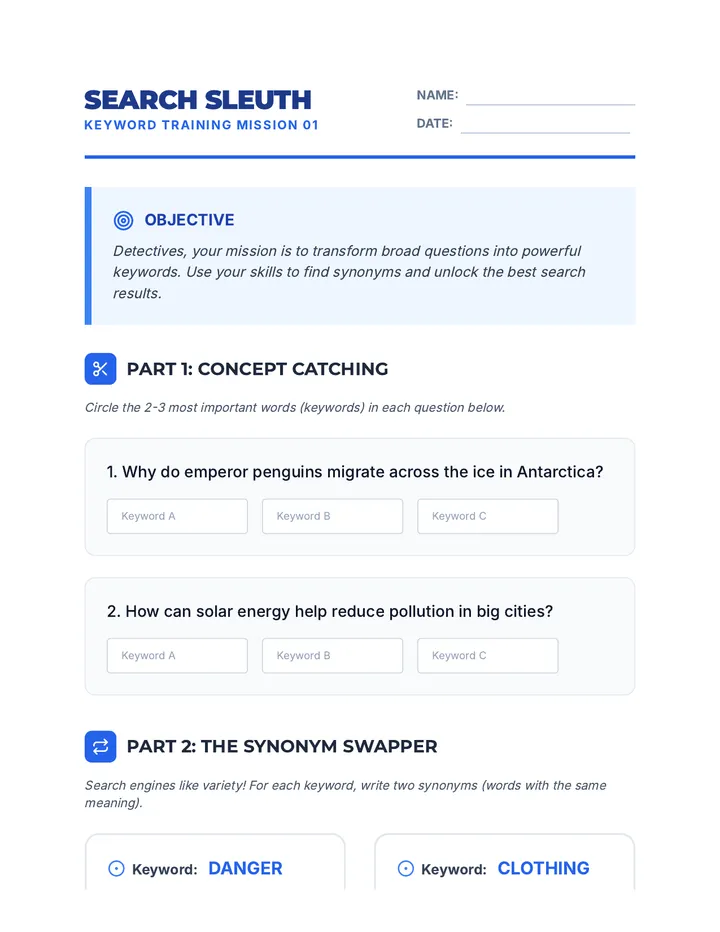
How do plants grow in the desert?
The Search String:
plants grow desert
Add more keys!
Search 1:
Mars
Results: Millions! Books, movies, space travel, candy bars...
Search 2:
Mars Water Discovery
Results: Just the information you need about liquid on Mars!
More keywords make your search BETTER .
Keyword Sleuths Teacher Guide Teacher Guide
Mission 2: Keyword Sleuths
Grade 3 | ESL
Lesson Objective
Students will be able to identify the most important nouns and verbs (keywords) within a research question and use them to create a concise search string.
Key Vocabulary
Keyword
Search String
Noun
Verb
Concise
Materials Needed
Keyword Keys Slides
Search Strings Activity Sheet
Yellow Highlighters
Computer/Projector for "Search Race"
Instructional Steps
1
The Hook: Search Race (10 mins)
Open a search engine (Google, Kiddle, or Epic! Books). Ask a student to time you. Type the full sentence: "Where do the colorful butterflies live in the winter months?" Then, reset the timer and type: "butterflies winter location" . Compare the time and the number of results.
2
Modeling: Stripping the Sentence (15 mins)
Use Slide 4. Show a long question. Model "throwing away" the helping words (is, the, can, how) and highlighting the nouns and verbs. Explain that search engines focus on the meaning words, not the grammar words.
Language Focus: Review Nouns (naming words) and Verbs (action words) if students are unfamiliar with the terms.
3
Guided Practice: Highlighting (15 mins)
Hand out the "Search Strings" worksheet. Do the first two together as a class. Have students come up to the board (or screen) to "highlight" the keywords with a marker before they work independently.
ESL Differentiation
Support (Emerging)
Provide a list of "Throw Away Words" (the, is, can) that students can physically cross out with a red marker first.
Extension (Expanding)
Challenge students to think of synonyms (different words that mean the same) for their keywords to get more results.
Search Strings Worksheet Search Strings
Mission 2: Keyword Lab
INVESTIGATOR NAME
1. Find the Keys
Read each research question. Highlight the 2 or 3 most important keywords (nouns and verbs). Then, write the Search String in the box.
Example:
What food do pandas eat?
food pandas
1
How do volcanoes erupt in the ocean?
2
When was the first computer made by humans?
3
Where can I find gold in the mountains?
2. The Specific Sleuth
This search string is too wide. Add 2 more keywords to make it better!
WIDE SEARCH
Animals
SPECIFIC SEARCH
Animals _________ _________
Now, write your own specific search string for any topic you like:
Text Feature Nav Slides Mission 3
Text Feature Maps
Finding Facts Fast in Non-Fiction Books
The 30-Second Challenge
Can you find the page number for "Photosynthesis" in a 100-page book?
Turn every single page
Takes 5 minutes! (TOO SLOW)
Use the Index
Takes 10 seconds! (WINNER)
00:10
The Big Three Tools
Your map to the inside of a book.
Table of Contents
Shows chapters and page numbers in order.
"Where does the chapter on Habitats start?"
The Index
Shows topics in ABC order at the back.
"Which pages talk about ladybugs?"
The Glossary
A dictionary for the hard words in the book.
"What does the word 'migration' mean?"
Table of Contents
Introduction 4
Ch 1: Types of Plants 12
Ch 2: How Plants Grow 28
Ch 3: Desert Plants 45
Investigator Question:
"I want to learn about how a seed turns into a flower. Which page should I start on?"
PAGE 28
Index
Bark......... 14, 22
Cactus....... 46-50
Chlorophyll... 30
Flowers...... 35, 38
Leaves....... 18, 32
Roots........ 15
Sleuth Challenge!
On which pages can I find information about a CACTUS ?
46, 47, 48, 49, 50
Text Feature Teacher Guide Teacher Guide
Mission 3: Text Feature Navigators
Grade 3 | ESL
Lesson Objective
Students will be able to locate specific information and vocabulary definitions within a non-fiction text using the Table of Contents, Index, and Glossary.
Key Vocabulary
Table of Contents
Index
Glossary
Alphabetical Order
Fact-Finding
Materials Needed
Text Feature Nav Slides
A set of physical Non-Fiction books (1 per pair)
Feature Scavenger Hunt Sheet
Post-it Notes (for tagging pages)
Instructional Steps
1
The Hook: Scavenger Race (10 mins)
Give each pair of students a non-fiction book. Call out a very specific word (e.g., "Hibernation"). Challenge them to find the page it's on as fast as they can. Observe who flips through pages vs. who goes to the back of the book (the Index).
2
Modeling: The Big Three (15 mins)
Use Slide 3 to define the features. Explain the "Why": TOC is for the big picture (chapters), Index is for tiny details (topics), and Glossary is for meaning (definitions). Model finding a word in the Index by using ABC order.
3
The Hunt: Feature Scavenger Hunt (25 mins)
Students use their assigned books and the "Feature Scavenger Hunt" worksheet. They must identify a chapter title, a specific topic from the index, and a definition from the glossary. Teachers circulate to help students with Alphabetical Order in the index.
ESL Differentiation
Support (Emerging)
Provide books with very simple, clear layouts. Use "Book Feature Labels" (small sticky notes) that say "Index" or "Glossary" for them to place in the correct spots.
Extension (Expanding)
Challenge students to find a word in the Index that has multiple page numbers and explain why (e.g., "The word is on page 4 AND page 12 because...").
Feature Hunt Worksheet Feature Hunt
Mission 3: Non-Fiction Map
SLEUTH NAME
Grab your book! Use the "Big Three" tools to find these hidden facts. Don't flip every page—be a fast navigator!
1. Table of Contents
Write a Chapter Title:
What page does it start on?
2. The Index (Back of Book)
Pick an "S" word from the index:
Example: Spiders
What pages can I find this word on?
3. The Glossary
Find a new or interesting word in the Glossary:
Copy the definition (what it means):
Fact Sorter Slides Mission 4
Fact Sorters
Separating Relevant from Irrelevant Info
Packing for the Beach
If you are going to the BEACH, which items are helpful?
Sunscreen
Relevant!
Snow Boots
Irrelevant!
Towel
Relevant!
Homework
Irrelevant!
Investigator Rule:
Not every fact about a topic is helpful for your question !
The Investigator's Choice
Learn the difference between these two words.
RELEVANT
It is helpful . It answers your specific question.
KEEP IT!
IRRELEVANT
It is extra . It is about the topic, but doesn't answer your question.
THROW IT AWAY!
The Mission Question:
"What do sharks eat?"
"Most sharks eat fish, crustaceans, and mollusks."
Relevant
"Sharks are excellent swimmers and have fins."
Irrelevant
"There are over 500 species of sharks."
Irrelevant
"Tiger sharks will eat turtles and seals."
Relevant
Think before you write!
Only pick the facts that help your specific question. Don't write down every fact you find!
Fact Sorter Teacher Guide Teacher Guide
Mission 4: Fact Sorters
Grade 3 | ESL
Lesson Objective
Students will be able to distinguish between relevant and irrelevant information for a specific research question by sorting facts into "Helpful" and "Extra" categories.
Key Vocabulary
Relevant
Irrelevant
Sort
Helpful
Fact
Materials Needed
Fact Sorter Slides
Suitcase vs. Snow Boots sorting cards
Research Sort Activity Page
Scissors and Glue
Instructional Steps
1
The Hook: Beach Packing (10 mins)
Use Slide 2. Show pictures of items. Ask: "If my goal is to stay safe at the beach, do I need a winter coat? No! It's about the coat, but it doesn't help my goal." Connect this to research: "If my goal is to find what sharks eat, I don't need to know how fast they swim."
2
Vocabulary: Relevant vs. Irrelevant (15 mins)
Use Slide 3. Spend extra time on these academic words. For ESL students, use synonyms like "Helpful" for Relevant and "Extra/Doesn't Help" for Irrelevant. Practice repeating the words with gestures (thumbs up for relevant, waving away for irrelevant).
3
Guided Practice: The Fact Sort (20 mins)
Hand out the "Research Sort" worksheet. Students will cut out 8 fact strips. They must read the research question at the top of the page and glue the facts into the "Relevant" or "Irrelevant" columns. Model the first two aloud with the class.
ESL Differentiation
Support (Emerging)
Provide facts with pictures or icons next to the words to aid comprehension. Use color-coded glue (green for relevant, red for irrelevant).
Extension (Expanding)
Ask students to explain why a fact is irrelevant. "It is irrelevant because it talks about the shark's size , not its food ."
Fact Filter Worksheet Fact Filter
Mission 4: Sorting Relevant Info
RESEARCHER
?
Your Research Question:
"How do Honeybees make honey?"
Relevant Facts
Glue Helpful Facts Here
Irrelevant Facts
Glue Extra Facts Here
✂️ Cut these strips and sort them above ✂️
Bees collect nectar from flowers.
Bees have six legs and two wings.
The nectar turns into sugar in the bee's belly.
There are many different types of bees.
Bees flap wings to dry the nectar into honey.
Bees live in big groups called colonies.
Bees store the honey in honeycomb cells.
Bees can communicate by dancing.
Source Sleuth Slides Mission 5
Source Sleuths
Choosing the Best Digital Sites
The Title Clues
If you want to read a story about MAGIC DRAGONS, which book would you pick?
THE BIG GREEN FROG
NOPE!
FIRE & WINGS: A TALE OF MAGIC
YES!
HOW TO BAKE A CAKE
NOPE!
The Search Snippet
A "snippet" is a little piece of the website that helps you choose.
Mars: The Red Planet Facts
Learn about Mars, the fourth planet from the sun. Discover how big it is and what its surface is made of...
Title Summary
Buy Mars Bars Online
Order delicious chocolate candy bars with caramel. Free shipping on all candy orders...
Don't just click the first link!
1
Read the Title
2
Read the Summary
3
Ask: "Does this answer my question?"
STOP!
You are a Research Investigator!
1. Ask Focused Questions
2. Use Keywords
3. Navigate Features
4. Filter Relevant Info
5. Pick Best Sources
MISSION COMPLETE
Digital Source Teacher Guide Teacher Guide
Mission 5: Selecting Digital Sources
Grade 3 | ESL
Lesson Objective
Students will be able to evaluate and select the most appropriate digital source from a list of search results by analyzing titles and summaries (snippets).
Key Vocabulary
Snippet
Search Results
URL / Link
Evaluate
Appropriate
Materials Needed
Source Sleuth Slides
Snippet Sleuth Worksheet
Highlighters (Yellow and Blue)
Instructional Steps
1
The Hook: Mystery Covers (10 mins)
Use Slide 2. Show three book titles. Ask students to predict which book contains the information you need. Explain that websites are like books—the title and the back cover (summary) tell us if we should open them.
2
Modeling: Reading the Snippet (15 mins)
Use Slide 3. Model reading the blue title first, then the black summary text. Think aloud: "I see the word 'Facts' in the title. That's good. But the summary mentions 'chocolate bars.' My question is about the planet Mars. This is not the right site for me!"
3
Simulation: Snippet Sleuth (25 mins)
Hand out the "Snippet Sleuth" worksheet. Students will see a research question and three simulated search results. They must circle the best result and explain one reason why (using the title or summary as evidence). ESL students can use the provided sentence frame.
ESL Differentiation
Support (Emerging)
Provide results with very different topics (e.g., Planet Mars vs. Candy Bars) rather than subtle differences. Use highlighters to mark keywords in the search result that match the question.
Extension (Expanding)
Ask students to identify "Red Flag" words in irrelevant snippets (e.g., "Buy," "Sale," "Game") that signal the site might not be for research.
Snippet Sleuth Worksheet Snippet Sleuth
Mission 5: Digital Selection
SLEUTH NAME
Your Research Question:
"How do astronauts sleep in space?"
Read the results below. Circle the BEST one for your question.
Buy Astronaut Bed Sheets
Shop our collection of cool space-themed blankets and pillows for kids. On sale now! Free shipping on orders over $50.
Life on the ISS: Sleeping in Zero-G
NASA scientists explain how astronauts use sleeping bags tied to the wall to keep from floating away while they rest in space.
Astronaut Training Games
Play these fun online games to see if you have what it takes to be an astronaut. Complete missions and fly a rocket ship!
Why did you pick it?
Finish the sentence below to explain your choice.
"I chose this result because the summary says..."