A joint teacher's guide for Lessons 7 and 8, covering persuasive business writing, features vs. benefits, and the integration of research evidence into a formal proposal.
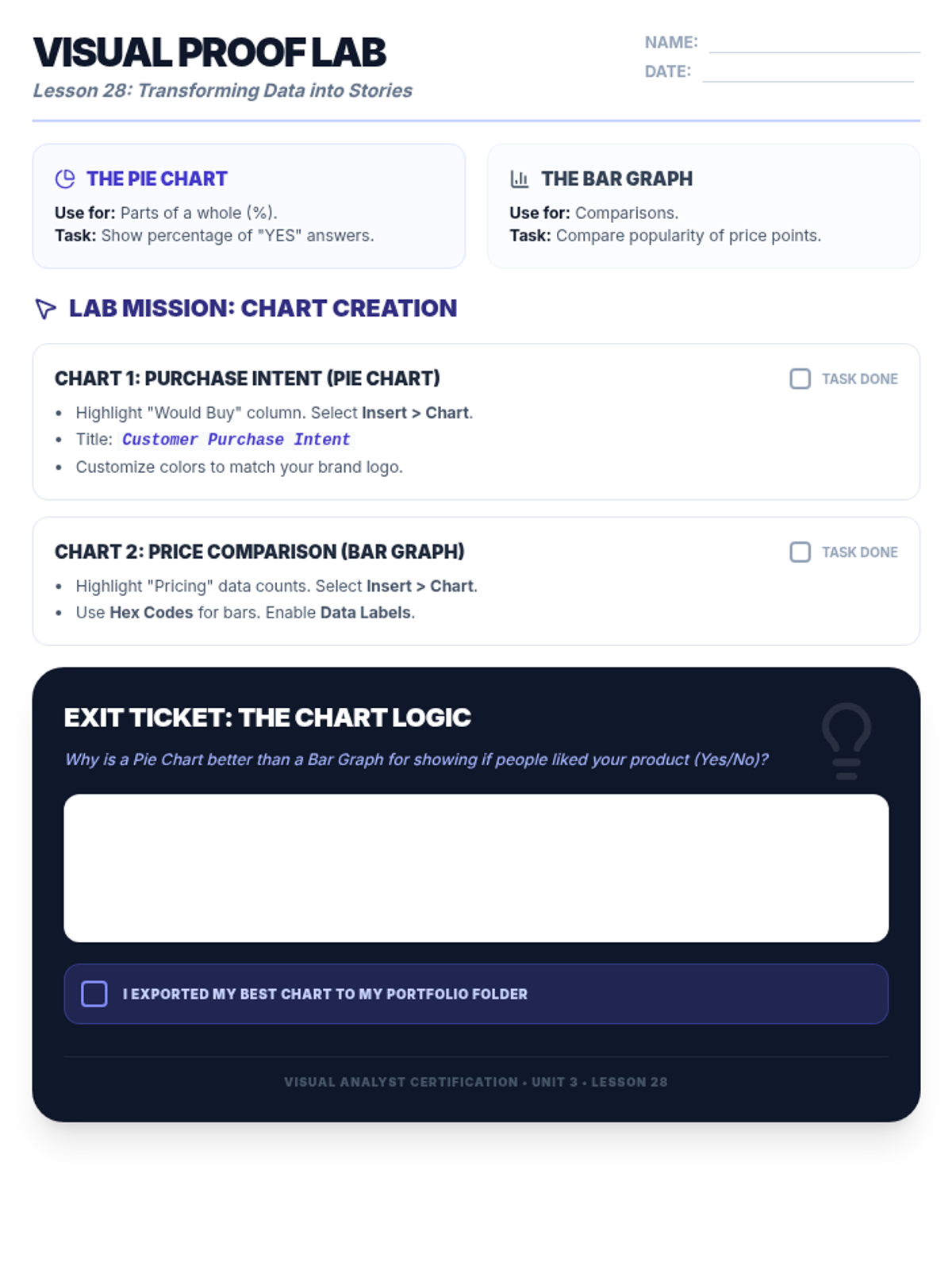
A student activity worksheet for Lesson 28 that guides students through creating Pie and Bar charts in Google Sheets, including branding customization and the 'Chart Logic' exit ticket. Revised for single-page layout and improved legibility.
A high-impact slide presentation for Lesson 28 teaching data visualization, featuring the '2-Second Rule' hook, an explanation of chart types (Pie vs. Bar), and branding customization for 7th-grade marketing students. Revised with hook visuals and improved typography.
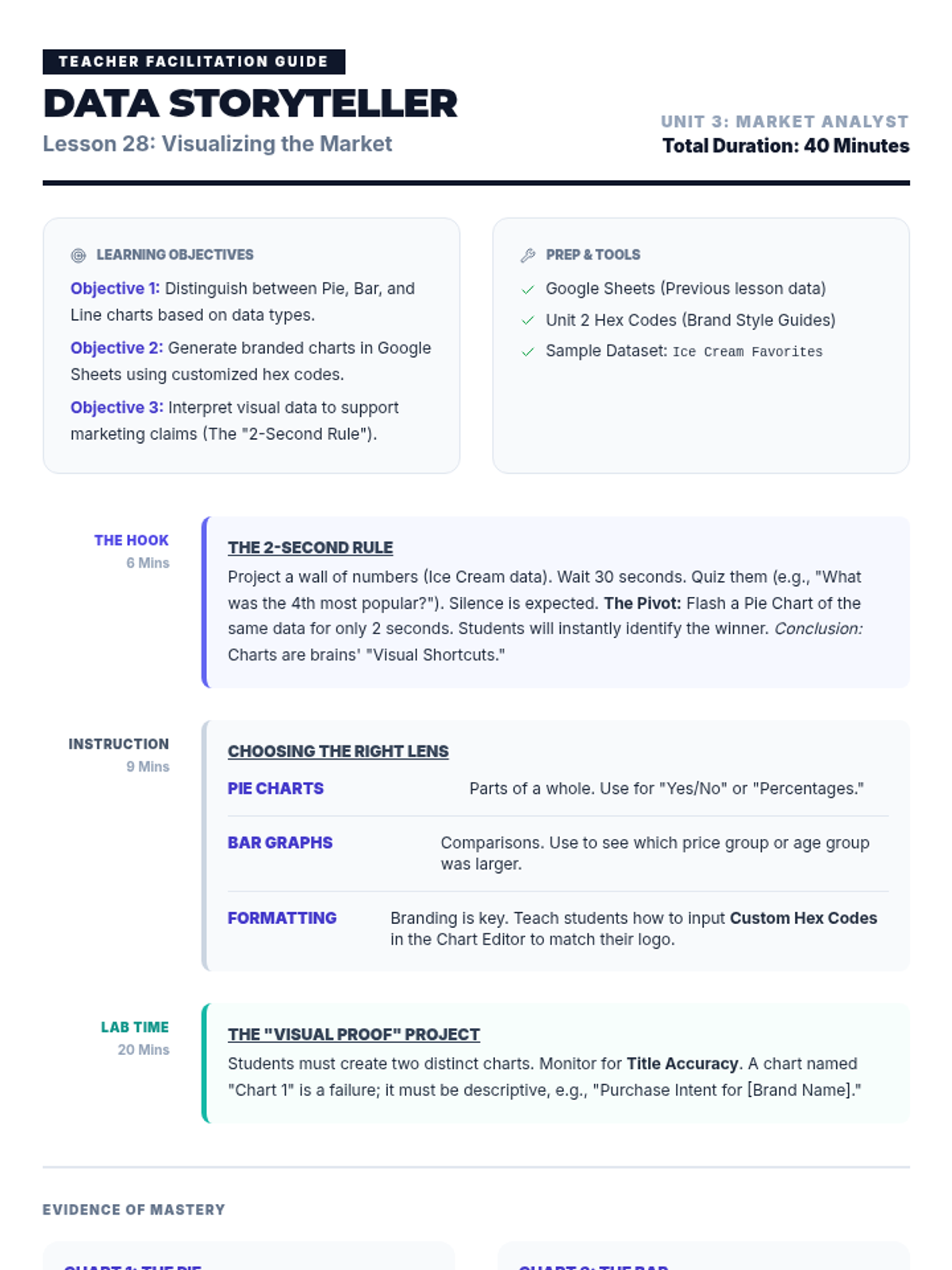
A comprehensive teacher facilitation guide for Lesson 28, covering the '2-Second Rule' hook, chart selection instruction, and a technical assessment checklist for student charts.
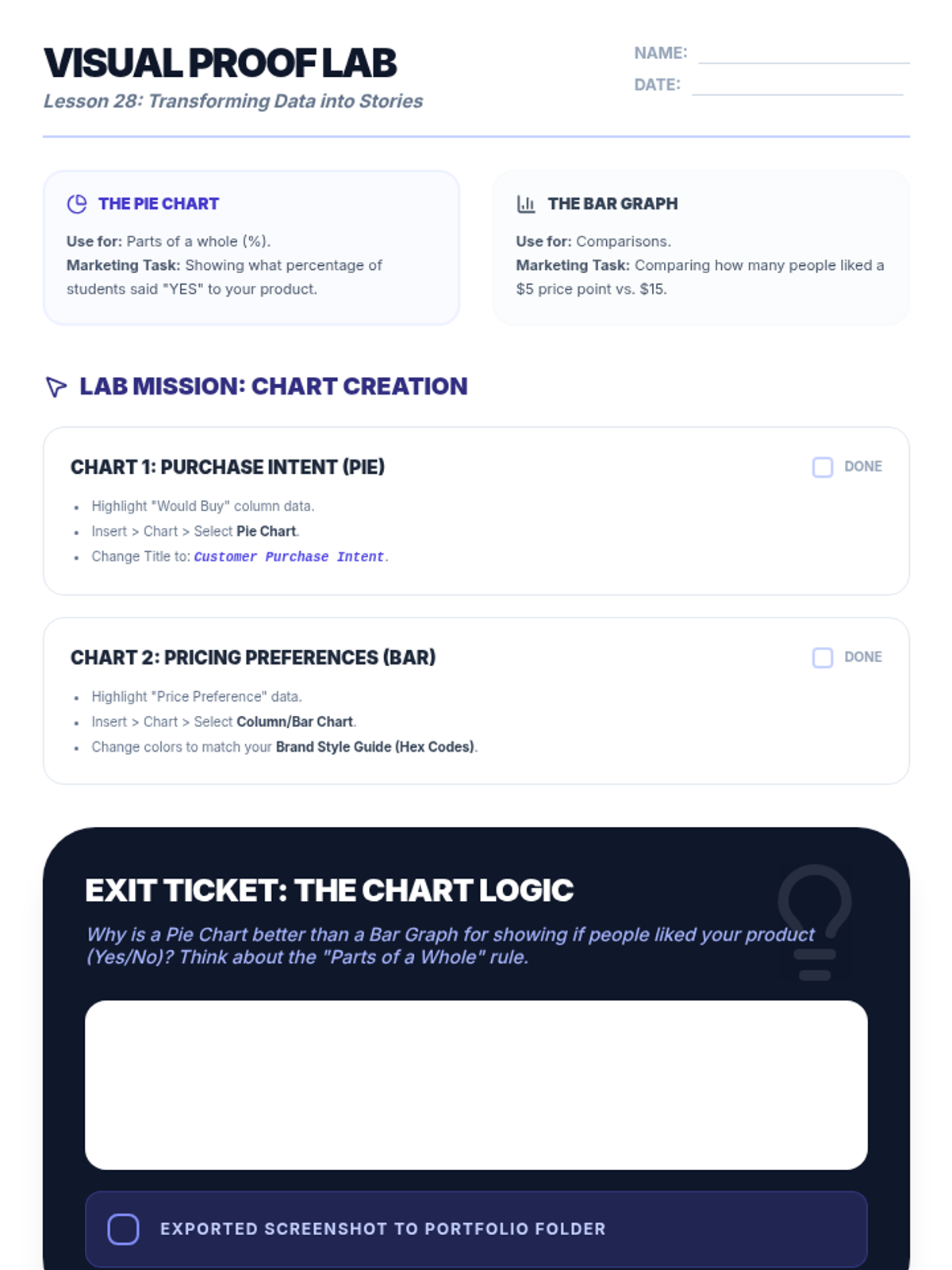
A student activity worksheet for Lesson 28 that guides students through creating Pie and Bar charts in Google Sheets, including branding customization and the 'Chart Logic' exit ticket.
A high-impact slide presentation for Lesson 28 teaching data visualization, featuring the '2-Second Rule' hook, an explanation of chart types (Pie vs. Bar), and branding customization for 7th-grade marketing students.
A dynamic slide presentation for Lesson 27 focusing on data analysis skills in Google Sheets, including sorting, filtering, and conditional formatting to find market trends. Revised for better alignment and explicit marketing context for 7th graders.
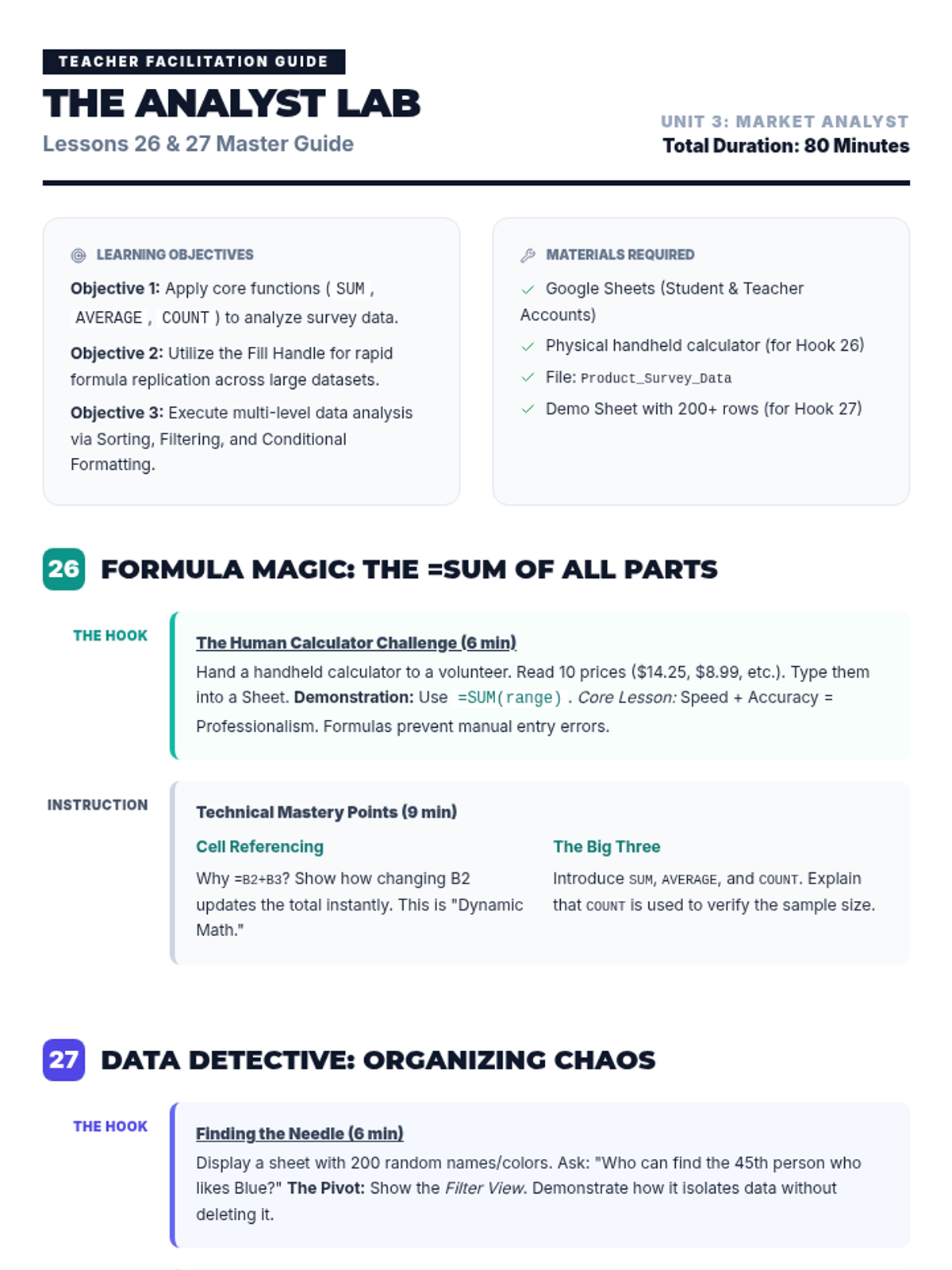
A comprehensive teacher guide for Lessons 26 and 27, detailing the 'Human Calculator' demo, technical checkpoints for Google Sheets, and strategies for teaching market trend analysis. Re-structured for better page breaks and improved alignment.
A high-impact slide presentation for Lesson 26 teaching Google Sheets formulas, featuring the 'Human Calculator' hook, core functions (=SUM, =AVERAGE, =COUNT), and the efficiency of the fill handle. Final polish for alignment and visual clarity.