A student reflection worksheet and exit ticket where students write a sentence using a new vocabulary word and provide a corresponding illustration.
Final assessment for the Search Strategy Academy unit, covering keywords, Boolean operators, database use, and snippet analysis.
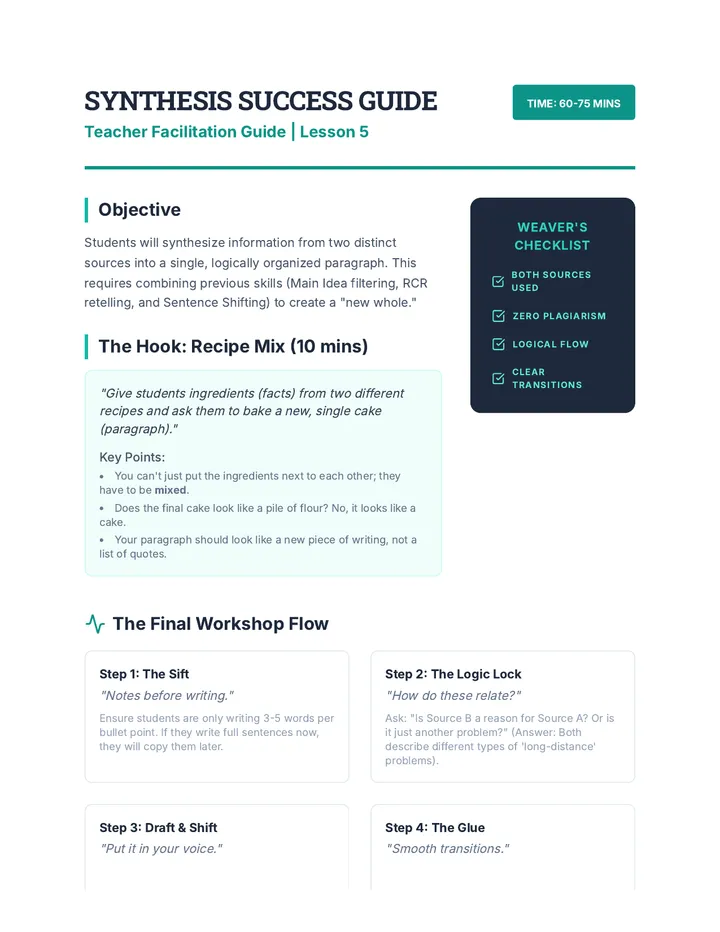
Teacher guide for "The Source Weaver" lesson. It outlines the synthesis process, provides a hook activity, transition words for ESL support, and a sample synthesized paragraph.
Student scavenger hunt log for Lesson 5, where students document their search strings and answers to obscure research questions.
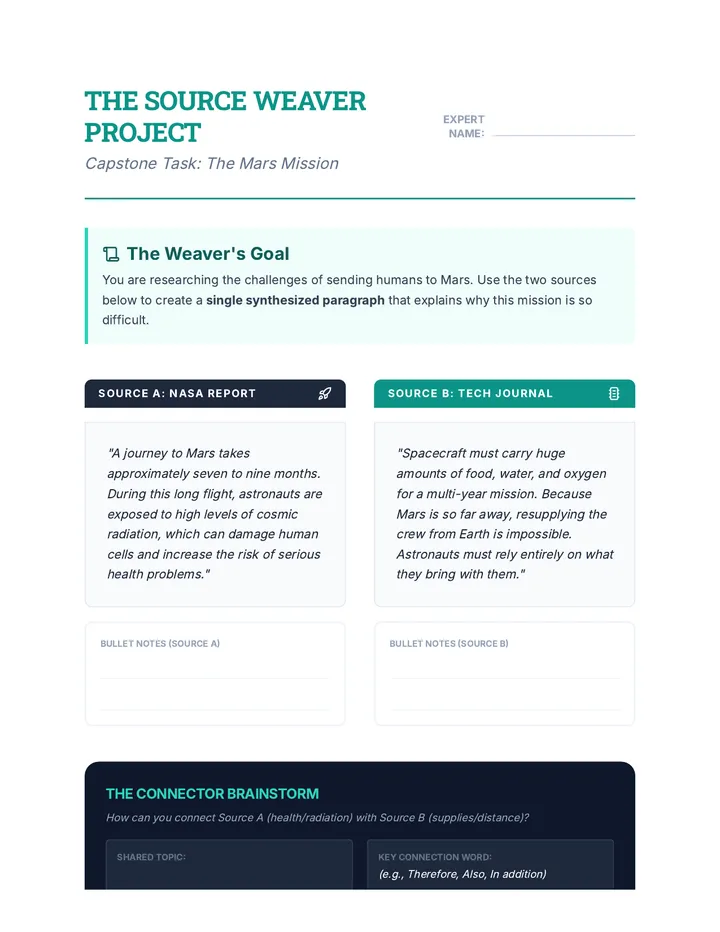
Capstone student project for "The Source Weaver" lesson. Students analyze two short texts about Mars, take notes, and synthesize the information into a single coherent paragraph using their own vocabulary and sentence structures.
Introductory slide deck for Lesson 5, reviewing all strategic search techniques and introducing the culminating Scavenger Hunt challenge.
Visual slides for "The Source Weaver" lesson. These slides introduce students to the concept of synthesis as connecting ideas from multiple sources to create a new, coherent whole.
Teacher answer key and discussion guide for the "To Click or Not to Click" worksheet, focusing on snippet analysis and evaluation.
Student worksheet for Lesson 4 where students practice identifying the best search result based on snippets, titles, and URLs.
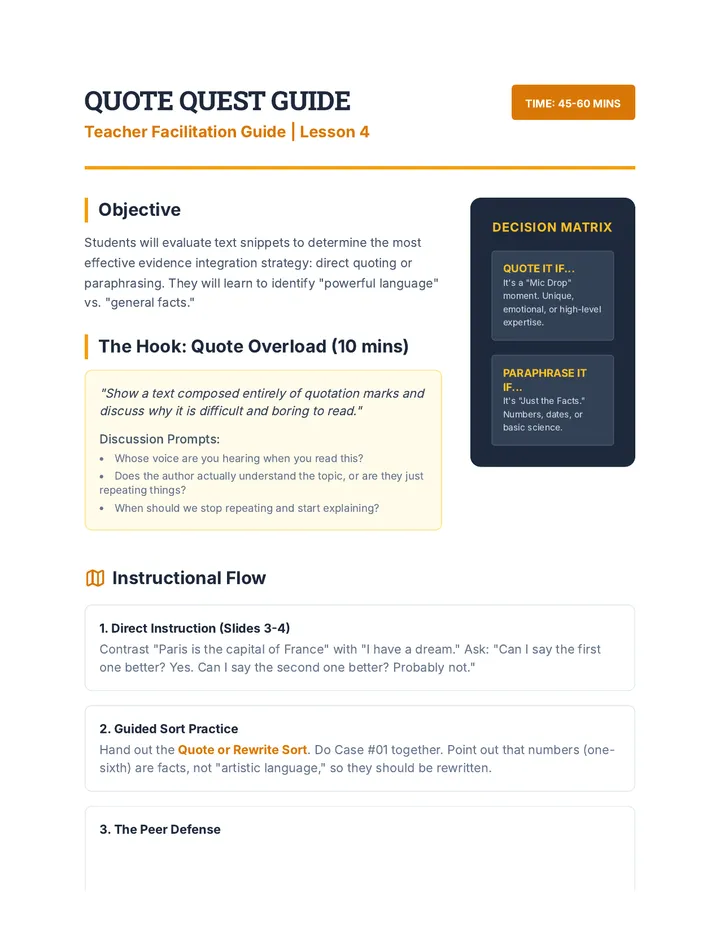
Teacher guide for "Quote Quest" lesson. It outlines the decision-making criteria for quoting vs. paraphrasing, provides instructional steps, and includes an answer key for the sorting activity.
A grading rubric for the final Curator Challenge project, assessing search strategies, source credibility, and annotation quality.
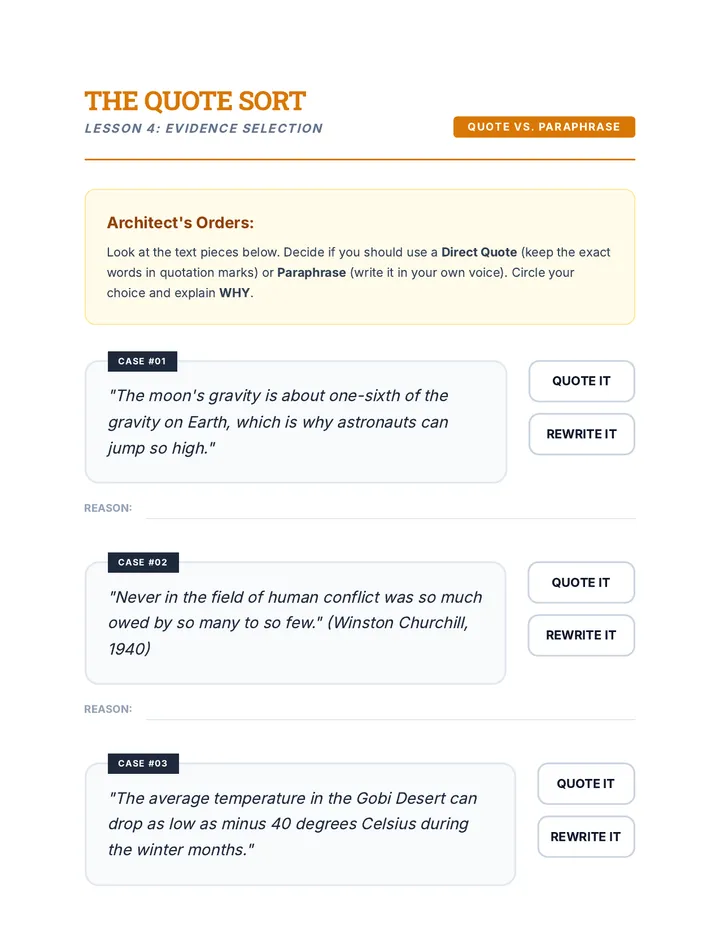
Student activity for "Quote Quest" lesson. It presents several textual scenarios and requires students to decide whether to use a direct quote or a paraphrase, providing a justification for their choice.
Introductory slide deck for Lesson 4, teaching students how to read and interpret search result snippets, titles, and bolded terms before clicking.
A culminating project template where students select a research topic and curate three credible sources with justifications.
Visual slides for "Quote Quest" lesson. These slides help students distinguish between when to use direct quotes for impact and when to paraphrase for factual clarity.
A visual presentation for Lesson 5 introducing the final project: curating a list of three credible sources with annotations. It covers the purpose of annotations and project expectations.
A student assessment document for Lesson 5 where they act as editors to identify and correct plagiarism and citation errors in research samples.
Teacher facilitation guide for Lesson 3, providing instructions for the "Database Race" activity and tips for database exploration.
Teacher guide for "Sentence Shifters" lesson. It outlines the instructional flow for synonym substitution and active-to-passive transformation, including a sample answer key.
The introductory slide deck for the capstone Lesson 5 simulation, setting the stage for the plagiarism audit activity.
Student checklist for Lesson 3 where students explore an academic database by performing a keyword search, applying filters, and identifying metadata.
A student worksheet for practice with navigating academic database interfaces, reading abstracts, and using built-in research tools.
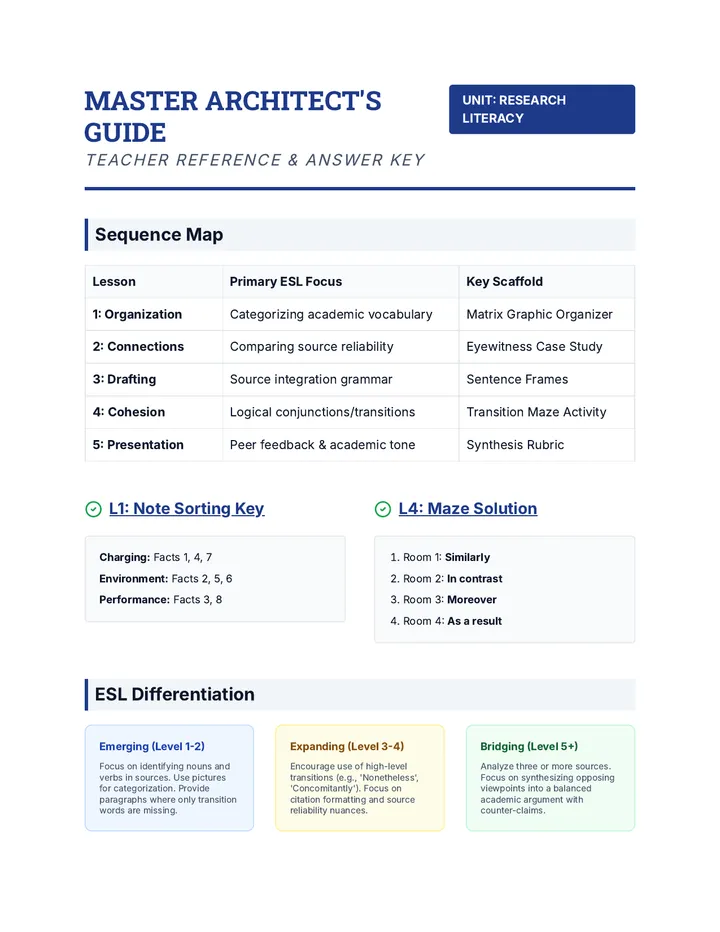
A comprehensive teacher-facing guide for the synthesis sequence. Includes the sequence map, answer keys for the Note Sorting and Transition Maze activities, differentiation strategies for various ESL levels, and a quick-check grading rubric.
Student worksheet for "Sentence Shifters" lesson. It includes a synonym bank and tiered practice exercises for synonym replacement, active-to-passive transformation, and combined paraphrasing.
Introductory slide deck for Lesson 3, teaching students about academic databases, filters, and how they differ from general search engines.
A teacher resource for Lesson 4 containing printable cards with citation components for a hands-on ordering activity.
A visual presentation for Lesson 4 introducing the differences between open web searches and curated academic databases. It highlights key features like abstracts and citation tools.
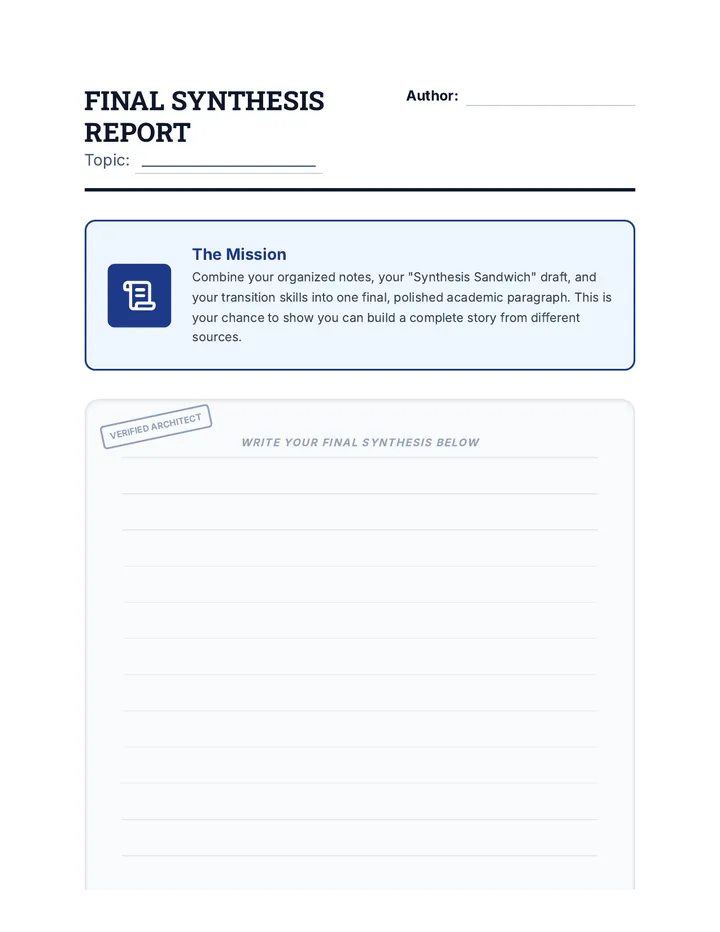
The final synthesis report template for students to write their completed academic paragraph. Includes a section for peer feedback from the Gallery Walk activity.
Visual slides for "Sentence Shifters" lesson. These slides introduce students to two primary paraphrasing tools: Synonym Swap and Structure Flip (Active/Passive voice).
An instructional slide deck for Lesson 4 that introduces the elements and formatting of MLA citations using a 'construction' theme.
Final project slide deck for Lesson 5. Outlines the synthesis project goals, explains the peer-review Gallery Walk process, and provides a final polishing checklist for students' academic work.
Student reference cheat sheet for Lesson 2, providing a clear summary of AND, OR, and NOT Boolean operators with examples.
A student worksheet for practice with transforming natural language questions into effective keyword queries and search strings.
Teacher guide for "The Voice Lab" lesson. It outlines the 'Read, Cover, Recite' protocol, providing a hook activity, instructional steps, and specific ESL scaffolds for concept retrieval.
A student practice worksheet for Lesson 3 focusing on distinguishing between quotes and summaries, and applying signal phrases to integrate evidence.
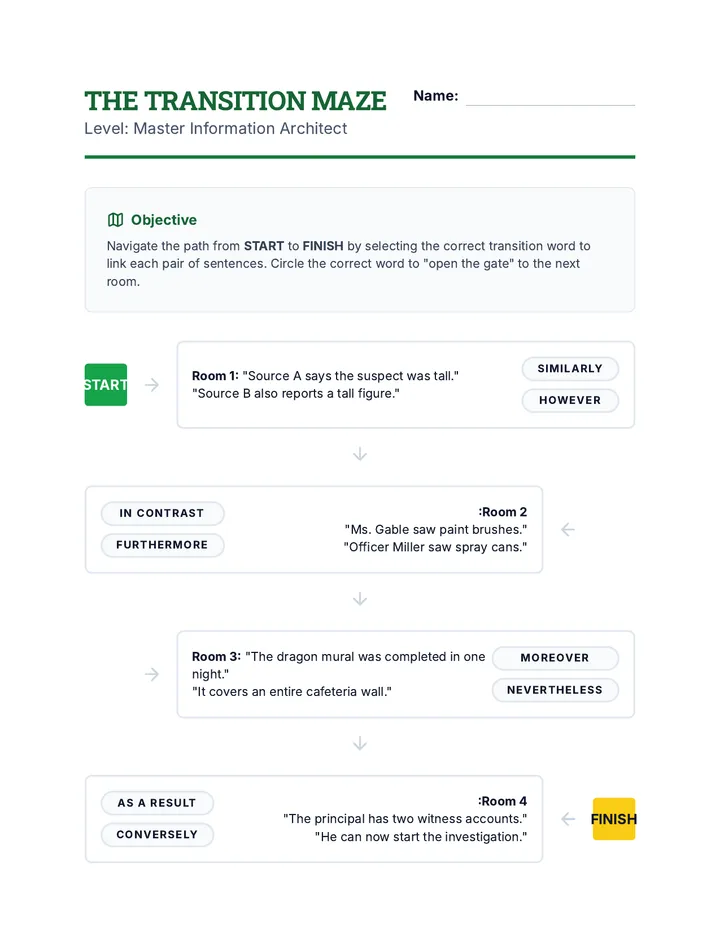
A game-based worksheet for Lesson 4 where students navigate a 'maze' by choosing the correct transition words to link sentences. Includes a section for practicing complex sentence structure with semicolons and commas.
Student matching activity for Lesson 2 where students connect Boolean search strings to their corresponding results.
A visual presentation for Lesson 3 introducing keyword generation, natural language versus keyword searching, and Boolean operators (AND, OR).
Student activity cards for "The Voice Lab" lesson. These cards provide short, interesting facts that students must read, cover, and orally paraphrase to a partner to practice the RCR method.
An instructional slide deck for Lesson 3 focusing on balancing student voice with external evidence, distinguishing between quotes and summaries, and using signal phrases.
Slide deck for Lesson 4 on transitions and cohesion. Compares 'choppy' vs. 'smooth' writing, categorizes transition words (Addition, Contrast, Evidence), and explains the grammatical rules for using them.
Visual slide deck for Lesson 2, introducing Boolean operators (AND, OR, NOT) with Venn diagrams and a "Human Search Engine" game.
A teacher resource for Lesson 2 providing URLs for website evaluation, key "red flags" for the hoax site, and "green flags" for the credible site.
Visual slides for "The Voice Lab" lesson. These slides introduce the 'Read, Cover, Recite' (RCR) method for oral paraphrasing, emphasizing the separation of conceptual understanding from linguistic structure.
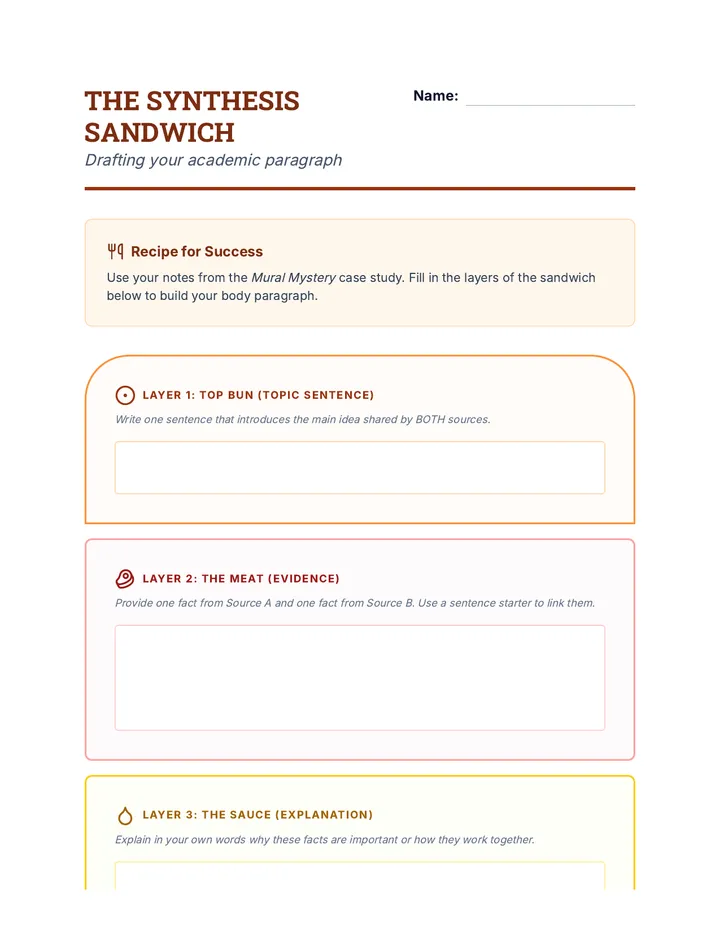
A graphic organizer for drafting a synthesis paragraph. Using a 'sandwich' metaphor, it guides students through writing a topic sentence, integrating evidence from multiple sources, and providing an explanation/conclusion. Includes a sentence starter toolbox.
A student practice worksheet for Lesson 2 focusing on applying the "Replace and Rearrange" strategies to various sentence types.
Teacher facilitation guide for Lesson 1, including instructional scripts, ESL scaffolding tips, and discussion prompts for the keyword workshop.
A student worksheet for evaluating two contrasting websites (a hoax and a credible source) using the C.R.A.P. framework.
Slide deck for Lesson 3 on drafting synthesis paragraphs. Uses the 'Synthesis Sandwich' analogy to teach paragraph structure (Topic-Evidence-Explanation) and provides sentence frames for integrating multiple sources.
Teacher guide for "The Idea Filter" lesson. It provides instructional flow, ESL scaffolding strategies, discussion prompts, and a sample answer key for the student worksheet.
Student worksheet for Lesson 1 where students practice deconstructing research questions into keywords and brainstorming synonyms for search terms.