For district leaders
Your resources for the Lenny Pilot
These resources are for district leaders and contains everything needed to organized pilot, including key context, timelines, resources, and clear guidance for all staff involved.
Resources to
share
with
teachers
or
staff
Everything a teacher needs to know about Lenny.
1
Lenny overview one-pager
2
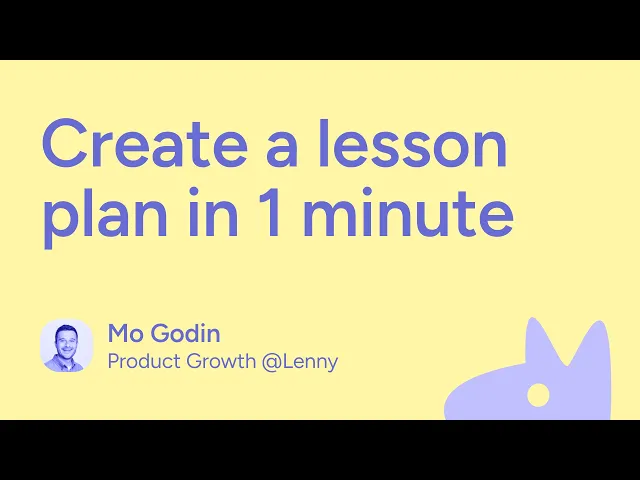
Getting started videos
Video resources
for
teachers
or
staff
Lenny Learning for Counselors & Student Support Teams
Lenny Learning for SPED Teams
Communications
for
pilot leaders
This section gives you ready-to-use language and resources to help you communicate clearly with staff before, during, and after the Lenny pilot.
You can use these as-is or adapt them to your district’s voice.
Email comms to staff (pilot announcement)
Subject: New resource to support lessons and interventions: Lenny
Hi everyone,
We’re launching a pilot of Lenny, a tool designed to help teachers and school support staff quickly create ready-to-use, evidence-based lessons and interventions for students.
This pilot is meant to support your existing work, not add extra burden. Lenny can be used for classroom lessons, small-group instruction, special education, MTSS supports, and behavior or mental health interventions.
How to get started:
Log in to our pilot workspace here: lenny.org/create
Watch the short getting-started video (about 3 minutes)
Try creating one lesson or intervention you’re already planning
We’re also doing a team-wide training on [INSERT YOUR TRAINING DATE]
Everything Lenny creates is fully editable and designed to fit real classrooms and counseling settings.
You’ll also find additional resources and training materials in the pilot guide here: lenny.org/pilot/resources
This pilot is about learning what’s helpful and where this tool fits into your workflow. We appreciate you exploring it and sharing feedback along the way.
Thank you for your time and openness to trying something new.
Reminder / nudge email (mid-pilot)
When to use:
Midway through the pilot.
Purpose:
Encourage engagement without pressure.
Subject: Quick reminder about the Lenny pilot
Hi everyone,
Just a quick reminder that we’re currently piloting Lenny Learning. If you haven’t had a chance yet, consider trying it for one lesson, small group, or intervention you’re already planning.
Go to lenny.org/create
Sharing resources with staff
When to use:
Anytime staff ask, “What is this?” or “Where do I start?”
Lenny overview one-pager
Getting started videos
Training links
Direct link to Lenny
lenny.org/create?
Dashboard to view activity
1
Log in your workspace with your school email
2
In the left panel, click on "Dashboard"
Add more staff to pilot
1
Log in your workspace with your school email
2
In the left panel, click on "Users"
How to introduce Lenny in a meeting or PD
Core framing (open with this)
Lenny is a support tool
The goal is to reduce prep time, not change how you teach
This pilot is about learning what’s helpful and what’s not
How Lenny is different from other AI tools
Lenny is built specifically for educators, not a general-purpose AI
It draws from vetted, education-aligned content and frameworks, not random internet sources
It’s designed around real classroom and counseling use cases, like small groups, interventions, and MTSS
Outputs are structured as ready-to-use materials, not just ideas or drafts
What teachers can expect
Materials that are practical and usable right away
Everything is fully editable and meant to be adapted
You stay in control of instructional decisions
You can use Lenny for one lesson, one student, or one group
Common teacher questions
Who is Lenny for?
Teachers, counselors, interventionists, and anyone supporting students academically, behaviorally, or emotionally.
Is this replacing my planning or professional judgment?
No. Lenny is designed to support and speed up planning you’re already doing. You stay in control of all instructional decisions.
Is the content generic or one-size-fits-all?
No. You describe your students, context, and goals, and Lenny generates materials based on that information. Everything can be refined and customized.
Do I need to be good with AI to use this?
No. If you can describe what your students need, you can use Lenny. No technical experience is required.
Is this another platform I have to learn?
Lenny is designed to be simple and quick to use. Most educators get started in just a few minutes.
How much time does this take?
Many educators spend 3-5 minutes creating a resource they can use immediately. You can use it for one lesson, one group, or one student.
Can I trust the content Lenny creates?
Lenny is built specifically for education and is designed to draw from vetted, education-aligned content and frameworks, including curated videos and instructional resources. Materials are generated with classroom and counseling use cases in mind, not from random or open internet sources.
That said, Lenny is a support tool, not a replacement for professional judgment. All materials are intended to be reviewed, edited, and adapted by educators to fit their students, context, and standards.
Can I edit what Lenny creates?
Yes. Everything is fully editable and designed to fit real classrooms and counseling settings.
Who do I contact if I need help?
support@lennylearning.org